11a/b/g Wireless Multi-Client Bridge/AP/WDS Version 1.0
31
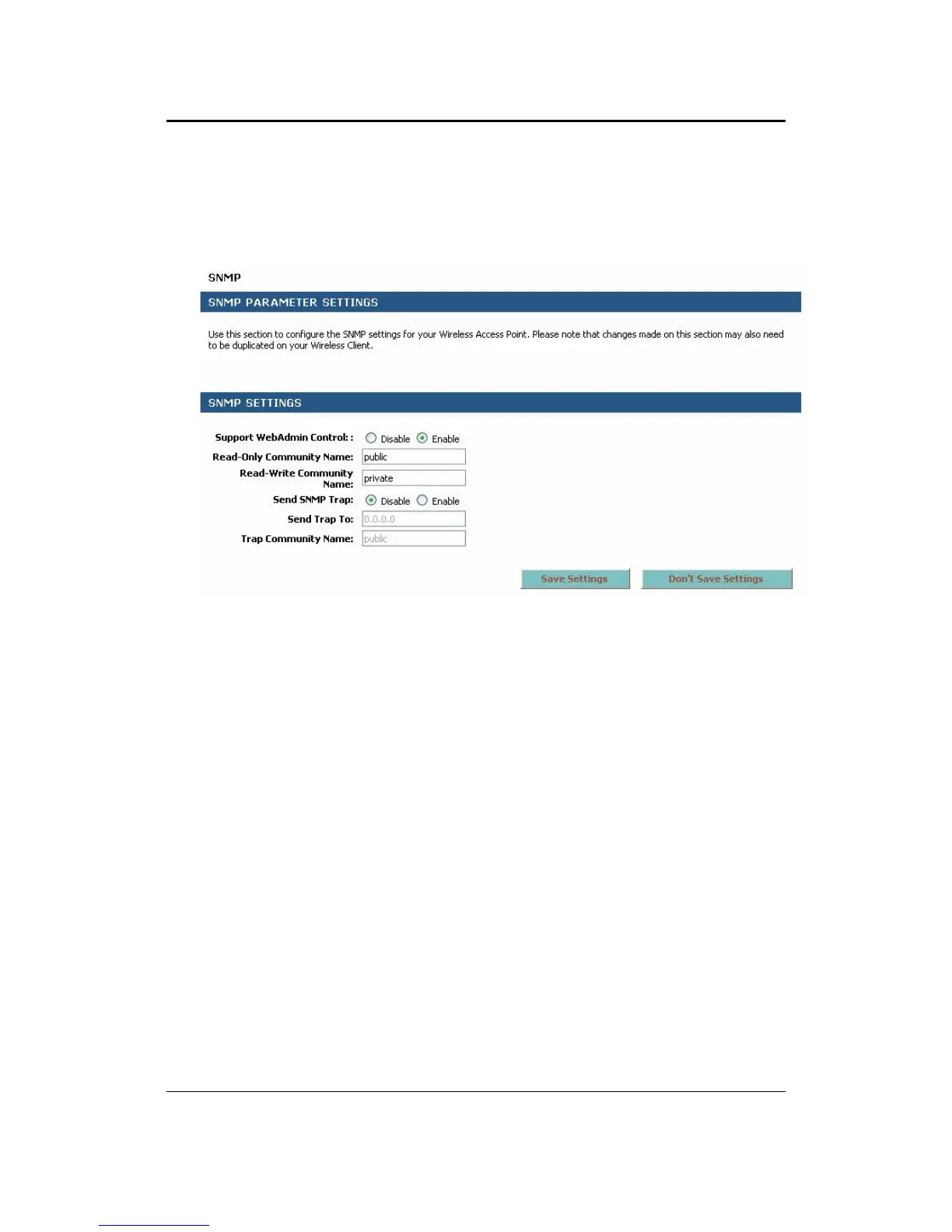
3.3.6 SNMP
Click on the SNMP link under the Wireless menu. The page allows you to create the
community name and password if you would like remotely manage the device using
a SNMP client.
Support WebAdmin Control: Select Enable if you would like to use the SNMP
feature.
Read-Only Community Name: Specify the password for access the SNMP
community for read only access.
Read-Write Community Name: Specify the password for access to the SNMP
community with read/write access.
Send SNMP Trap: Select Enable if you would like to receive SNMP traps.
Send Trap To: Specify the IP address that would receive the SNMP traps.
Trap Community Name: Specify the password for the SNMP trap community.
Click on the Save Settings button once you have modified the settings.



 To Next Page