11a/b/g Wireless Multi-Client Bridge/AP/WDS Version 1.0
45
4.3.3.1 802.11b Infrastructure / Ad-hoc Mode
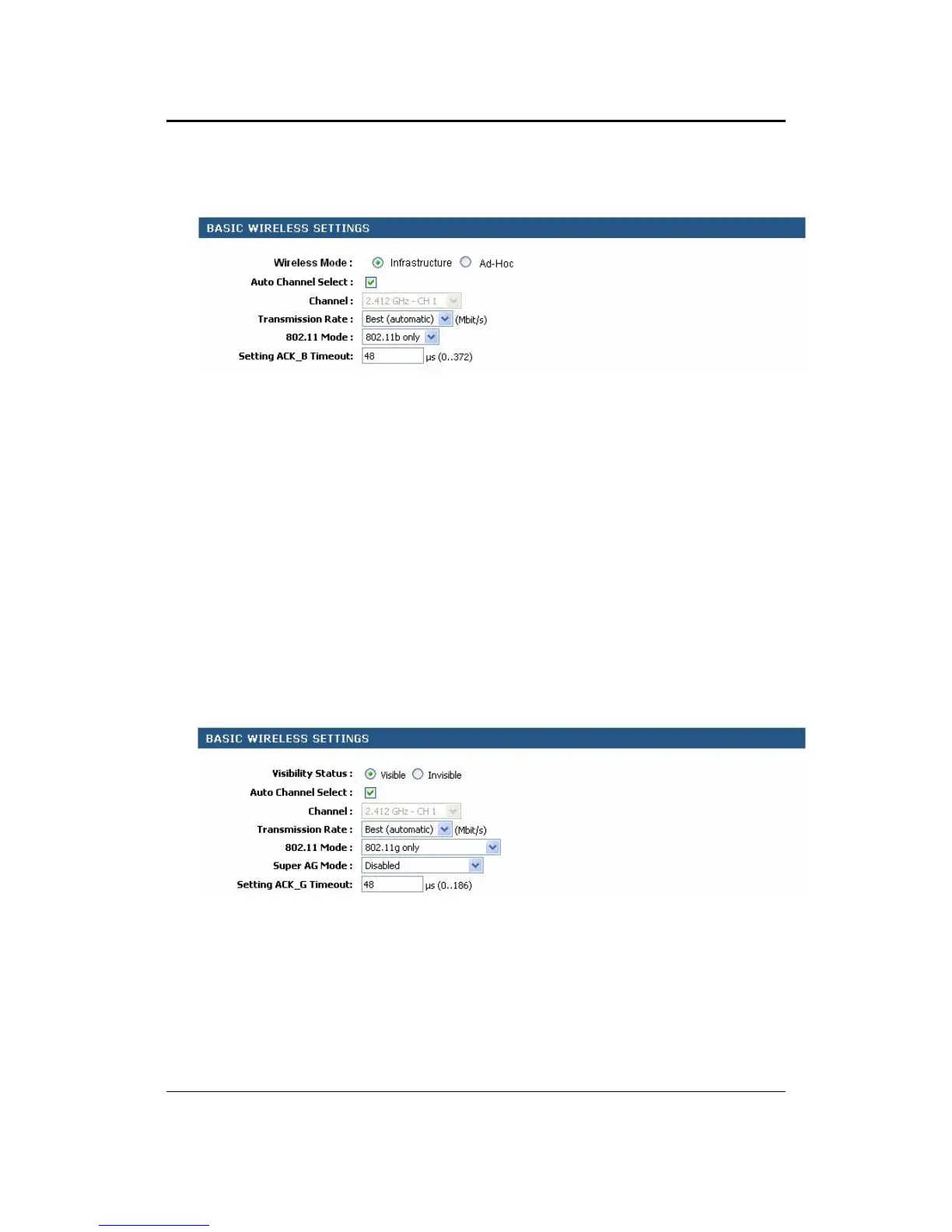
Visibility Status: Select Visible or Invisible. This is the SSID broadcast feature. If
you set this value to Visible, then the clients will be able to find this SSID on a site
survey.
Channel: Select a channel from the drop-down list. The channels available are
based on the country’s regulation. Place a check in the Auto Channel Select box if
you would like the Access Point to select the cleanest channel.
Transmission Rate: Select a transmission rate from the drop-down list. It is
recommended to use the Best (automatic) option.
802.11 Mode: Select 802.11b only. Do not use this option when configured at Ad-
Hoc mode.
Setting ACK_B Timeout: You may specify a time out value, however, it is
recommended to use the default setting: 48
Click on the Save Settings button once you have modified the settings.
4.3.4 Wireless 802.11g Configuration
Click on the 11b link under the Wireless menu.
Visibility Status: Select Visible or Invisible. This is the SSID broadcast feature. If
you set this value to Visible, then the clients will be able to find this SSID on a site
survey.
Channel: Select a channel from the drop-down list. The channels available are
based on the country’s regulation. Place a check in the Auto Channel Select box if
you would like the Access Point to select the cleanest channel.
Transmission Rate: Select a transmission rate from the drop-down list. It is
recommended to use the Best (automatic) option.



 To Next Page