4.4 Network Setting:
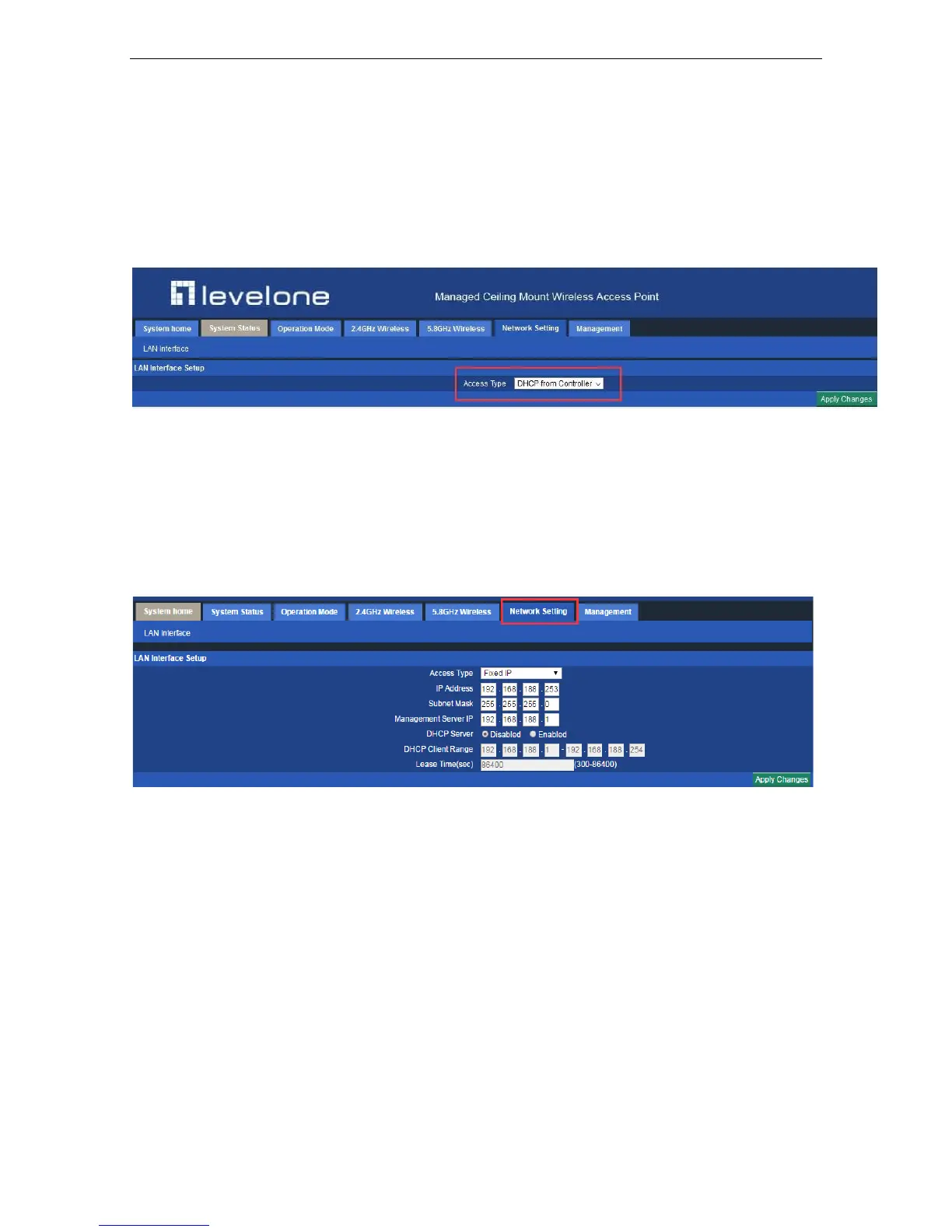
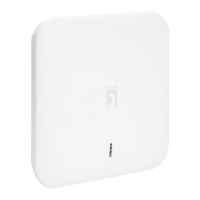
In this page, users can set up the basic LAN setting
Under AP Mode, DHCP from Controller means you are allowing the controller to control the IP of the AP
(originally 192.168.188.253) . Therefore the controller can find and manage the AP.
When you choose Fixed IP , that means the AP is having the right to decide its own IP instead of being totally
controlled by controller. However, when the IP Address is in the same network segment as controller’s, can the
controller find and manage the AP. Take one for example, when controller’s IP is 192.168.10.1, and only when AP’s
IP is 192.168.10.X can the controller find and manage the AP.
4.5 Management:
4.5.1 System Time
In this part, you can set the time of the device. NTP server can only work under Gateway mode and WISP Mode.
When NTP server is chosen, Sync with host will be unavailable. When it connects with controller click Sync with
Host, it will get time from controller rather than from PC.













 To Next Page