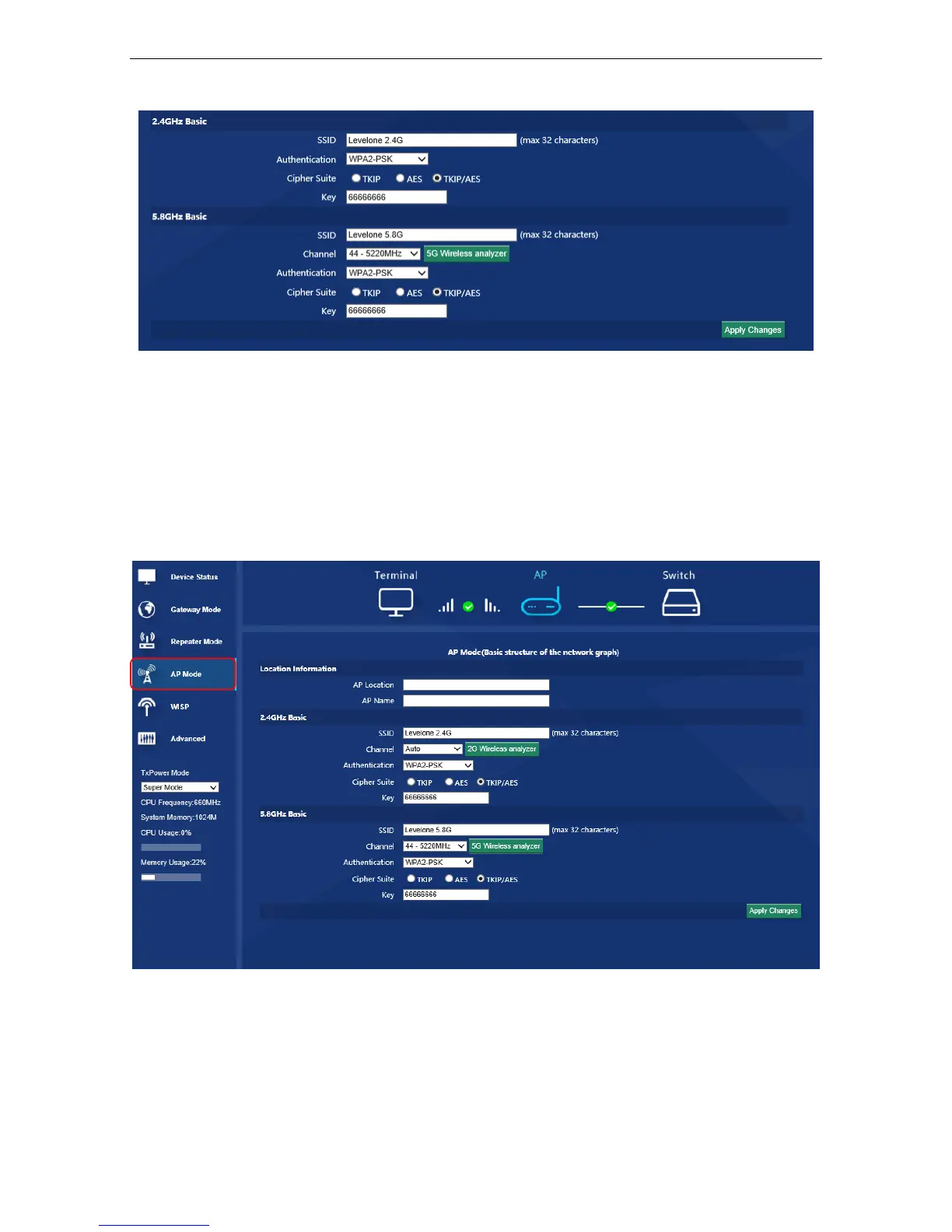
P11 Repeater Mode
3.3 AP Operation Mode:
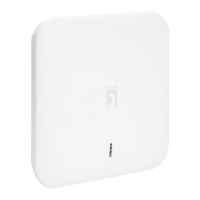
AP mode is for wifi coverage mainly, plug and play, very easy in setting as follow:
Click the “AP mode”, set AP Location and name if need, after that to configure the Wireless Basic for 2.4Ghz and
5.8Ghz, such as SSID, password, channel, Then apply.
3.4 WISP Operation Mode:
Before apply WISP operation mode, pls confirm the internet will be dynamic IP or PPPoE:
Click ”WISP” mode in Wizard, then will pop up the configure page, then choose the WAN Access Type and place
correct information as in the Gateway Mode. Then confirm the bridge networking is 2.4GHz WiFi or 5.8GHz WiFi,













 To Next Page