-2-
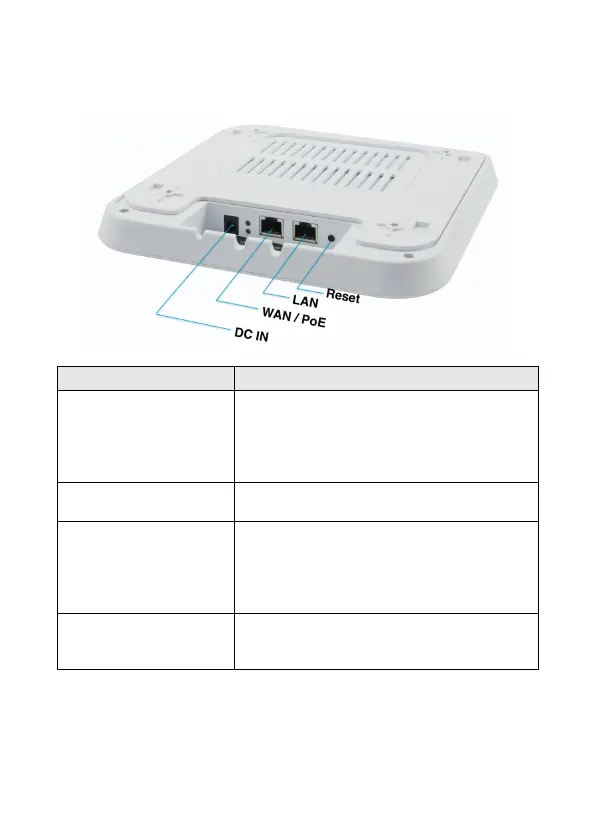
l Interface Description
With the AP powered on, press the Reset button for 10~14
seconds until the Signal Strength LED blink faster than ever.
The AP will restart itself and reset the device to factory default
settings.
LAN port
(10/100/1000Mbps RJ45 port)
The LAN port is used to connect to network devices, such as a
switch or PC / NB
WAN / PoE
port
(10/100/1000Mbps RJ45 port)
The WAN/POE port is used to connect to network devices,
such as a POE switch OR POE adapter to power the device
(IEEE802.3at ) 48 VDC.
( PoE adapter unit is to be ordered separately )
12V/1.5A DC input Power Adapter .
( Power Adapter unit is to be ordered separately)













 To Next Page