PC Configuration
56
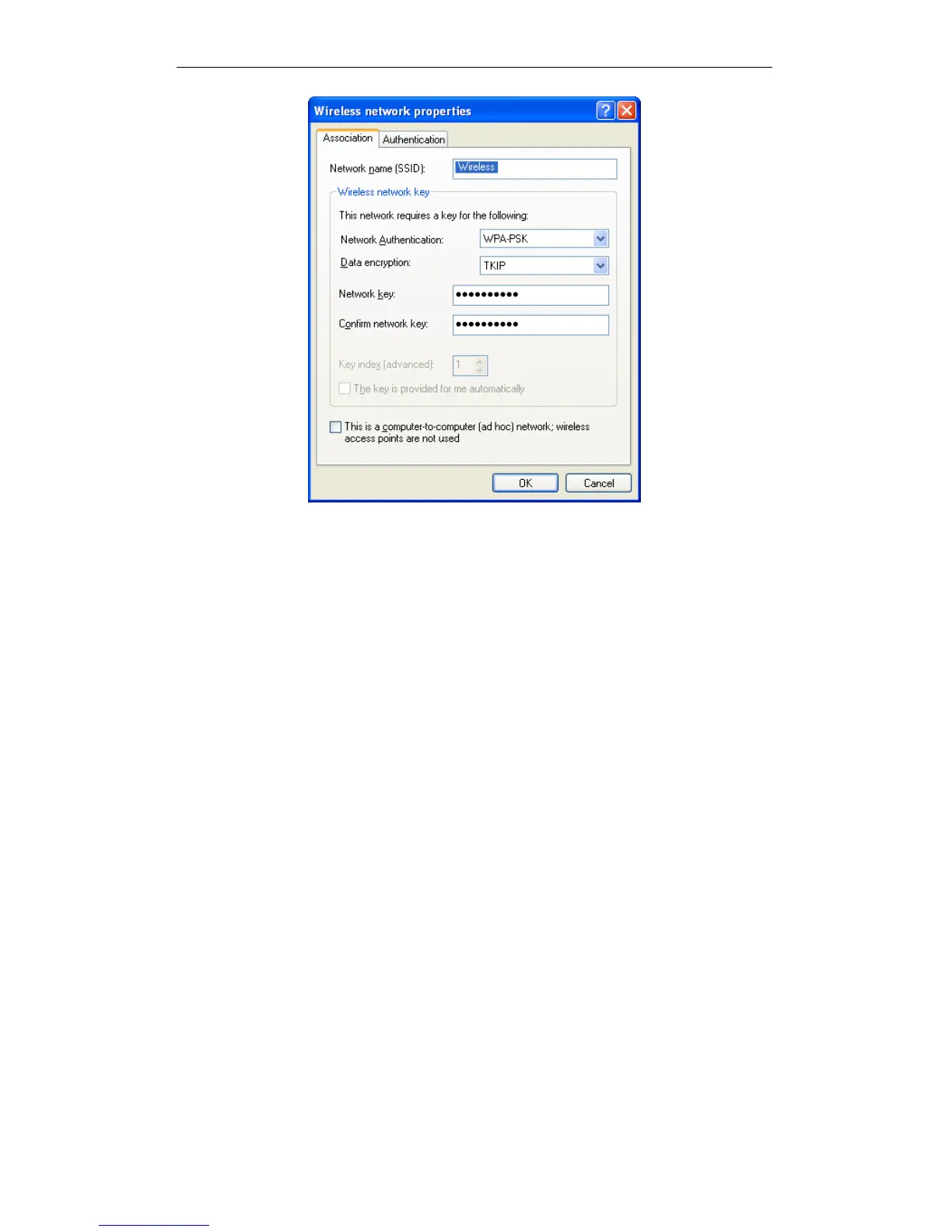
Wireless Network Properties- WPA-PSK
Configure this screen as follows:
Set Network Authentication to WPA-PSK.
For Data Encryption, select TKIP.
For the Network key and Confirm network key, enter the network key (PSK)
used on the Wireless Router.
Ensure the option This is a computer-to-computer (ad hoc) network is un-
checked.
Click OK to save and close this dialog.
This wireless network will now be listed in Preferred Networks on the screen
below.















 To Next Page