PC Configuration
58
Unlisted Wireless Network
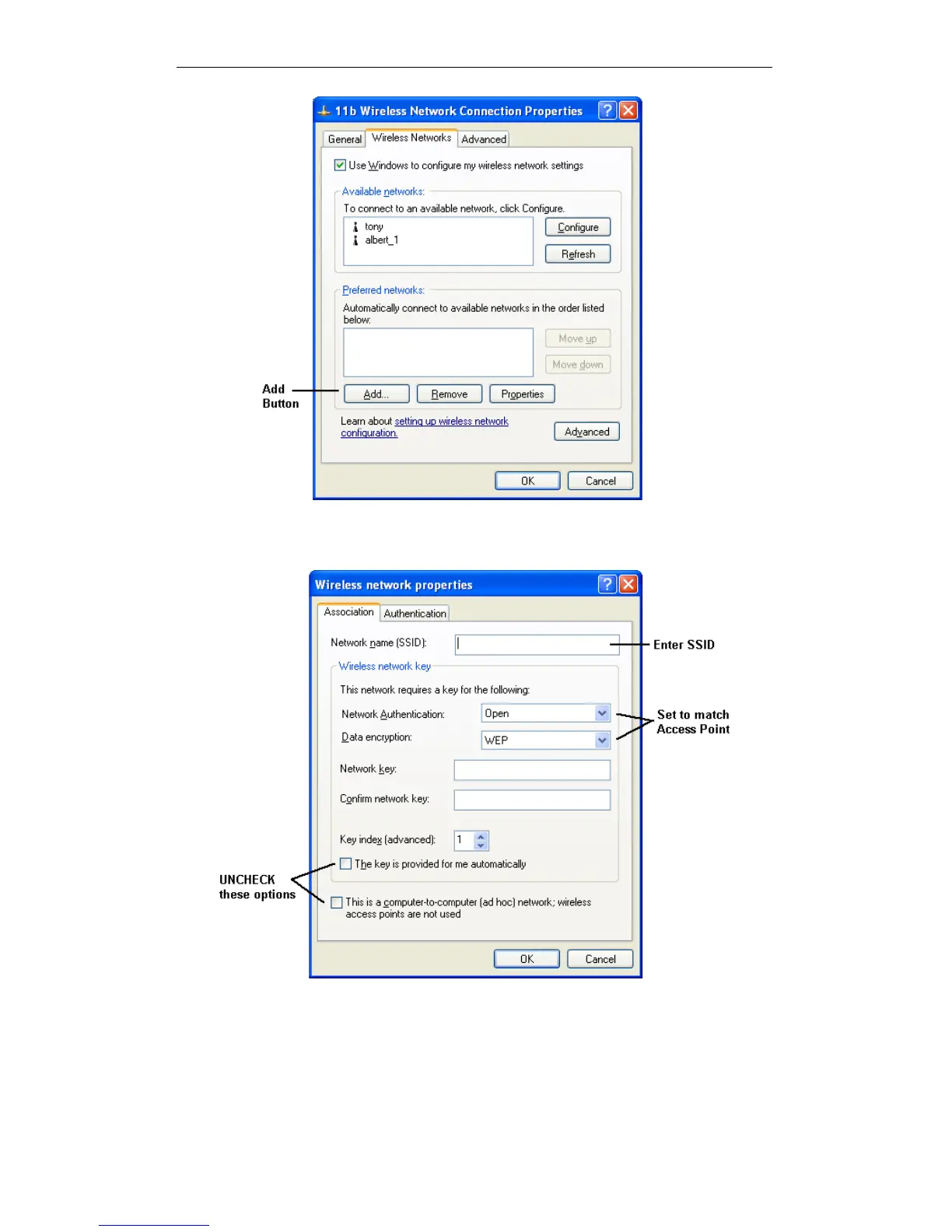
2. Click the Add button. You will see a screen like the example below.
Add Wireless Network
3. Configure this screen as follows:
Enter the correct SSID, as used on the Wireless Router. Remember the
SSID is case-sensitive, so be sure to match the case, not just the spelling.
Set Network Authentication and Data Encryption to match the Wireless
Router.















 To Next Page