10
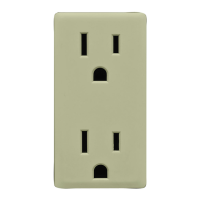
Add your outlet to a hub
Leviton Decora Smart branded Z-Wave enabled products support two
methods of inclusion. When using a Z-Wave Plus certified controller
choose Network Wide Inclusion or SmartStart. If network wide
inclusion does not discover your device, try classic inclusion.
Network Wide Inclusion to A Z-Wave Network
Modern Z-Wave Plus hubs support network wide inclusion which allows
your device to be included into the network using devices already
paired to your home automation hub.
Start with the devices closest to the hub and work your way
outward.
1.
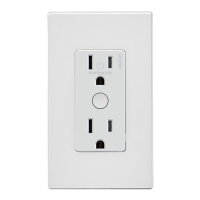
To enter programming mode, hold the button for 7 seconds. The status
light will turn amber. Release and the status light will blink.
2.
Tap the button 1 time. The status light will quickly flash green.
3.
The outlet is now ready to learn into the Z-Wave network. Follow directions
for the Z-Wave controller to complete the process.
4.
Upon successful addition to network the status light will turn o and then
flash green 4 times. If it was not successfully added to the network, the
status light will flash red 4 times.
Classic Inclusion To A Z-Wave Network
For older controllers Classic Inclusion is supported. Depending on the age of
the controller it will need to be 3 to 35 feet from the device when including.
1.
To enter programming mode, hold the button for 7 seconds. The status
light will turn amber. Release and the status light will blink.
2.
Follow the Z-Wave controller instructions to enter inclusion mode.
3.
Tap the button one time. The status light will quickly flash green.
4.
The Z-Wave controller will confirm successful inclusion to the network.


 To Next Page