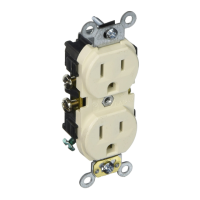
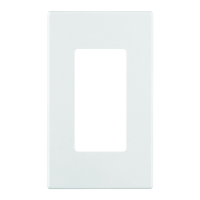
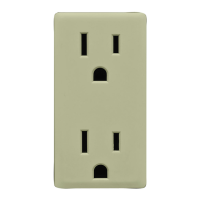
The Leviton Decora Smart Z-Wave® enabled Tamper-Resistant Outlet (Cat. No. ZW15R) is a smart electrical device designed for modern Z-Wave hubs, offering enhanced control and safety features within a smart home network. This outlet integrates seamlessly with other Decora® branded electrical products, maintaining a consistent aesthetic.
Function Description:
The ZW15R is a Z-Wave Plus certified outlet that allows for remote and manual control of connected devices. It operates within a Z-Wave mesh network, acting as a repeater to improve network reliability and extend communication range. The outlet features two receptacles: a controlled outlet and a powered outlet. The controlled outlet can be turned on or off via an app command or by pressing the integrated button on the device. The powered outlet, located at the bottom, is always on, providing continuous power to connected devices.
Important Technical Specifications:
The outlet requires an available interior wallbox with hot, neutral, and ground wires for installation. It is crucial not to use aluminum wiring and to avoid metal wallplates to ensure proper communication. The device is compatible with outlet loads up to 15A.
Ratings:
- General Use: 15A - 120VAC, 50/60Hz
- Magnetic: 15A - 120VAC, 50/60Hz
- LED/CFL: 5A - 120VAC, 50/60Hz
- Incandescent: 1500W - 120VAC, 50/60Hz
- Motor: 3/4 HP - 120VAC, 50/60Hz
- Operating Temperature: 0°C - 40°C (32°F - 104°F)
- Operating Humidity: 0-90% non-condensing
- Network: Z-Wave Plus, 908.42 MHz
Additional Ratings:
- Purpose of control: Operating Control
- Action Control Type: 1
- Pollution Degree: 2
- Impulse Voltage: 2500V
Usage Features:
- Z-Wave Compatibility: The outlet is designed for use with Z-Wave compatible hubs and can be operated in any Z-Wave network with other Z-Wave certified devices.
- Mesh Networking: It acts as a repeater, increasing network reliability and extending the range of Z-Wave communication.
- Tamper-Resistant: Built-in shutters help prevent the insertion of unintended foreign objects into the receptacles, enhancing safety, especially in homes with children.
- Integrated Button: A single button on the device provides manual control (on/off) for the controlled outlet, as well as serving for setup and configuration.
- Status Light: An integrated vanishing status light provides visual indications of the outlet's status and assists during network joining and setup. The functionality of this light can be customized.
- SmartStart Inclusion: For SmartStart enabled controllers, the device can be added to a Z-Wave network by scanning the Z-Wave QR Code (found on the top of the outlet or the back of the box). It will automatically be added within 10 minutes of being switched on and within network vicinity.
- Network Wide Inclusion: Supports modern Z-Wave Plus hubs, allowing inclusion into the network using devices already paired to the hub. The process involves holding the button for 7 seconds until the status light turns amber, then tapping it once.
- Classic Inclusion: For older controllers, classic inclusion is supported, requiring the device to be within 3 to 35 feet of the controller during inclusion. The process is similar to network wide inclusion.
- Exclusion from Z-Wave Network: The outlet can be removed from a Z-Wave network using the exclusion command on the Z-Wave controller. This involves holding the button for 7 seconds until the status light turns amber, then tapping it once after the controller enters exclusion mode.
- Customizable Status Light: The status light's behavior can be configured to:
- Light on when the load is on: The status light shows the current state of the load.
- Light on when the load is off: The status light acts as a locator in a dark room.
- Light is always off: The status light remains off.
These settings are adjusted by entering programming mode (hold button for 7 seconds), tapping the button 4 times, and then tapping it 1, 2, or 3 times respectively to confirm the desired mode.
- Advanced Options (Status LED Configuration): Compatible Z-Wave controllers can access advanced options, including configuring the Status LED via Parameter No: 7, Length: 1 Byte. Valid values are 0 (LED Off), 254 (Status Mode), and 255 (Locator Mode).
- Z-Wave Supported Associations: The outlet supports Group Number 1 (Lifeline) with a maximum of 5 nodes, using Command Class 0x5A01, 0x2503, and 0x8703.
- Additional Supported Z-Wave Classes: Includes Z-Wave Plus Info, Association Grp Info, S0 Security, Manufacturer Specific, Device Reset Locally, Switch Binary, Scene Actuator Conf, Transport Service, Supervision, Multi Channel Association, Association, S2 Security, Version, Configuration, Powerlevel, Basic, Scene Activation, Firmware Update MD, and Indicator.
Maintenance Features:
- Factory Default Reset: In situations where a controller is inoperable or missing, the device can be returned to factory default. This involves holding the button for 7 seconds (status light turns amber), then continuing to hold for another 7 seconds (total of 14 seconds) until the light flashes red/amber. Releasing the button will reset the device.
- Instruction Sheet: The manual emphasizes saving the instruction sheet as it contains important technical data, testing, and troubleshooting information useful after installation.
Safety First:
- WARNING: Not for control of high-power heating appliances (e.g., portable heaters) to avoid fire, shock, or death due to unexpected consequences like overheating.
- WARNING: Not suitable for lighting used with electronic low-voltage and high-frequency power supply transformers, or high-pressure discharge lamps (HID lighting), including mercury-vapor, sodium vapor, and metal halide lamps.
- WARNINGS: Installation and use must comply with electrical codes and regulations. For indoor use only. Consult an electrician if unsure about any instructions. Turn off power at the circuit breaker when servicing.
Warranty:
Leviton offers a Limited 2 Year Warranty. For details, visit www.leviton.com or call 1-800-824-3005 (USA) / 1-800-405-5320 (Canada).

 Need help?
 General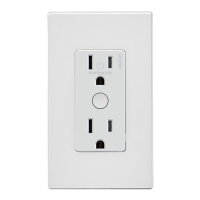

 To Next Page