16
Load paper
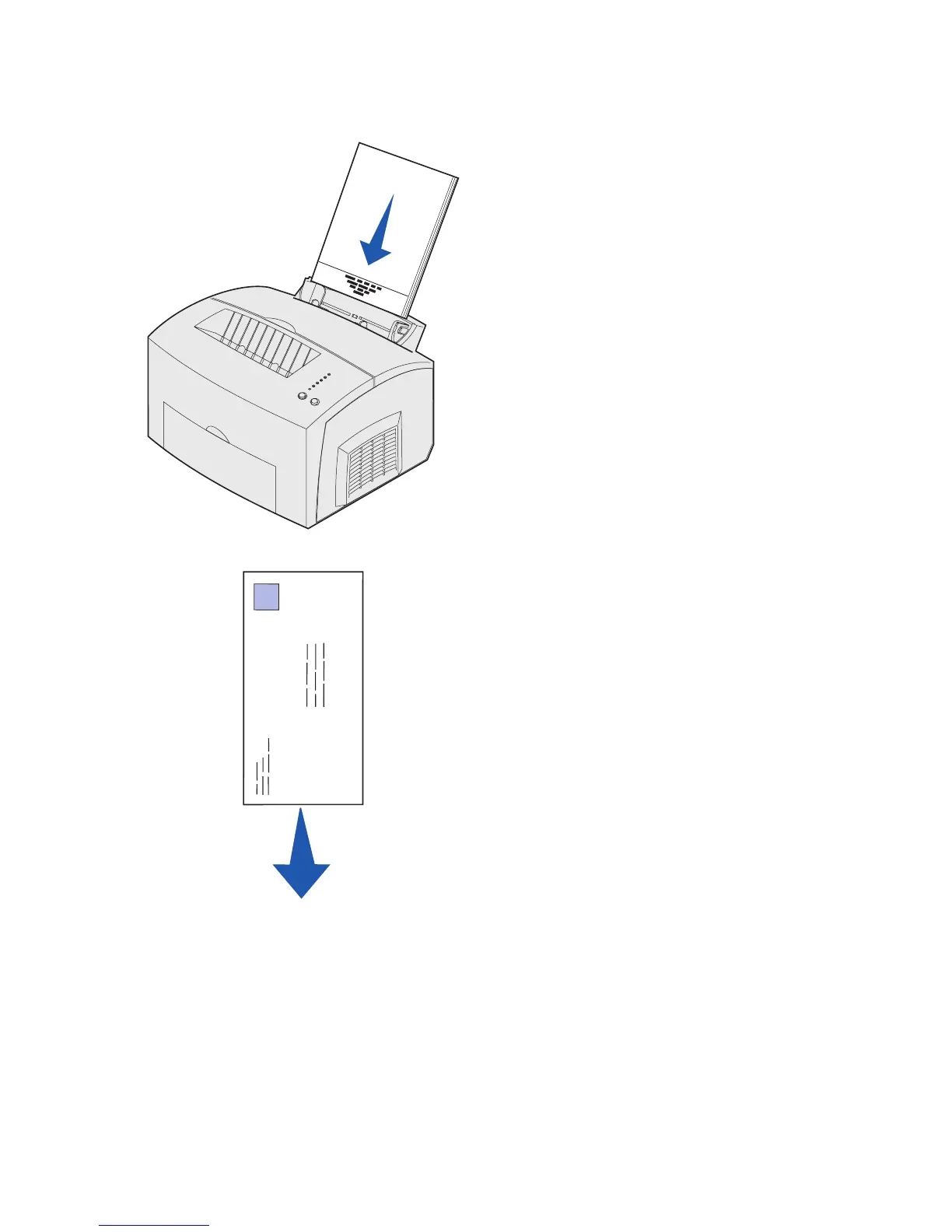
3 If loading:
• letterhead paper, insert letterhead
with the top of the page pointing
down, facing you
• envelopes, insert them vertically,
flap side down with the stamp area
in the top left corner
To reduce paper jams, do not use
envelopes that:
– Have excessive curl
– Are stuck together
– Are damaged in any way
– Contain windows, holes,
perforations, cutouts, or
embossing
– Use metal clasps, string ties, or
metal folding bars
– Have postage stamps attached
– Have any exposed adhesive
when the flap is in the sealed
position



 To Next Page