Using the operator panel
67
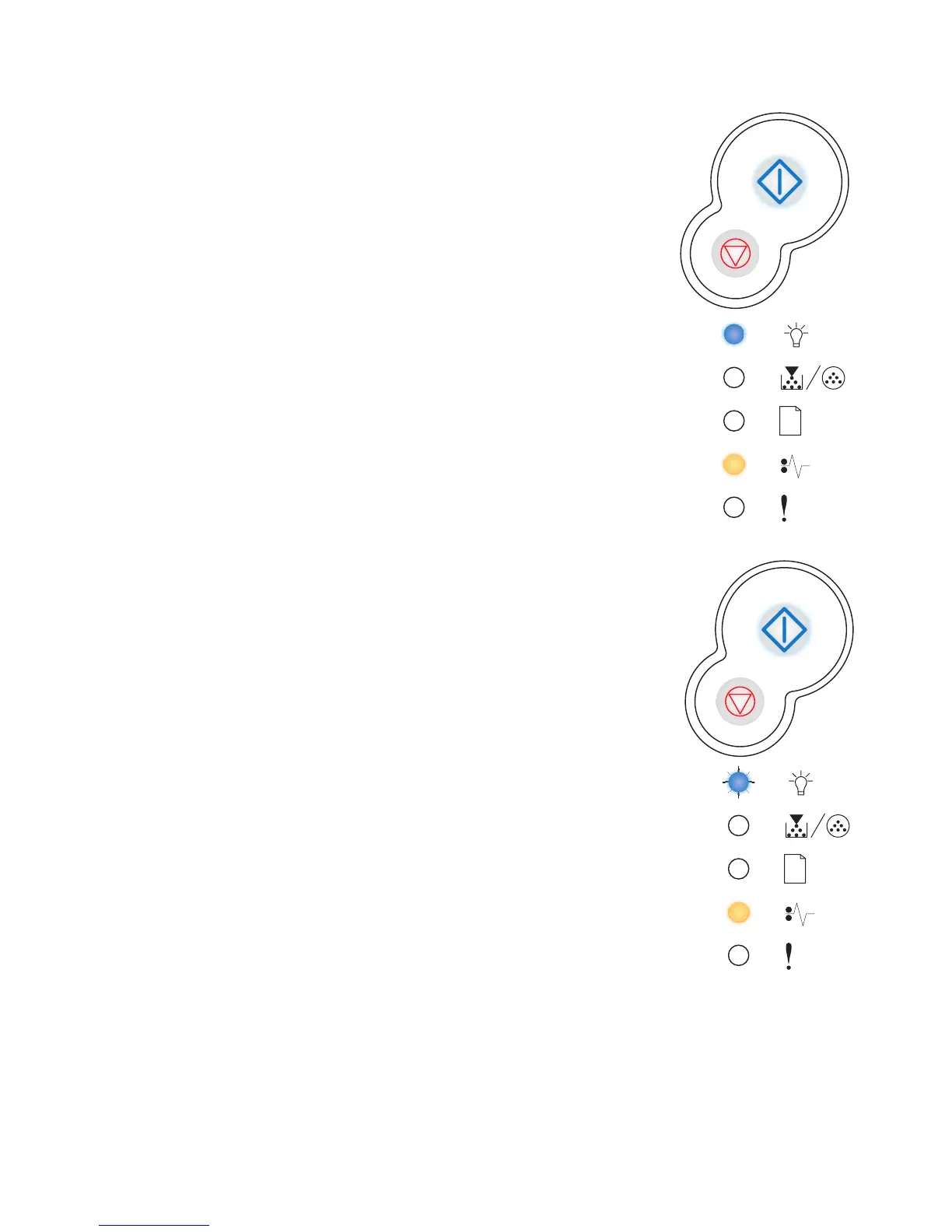
Paper jam at the input sensor
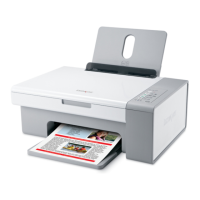
Paper jam in the manual feeder
Light sequence:
• Continue—On
• Ready—On
• Paper Jam—On
What this light sequence means:
A paper jam has occurred at the input sensor, which can be either
after the paper leaves the tray and enters the printer or in the manual
feeder.
What you can do:
Clear the paper jam. See “How to clear paper jams” on page 26
for more information.
Light sequence:
• Continue—On
• Ready—Blink
• Paper Jam—On
What this light sequence means:
A paper jam has occurred in the manual feeder.
What you can do:
Clear the paper jam. See “How to clear paper jams” on page 26
for more information.



 To Next Page