EasyManua.ls Logo

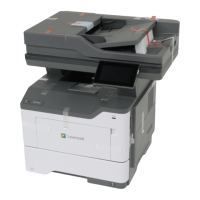
Lexmark MX417 - User Manual

Lexmark MX417
321 pages
Print Icon
To Next Page IconTo Next Page
Loading...
MX410, MX417, MX510, MX511,
MX517
User's Guide
June 2017 www.lexmark.com
Machine type(s):
7015
Model(s):
470, 630, 670, 675

Table of Contents

Other manuals for Lexmark MX417

Questions and Answers

  • D
    dgarciaSep 23, 2025
    What to do if Lexmark MX417 says unformatted flash detected?
    • M
      Mr. Roger KennedySep 23, 2025
      To resolve the 'Unformatted flash detected' message on your Lexmark All in One Printer, select 'Continue' from the printer control to stop the defragmentation and continue printing. You can also format the flash memory.
  • J
    Jason SnowAug 31, 2025
    How to fix replace missing imaging unit on Lexmark MX417?
    • S
      Stephen ThompsonAug 31, 2025
      To resolve the 'Replace missing imaging unit' message on your Lexmark All in One Printer, install the missing imaging unit.
  • H
    heathchaseAug 25, 2025
    What to do if Lexmark MX417 says cartridge nearly low?
    • S
      Sheila IrwinAug 25, 2025
      If your Lexmark All in One Printer indicates 'Cartridge nearly low', select 'Continue' on the printer control panel to clear the message and continue printing. For printer models without a touch screen, press the confirmation button.
  • P
    Pamela GreenAug 25, 2025
    How to clear scanner jam on Lexmark MX417 All in One Printer?
    • S
      Stephanie CastilloAug 26, 2025
      To resolve a scanner jam on your Lexmark All in One Printer, remove all originals from the scanner.
  • S
    Stephanie SimonAug 26, 2025
    How to clear jammed originals from the scanner on Lexmark MX417?
    • J
      jeffreyjohnsonAug 26, 2025
      To resolve a scanner jam on your Lexmark All in One Printer, remove the jammed paper from the scanner.
  • C
    Christine OrtizAug 26, 2025
    What to do if Lexmark MX417 All in One Printer says imaging unit nearly low?
    • M
      Marcus EvansAug 26, 2025
      If your Lexmark All in One Printer displays 'Imaging unit nearly low', select 'Continue' on the printer control panel to clear the message and proceed with printing. If you have a non-touch-screen printer, press the confirmation button.
  • J
    john18Aug 27, 2025
    How to fix Lexmark All in One Printer imaging unit low?
    • T
      taylor15Aug 27, 2025
      If your Lexmark All in One Printer displays 'Imaging unit low', you may need to order a new imaging unit. Select 'Continue' on the printer control panel to clear the message and continue printing. If you have a non-touch-screen printer, press the corresponding button to confirm.
  • P
    Pamela CarrAug 27, 2025
    How to fix Lexmark MX417 All in One Printer fax memory full?
    • D
      Daniel HoodAug 27, 2025
      To address a 'Fax memory full' error on your Lexmark All in One Printer, touch 'Continue' on the control panel to clear the message and cancel the fax job. Alternatively, try reducing the fax resolution or the number of pages.
  • E
    Erin PotterAug 27, 2025
    What to do if Lexmark MX417 All in One Printer says fax partition inoperative?
    • C
      Colin HillAug 27, 2025
      To resolve the 'Fax partition inoperative' message on your Lexmark All in One Printer, select 'Continue' on the printer control panel to clear the message. If you have a non-touch-screen printer model, press the confirmation button. You can also try turning the printer off and then back on.
  • W
    wdavidsonAug 28, 2025
    What to do if Lexmark All in One Printer says maintenance kit low?
    • H
      Hannah MatthewsAug 28, 2025
      If your Lexmark All in One Printer displays the message 'Maintenance kit low', you may need to order a maintenance kit. If necessary, select 'Continue' to clear the message and continue printing. For non-touch-screen printer models, press to confirm.

Lexmark MX417 Specifications

General IconGeneral
Printer TypeLaser
FunctionsPrint, Copy, Scan, Fax
Print Speed (Black)40 ppm
Print Speed (Black, Normal Quality, A4)40 ppm
Print Resolution1200 x 1200 dpi
Copy Speed (Black)40 cpm
Copy Resolution600 x 600 dpi
Scan Resolution600 x 600 dpi
Fax Transmission Speed33.6 kbps
Duplex PrintingYes
Network ConnectivityEthernet, Wireless
Operating System CompatibilityWindows, Mac, Linux
FaxYes
Standard Paper Capacity250 sheets
Mobile PrintingGoogle Cloud Print
ConnectivityUSB, Ethernet
Scanner TypeFlatbed

Videos

How to Update Firmware on Lexmark MX417

Related product manuals