EasyManua.ls Logo

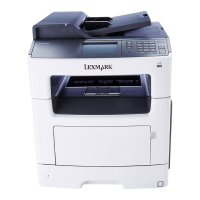
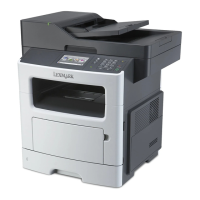
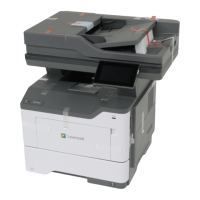
Lexmark MX417 - User Manual

Lexmark MX417
321 pages
Print Icon
To Next Page IconTo Next Page
Loading...
MX410, MX417, MX510, MX511,
MX517
User's Guide
June 2017 www.lexmark.com
Machine type(s):
7015
Model(s):
470, 630, 670, 675

Table of Contents

Other manuals for Lexmark MX417

Questions and Answers

  • M
    Michael PetersAug 28, 2025
    What to do if Lexmark All in One Printer says maintenance kit nearly low?
    • I
      ipayneAug 28, 2025
      If your Lexmark All in One Printer displays the message 'Maintenance kit nearly low', select 'Continue' to clear the message and continue printing. For non-touch-screen printer models, press to confirm.
  • E
    earcherAug 29, 2025
    What to do if Lexmark MX417 All in One Printer says maintenance kit very low?
    • C
      christopherjuarezAug 29, 2025
      If your Lexmark All in One Printer displays the message 'Maintenance kit very low', you may need to replace the maintenance kit very soon. If necessary, select 'Continue' on the printer control panel to clear the message and continue printing. For non-touch-screen printer models, press to confirm.
  • F
    Frank CunninghamAug 29, 2025
    How to fix reinstall missing or unresponsive cartridge on Lexmark MX417?
    • J
      johnsonchristianAug 29, 2025
      To resolve the 'Reinstall missing or unresponsive cartridge' message on your Lexmark All in One Printer, check if the toner cartridge is missing and install it if it is. If the toner cartridge is already installed, remove and reinstall the unresponsive toner cartridge.
  • D
    Dr. Donna Rivera DDSAug 30, 2025
    How to fix replace cartridge, 0 estimated pages remain on Lexmark All in One Printer?
    • J
      John GeorgeAug 30, 2025
      To clear the message and continue printing on your Lexmark All in One Printer, replace the toner cartridge.
  • H
    Heather SmithAug 30, 2025
    How to fix replace defective imaging unit on Lexmark MX417?
    • P
      Patricia GarciaAug 30, 2025
      To clear the message on your Lexmark All in One Printer, replace the defective imaging unit.
  • D
    drew49Aug 31, 2025
    How to fix replace imaging unit, 0 estimated pages remain on Lexmark MX417 All in One Printer?
    • K
      Kevin DuranAug 31, 2025
      To clear the message and continue printing on your Lexmark All in One Printer, replace the imaging unit.
  • D
    Debra GeorgeAug 25, 2025
    How to fix Lexmark All in One Printer cartridge low?
    • T
      Timothy WhiteAug 25, 2025
      If your Lexmark All in One Printer displays 'Cartridge low', you might need to order a toner cartridge. Select 'Continue' on the printer control panel to clear the message and continue printing. If you have a non-touch-screen printer, press the corresponding button to confirm.
  • N
    Nicholas KingSep 1, 2025
    How to fix replace unsupported cartridge on Lexmark MX417 All in One Printer?
    • S
      Steven RamirezSep 1, 2025
      To resolve the 'Replace unsupported cartridge' message on your Lexmark All in One Printer, remove the current toner cartridge and install a supported one to clear the message and continue printing.
  • T
    Tanner HillSep 1, 2025
    How to fix replace unsupported imaging unit on Lexmark MX417 All in One Printer?
    • J
      Julie ChungSep 1, 2025
      To resolve the 'Replace unsupported imaging unit' message on your Lexmark All in One Printer, remove the current imaging unit and install a supported one to clear the message and continue printing.
  • B
    Brandon HolmesSep 2, 2025
    How to fix scanner automatic feeder cover open on Lexmark All in One Printer?
    • C
      cynthiajohnsonSep 2, 2025
      To resolve the 'Scanner automatic feeder cover open' message on your Lexmark All in One Printer, close the ADF cover.

Lexmark MX417 Specifications

General IconGeneral
Printer TypeLaser
FunctionsPrint, Copy, Scan, Fax
Print Speed (Black)40 ppm
Print Speed (Black, Normal Quality, A4)40 ppm
Print Resolution1200 x 1200 dpi
Copy Speed (Black)40 cpm
Copy Resolution600 x 600 dpi
Scan Resolution600 x 600 dpi
Fax Transmission Speed33.6 kbps
Duplex PrintingYes
Network ConnectivityEthernet, Wireless
Operating System CompatibilityWindows, Mac, Linux
FaxYes
Standard Paper Capacity250 sheets
Mobile PrintingGoogle Cloud Print
ConnectivityUSB, Ethernet
Scanner TypeFlatbed

Videos

How to Update Firmware on Lexmark MX417

Related product manuals