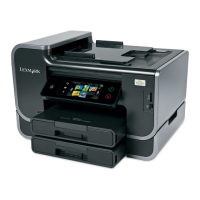
This document is the "Embedded Web Server User's Guide" for a Lexmark printer, published in September 2011. It provides instructions and information on how to use the printer's Embedded Web Server (EWS) to manage and customize its settings remotely.
Function Description:
The Lexmark Embedded Web Server (EWS) serves as a remote management interface for the printer. It allows users to view and customize printer settings, monitor printer activities, check supply levels, order supplies online, contact customer support, and download printer updates without being physically present at the printer. The EWS requires the printer to be connected to a network for its functionality.
Usage Features:
The guide details how to access and navigate the EWS.
- Accessing the EWS: Users need to obtain the printer's IP address, either from the printer's home screen or the TCP/IP section in the Networks/Ports menu. This IP address is then entered into a web browser's address field to open the EWS. The guide notes that depending on network settings, "https://" might be required instead of "http://".
- Home Page Layout: The EWS home page is divided into three main sections:
- Navigation Pane: This area provides access to various printer Web page menus, allowing users to select different categories of settings or information.
- Header Bar: This section offers a brief summary of printer supplies, displays information such as the printer model, IP address, contact information, and location. It may also include a search function, depending on the printer model.
- Information Pane: This dynamic area displays specific information and submenu items based on the selection made in the navigation pane.
- Customizing Printer Settings: The EWS offers extensive customization options categorized into various settings:
- General Settings: For viewing and customizing general printer parameters.
- Copy Settings: To adjust settings related to making copies (availability depends on printer model).
- Fax Settings: For configuring sending and receiving faxes (availability depends on printer model).
- E-mail/FTP Settings: To set up e-mail sending or sending files to a File Transfer Protocol (FTP) address (availability depends on printer model).
- Print Settings: For customizing print-related options.
- Paper Setup: To view and customize paper handling options.
- Network/Ports: For configuring network settings.
- Security: To manage security settings for both the printer and the EWS itself (availability depends on printer model).
- E-mail Alert Setup: To configure the e-mail server for the EWS and customize alert settings.
- Scan-to-Network Folder Setup: To add or manage folder destinations for the Scan to Network application. This feature may require using a Hyper Text Transfer Protocol Secure (HTTPS) connection and its availability depends on the printer model.
- Manage Shortcuts: To add or manage shortcut settings for common printer tasks (availability depends on printer model).
- Manage Profiles: To view or delete IP addresses associated with profiles (availability depends on printer model).
- Address Book Setup: To add or manage contacts for sending e-mails.
- Intervention Management: To view messages from the printer that require user intervention.
- Import/Export: To import or export a configuration file.
- Additional Solutions: To install, customize, or uninstall solutions.
- After making changes, users can click "Submit" to save or "Reset Form" to discard new settings.
Maintenance Features:
The EWS facilitates several maintenance and support-related functions:
- Supply Monitoring: The header bar provides a brief summary of printer supplies, allowing users to keep track of consumables.
- Troubleshooting: The guide includes a troubleshooting section for common issues, specifically if the Embedded Web Server does not open. It advises users to:
- Check the network connection to ensure the printer and computer are on the same network.
- Verify the IP address entered in the web browser and consider using "https://" if "http://" fails.
- Temporarily disable web proxy servers, as they might block access to the EWS.
- Contacting Customer Support: The document provides detailed instructions on how to contact Lexmark customer support. Users are advised to have their printer model type and serial number ready. Lexmark offers various support channels:
- Tech Library: Access to manuals, support documentation, drivers, and other downloads.
- E-mail: To send a description of the problem to a Lexmark team representative.
- Live Chat: Direct communication with a Lexmark Service Representative, who can also provide Assisted Service for remote troubleshooting, updates, and other tasks.
- Telephone Support: A dedicated phone number (1-800-539-6275 for U.S. or Canada) is provided, with a general recommendation to visit http://support.lexmark.com for other regions.
Important Technical Specifications (Implicit):
While not explicitly listing technical specifications in a dedicated section, the guide implies certain technical requirements and capabilities:
- Network Connectivity: The printer must be connected to a network (wired or wireless, though not specified) to enable EWS functionality.
- IP Addressing: The EWS relies on the printer having an assigned IP address for access.
- Web Browser Compatibility: A standard web browser is required to access the EWS.
- HTTPS Support: The EWS supports HTTPS for secure connections, particularly for features like Scan-to-Network Folder Setup.
- Configuration File Management: The ability to import and export configuration files suggests a structured way to manage printer settings, potentially for backup or deployment across multiple devices.
The document also includes a comprehensive "LEXMARK SOFTWARE LICENSE AGREEMENT" covering the terms and conditions for using the software embedded in the printer, including statements on limited warranty, disclaimers, license grants (use, copying, reservation of rights, freeware), transfer, upgrades, limitations on reverse engineering, additional software, limitation of remedies, limitation of liability, term, taxes, limitation on actions, applicable law, United States government restricted rights, consent to use of data, export restrictions, capacity and authority to contract, and the entire agreement. This legal section is standard for software-driven devices and outlines the user's rights and obligations regarding the printer's firmware and associated software.

 Need help?

 To Next Page
 General