EasyManua.ls Logo

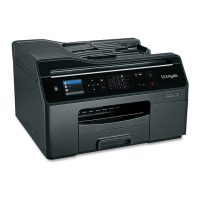
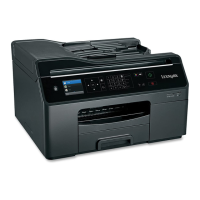
Lexmark Pro4000 Series - User Manual

Lexmark Pro4000 Series
198 pages
Print Icon
To Next Page IconTo Next Page
Loading...
Pro4000 Series User's Guide
April 2012 www.lexmark.com
Machine type(s):
4447
Model(s):
Pro4000: 0n0, 0nE; Pro4000c: 000

Table of Contents

Other manuals for Lexmark Pro4000 Series

Questions and Answers

  • K
    Katherine ThompsonJul 26, 2025
    Why is my Lexmark Pro4000 All in One Printer not printing all pages?
    • M
      Mitchell PaulJul 26, 2025
      If your Lexmark All in One Printer isn't printing or is missing pages, ensure the ink cartridges are correctly inserted. Also, select your printer from the print dialog before sending the print job, and verify that the print job isn't paused. Make sure your printer is set as the default printer. Try removing and reconnecting the USB cable, or removing and reinstalling the printer software.
  • T
    Teresa PetersonJul 30, 2025
    What to do if Lexmark Pro4000 is printing blank pages?
    • J
      johnsonjenniferJul 30, 2025
      If your Lexmark All in One Printer is printing blank pages, it might be due to improperly installed ink cartridges. Reinstall the ink cartridges and then deep clean and align the printhead.
  • T
    Tiffany CarterAug 3, 2025
    What to do if Lexmark Pro4000 is busy or does not respond?
    • M
      murphyjonathanAug 3, 2025
      If your Lexmark All in One Printer is busy or not responding, first ensure that the printer is not in sleep mode. If it's not, try reconnecting the printer's power supply.
  • K
    Kimberly CalderonAug 7, 2025
    How to fix Lexmark Pro4000 All in One Printer cannot print through USB?
    • K
      Kyle TrevinoAug 8, 2025
      If your Lexmark All in One Printer cannot print through USB, check the USB connection. Ensure the USB port is enabled in Windows. If the issue persists, remove and reinstall the printer software.
  • J
    jeffreysmithAug 12, 2025
    Why my Lexmark Pro4000 cannot receive faxes?
    • J
      Justin DiazAug 12, 2025
      If your Lexmark All in One Printer cannot receive faxes, make sure that you have configured the correct settings for your setup and that the printer is connected to an analog port. Also, ensure that the printer memory is not full and that fax forwarding is disabled. Increase the ringer volume and verify that you have the correct manual answer code.
  • K
    Kimberly DurhamAug 16, 2025
    How to troubleshoot Lexmark All in One Printer cannot send faxes?
    • B
      Bobby SteeleAug 16, 2025
      If your Lexmark All in One Printer cannot send faxes, make sure that you have registered your user information in the printer. Decrease the transmission speed of the fax modem and enable error correction. Enable automatic fax conversion and ensure that the dial prefix setting is correct.
  • B
    bairdryanAug 21, 2025
    What to do if installation screen did not appear during Lexmark Pro4000 installation?
    • W
      William MillerAug 21, 2025
      If the installation screen did not appear during the installation of your Lexmark All in One Printer, launch the printer CD manually.

Summary

Safety information

Important Safety Instructions

Basic safety precautions for using telephone equipment to reduce risks.

About your printer

Ordering and replacing supplies

Ordering ink cartridges

Guidance on ordering the correct ink cartridges for your region.

Replacing ink cartridges

Step-by-step instructions for replacing the ink cartridges.

Using the printer control panel buttons and menus

Using the printer control panel

Overview of the printer's control panel buttons and their functions.

Using the printer software

Loading paper and original documents

Printing

Copying

Scanning

E-mailing

Faxing

Networking

Using the Embedded Web Server

Maintaining the printer

Troubleshooting

Before you troubleshoot

A checklist to help resolve common printer issues.

If Troubleshooting does not solve your problem

Resources to consult when standard troubleshooting fails.

Setup troubleshooting

Specific troubleshooting steps for initial setup problems.

Lexmark Pro4000 Series Specifications

General IconGeneral
Printer TypeAll-in-One
FunctionsPrint, Copy, Scan, Fax
Fax Speed33.6 Kbps
ConnectivityUSB, Ethernet, Wi-Fi
Duplex PrintingYes
Scanner TypeFlatbed
Operating System CompatibilityWindows, Mac

Related product manuals