EasyManua.ls Logo

Lexus CT 200h - Connecting a USB Memory; Operating a USB Memory

Lexus CT 200h
764 pages
Print Icon
To Next Page IconTo Next Page
To Previous Page IconTo Previous Page
Loading...
360
3-2. Using the audio system
CT200h_OM_OM76066U_(U)
Operating a USB memory
Connecting a USB memory enables you to enjoy music from the vehicle
speakers.
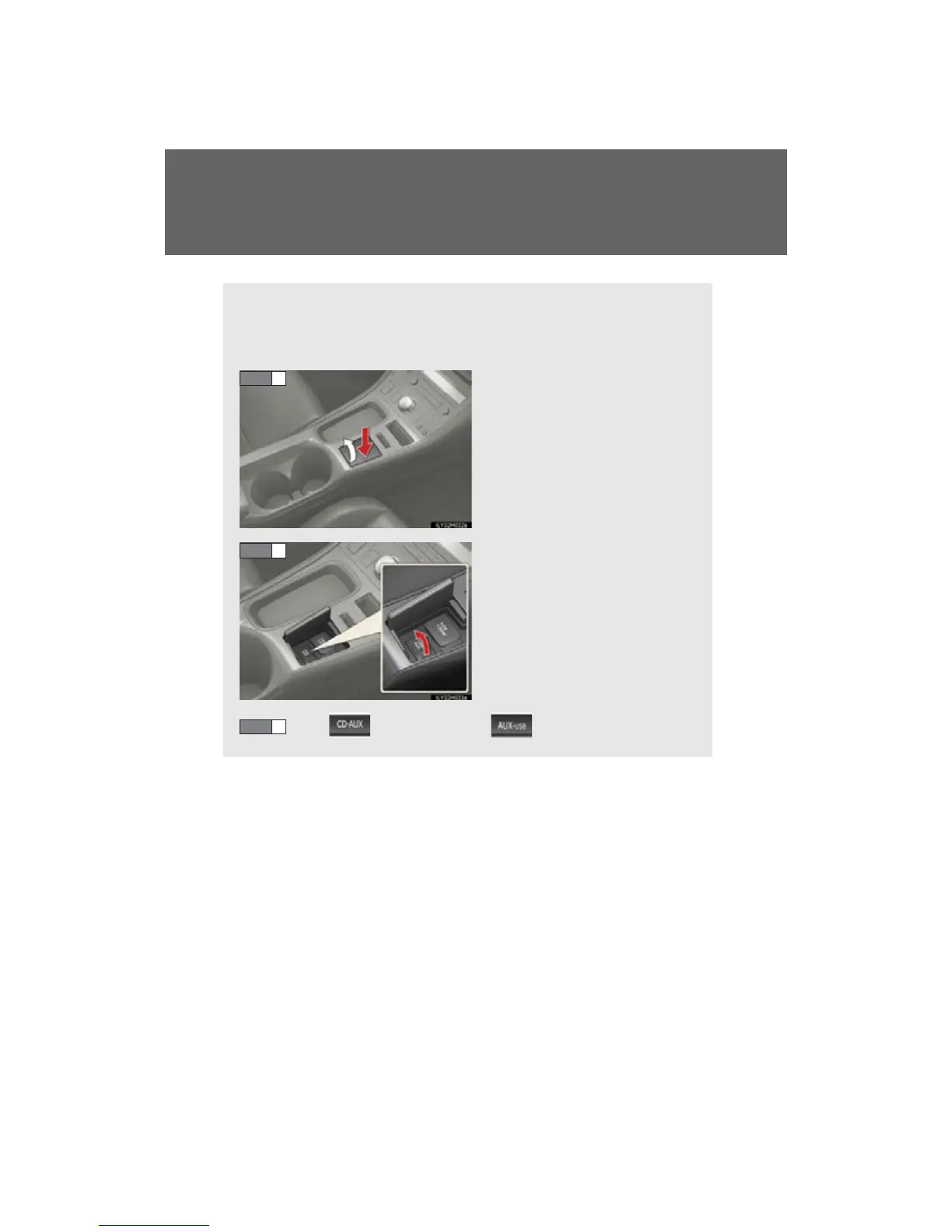
■ Connecting a USB memory
Press down and release the lid.
Open the cover and connect a
USB memory.
Turn on the power of the USB
memory if it is not turned on.
Press (type A and B) or (type C).
STEP 1
STEP 2
STEP 3

Table of Contents