45
1-1. Hybrid system
1
Before driving
CT200h_OM_OM76066U_(U)
These images are examples only, and may vary slightly from actual conditions.
Consumption (vehicles with a navigation system)
Press the “MENU” button on the Remote Touch and select “Info/
Apps” (“Info”) on the “Menu” screen.
Select “Fuel Consumption” on the “Information” screen.
If the “Consumption” screen does not appear, select “Fuel Consump-
tion” on the “Energy Monitor” screen or “Consumption” on the “Past
Record” screen.
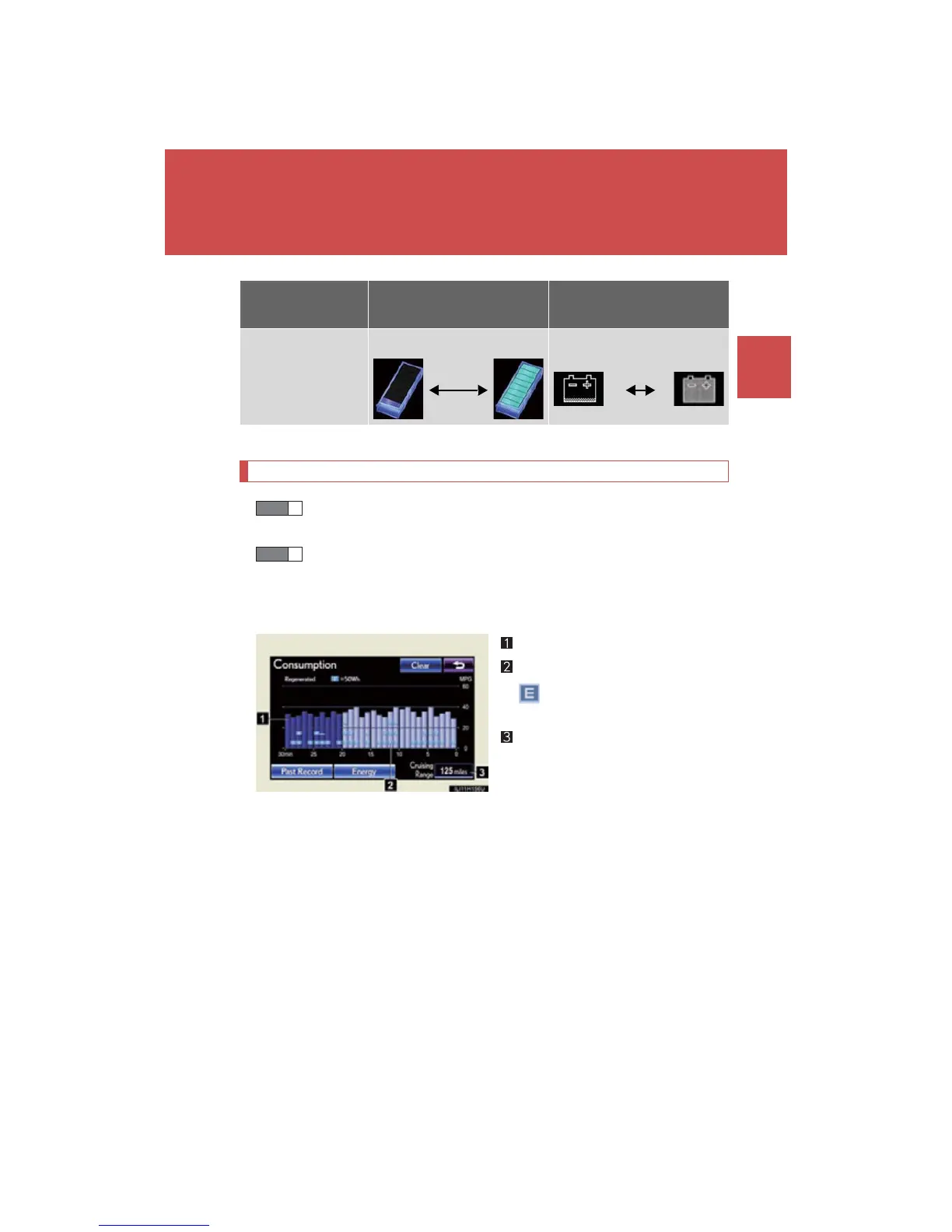
Fuel consumption per minute
Regenerated energy per minute
: One symbol indicates 50
Wh.
Cruising range
The image is example only, and may vary slightly from actual conditions.
Hybrid battery
(traction battery)
status
Low Full Low Full
Navigation system screen
Multi-information
display
STEP 1
STEP 2





 To Next Page