248
4-5. Using the driving support systems
*
: If equipped
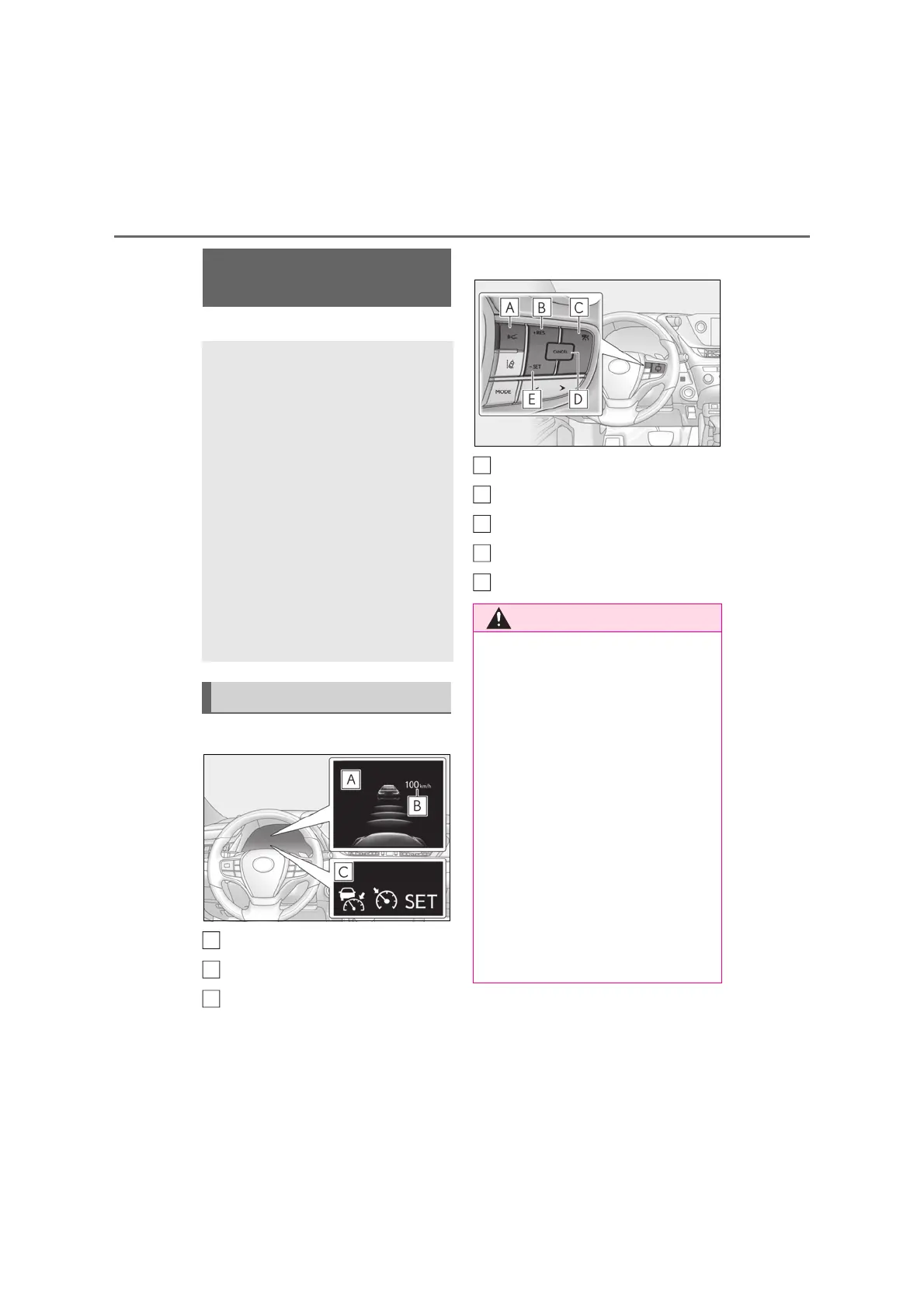
■ Meter display
Multi-information display
Set speed
Indicators
■ Operation switches
Vehicle-to-vehicle distance switch
+RES switch
Cruise control main switch
Cancel switch
-SET switch
Dynamic radar cruise con-
trol
*
In vehicle-to-vehicle distance con-
trol mode, the vehicle automati-
cally accelerates and decelerates
to match the speed changes of the
preceding vehicle even if the accel-
erator pedal is not depressed. In
constant speed control mode, the
vehicle runs at a fixed speed.
Use the dynamic radar cruise con-
trol on freeways and highways.
Vehicle-to-vehicle distance con-
trol mode (P.250)
Constant speed control mode
(P.253)
System Components
A
B
C
■ Before using dynamic radar cruise
control
● Driving safely is the sole responsibility
of the driver. Do not rely solely on the
system, and drive safely by always pay-
ing careful attention to your surround-
ings.
● The dynamic radar cruise control pro-
vides driving assistance to reduce the
driver’s burden. However, there are
limitations to the assistance provided.
Read the following conditions care-
fully. Do not overly rely on this system
and always drive carefully.
• When the sensor may not be correctly
detecting the vehicle ahead: P.255
• Conditions under which the vehicle-
to-vehicle distance control mode may
not function correctly: P.255
A
B
C
D
E



 To Next Page