286
4-5. Using the driving support systems
*
: If equipped
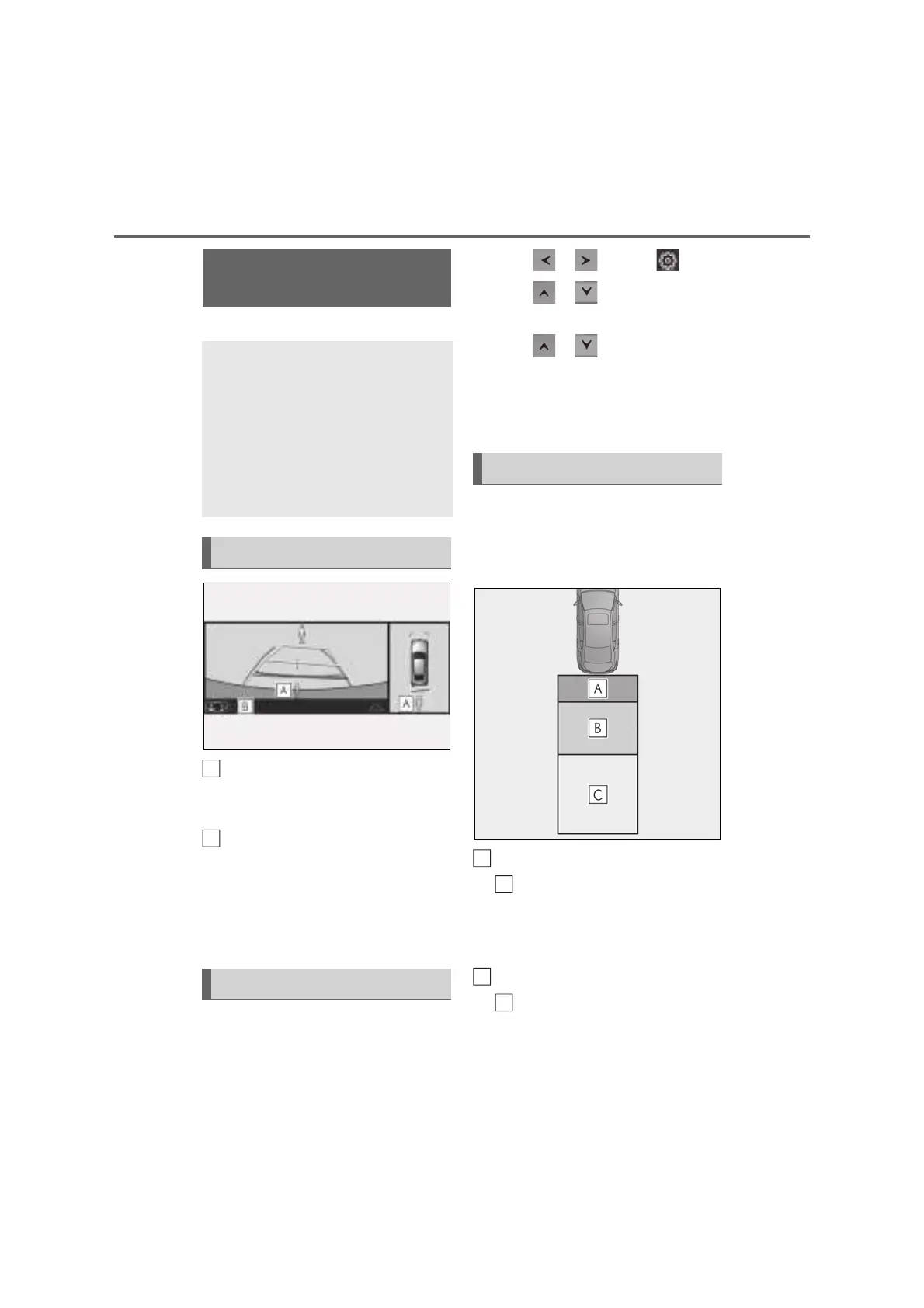
Pedestrian detection icon
Displayed automatically when a pedestrian
is detected.
RCD OFF icon
When the RCD function is disabled, the
RCD OFF icon illuminates. (Each time the
engine switch is turned off then changed to
IGNITION ON mode, the RCD function
will be enabled automatically.)
Use the meter control switches to
enable/disable the RCD function.
(P.111)
1 Press or to select .
2 Press or to select “PKSA”
and then press “OK”.
3 Press or to select “RCD”
and then press “OK”.
When the RCD function is disabled, the
RCD OFF indicator (P.98) illuminates
on the multi-information display.
If the rear camera detection function
detects a pedestrian in the detection
area, the buzzer and pedestrian detec-
tion will operate as follows:
If a pedestrian is detected in area
Buzzer: Sounds repeatedly
Pedestrian detection icon: Blinks 3
times and then stays on
If a pedestrian is detected in area
Buzzer (When the vehicle is sta-
tionary): Sounds 3 times
RCD (Rear Camera Detec-
tion) function
*
When the vehicle is backing up, the
rear camera detection function can
detect pedestrians in the detection
area behind the vehicle. If a pedes-
trian is detected, a buzzer will
sound and an icon will be displayed
on the Center Display to inform the
driver of the pedestrian.
Center Display
Turning the RCD function on/off
B
When a pedestrian is detected
A
B
B



 To Next Page