275
4
4-5. Using the driving support systems
Driving
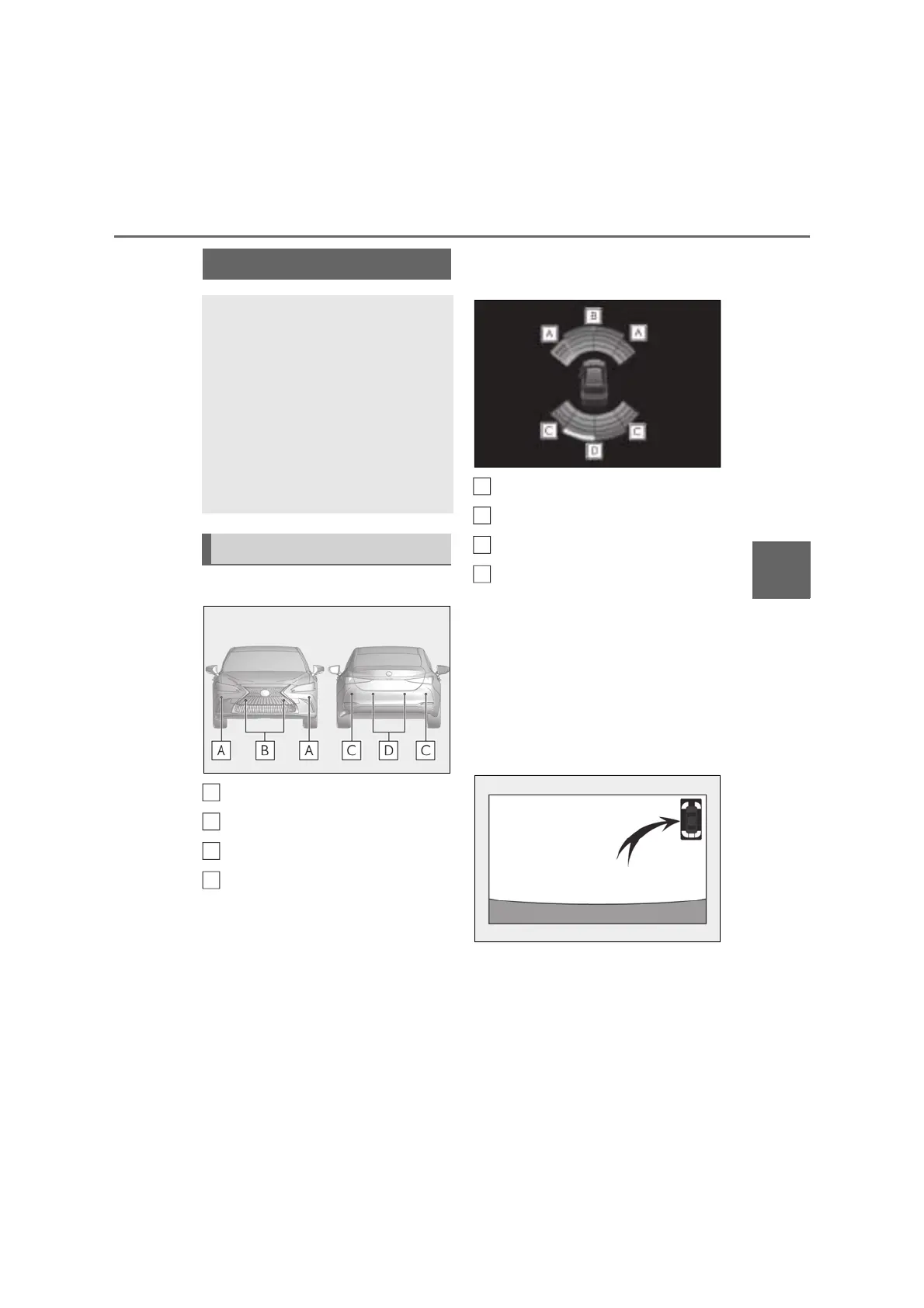
■ Types of sensors
Front corner sensors
Front center sensors
Rear corner sensors
Rear center sensors
■ Display
When the sensors detect an object,
such as a wall, a graphic is shown on
the multi-information display, head-up
display (if equipped) and center display
depending on the position and dis-
tance to the object.
Multi-information display and head-
up display
Front corner sensor detection
Front center sensor detection
Rear corner sensor detection
Rear center sensor detection
Center Display
A graphic is shown when the Lexus park-
ing assist monitor is displayed (insert dis-
play)
A simplified image is displayed on the
upper right corner of Center Display when
an obstacle is detected.
• When the shift lever is in R
• When the shift lever is in N, S or D (vehi-
cle moving forward)
Lexus parking assist-sensor
The distance from your vehicle to
objects, such as a wall, when paral-
lel parking or maneuvering into a
garage is measured by the sensors
and communicated via the multi-
information display, head-up dis-
play (if equipped), Center Display
and a buzzer. Always check the sur-
rounding area when using this sys-
tem.
System components
A
B
C
D
A
B
C
D



 To Next Page