323
5
5-3. Using the air conditioning system
Interior features
5-3.Using the air conditioning system
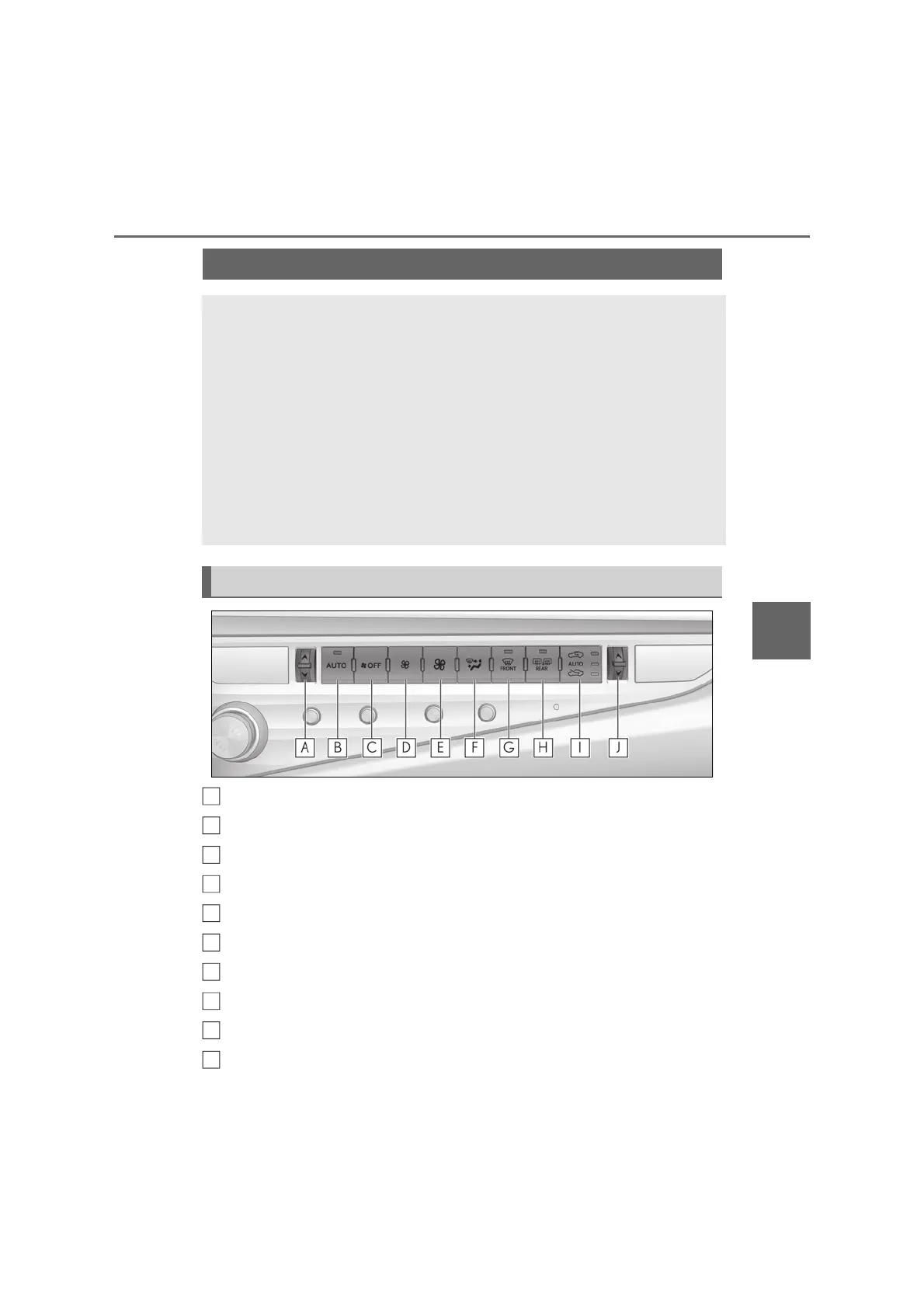
Left-hand side temperature control switch
Automatic mode switch
Off switch
Fan speed decrease switch
Fan speed increase switch
Airflow mode control switch
Windshield defogger switch
Rear window defogger and outside rear view mirror defoggers switch
Outside/recirculated air mode switch
Right-hand side temperature control switch
Automatic air conditioning system
Air outlets and fan speed are automatically adjusted according to the tem-
perature setting.
Press the “MENU” button on the Remote Touch, then select “Climate” to dis-
play the air conditioning control screen. (P.317)
12.3-inch display model: The air conditioning system can be displayed and
operated on the side display.
The illustrations below are for left-hand drive vehicles.
The button positions and shapes will differ for right-hand drive vehicles.
Also, the display and button positions will differ depending on the type of the
system.
Air conditioning controls (front)
A
B
C
D
E
F
G
H
I
J



 To Next Page