333
5
5-3. Using the air conditioning system
Interior features
Vehicles with “DUAL” mode
To turn on the “DUAL” mode, perform
any of the following procedures:
Select “DUAL” on the sub function
menu. (P.327)
Select “DUAL” on the option con-
trol screen.
Adjust the front passenger’s side
temperature setting.
The indicator on the main control screen
comes on when the “DUAL” mode is on.
Vehicles with “3-ZONE” mode
To turn on the “3-ZONE” mode, per-
form any of the following procedures:
Select “3-ZONE” on the sub func-
tion menu. (P.327)
Select “3-ZONE” on the option
control screen.
Adjust any passenger seat tempera-
ture.
The indicator on the main control screen
comes on when the “3-ZONE” mode is on.
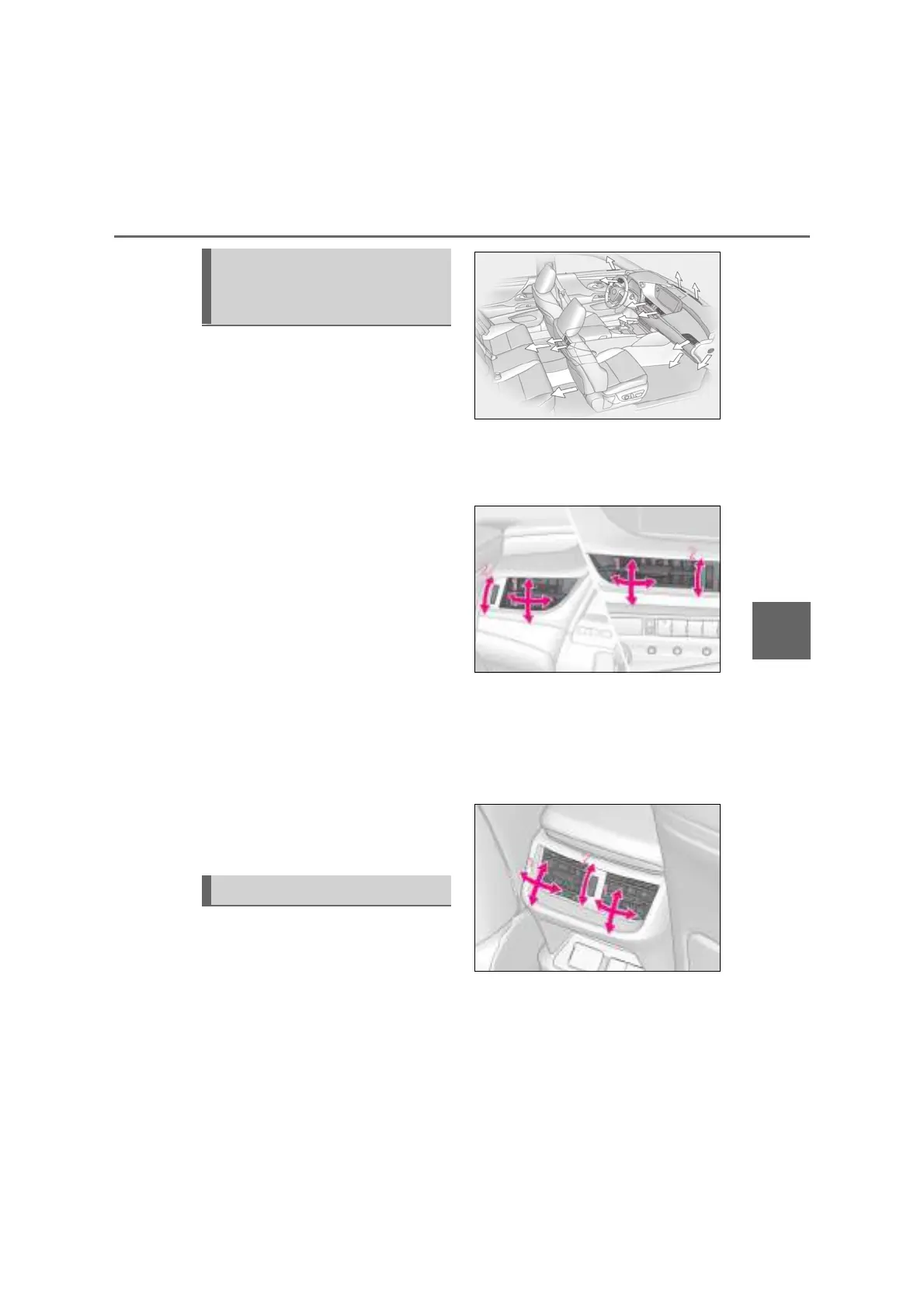
■ Location of air outlets
The air outlets and air volume changes
according to the selected air flow
mode.
■ Adjusting the air flow direction and
opening/closing the air outlets
Front center/front side
1 Direct air flow to the left or right, up
or down
2 Turn the knob to open or close the
vent
Rear
1 Direct air flow to the left or right, up
or down
2 Turn the knob to open or close the
vent
Adjusting the temperature for
the driver and passenger seats
separately
Air outlet layout and operations



 To Next Page