10
Keys
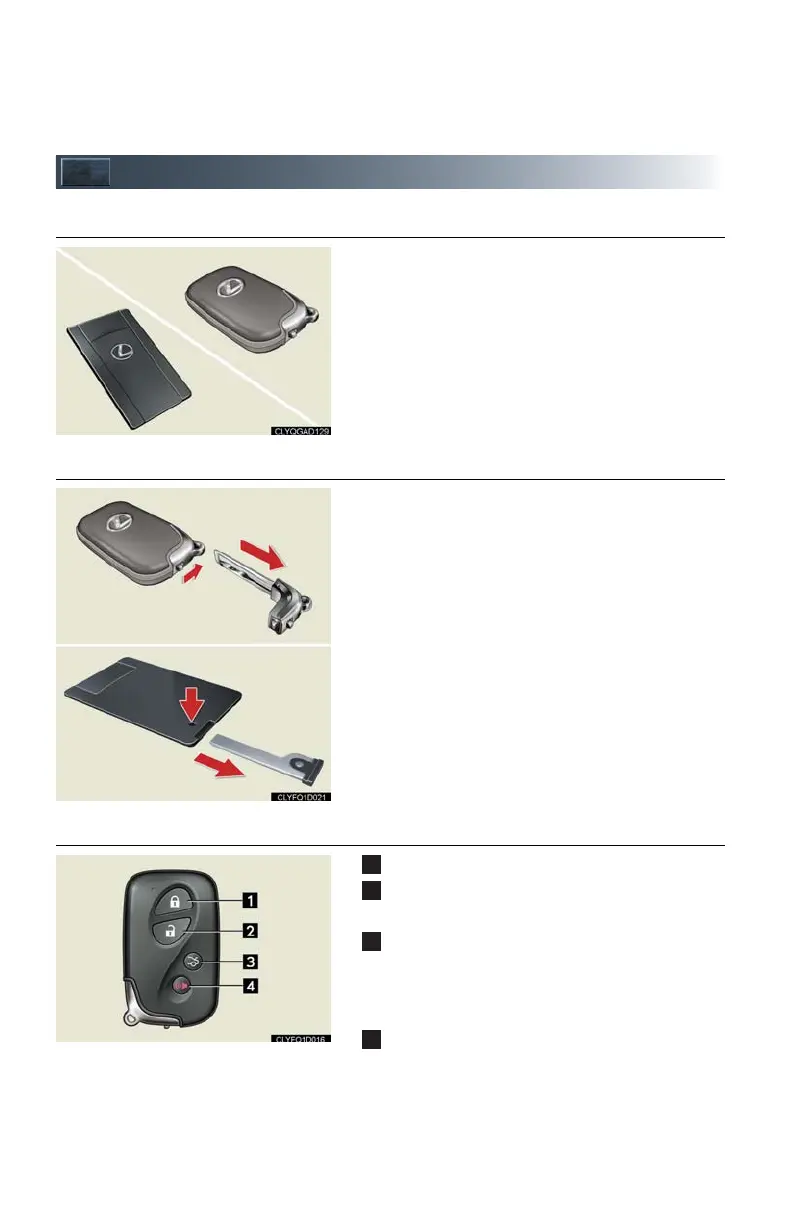
■ Electronic key
Smart access system with push-button start
(P.11, 22)
*: If equipped
■ Mechanical key
● Locks and unlocks the doors
● Opens the trunk
● Locks and unlocks the glove box
● Locks and unlocks the trunk storage extension
The mechanical key is stored inside the electronic
key. To extract the key, release the latch and pull,
or if equipped with a card key, press the button
and pull.
■ Wireless remote control
Press: locks all doors
Press once: unlocks the driver's door
Press twice: unlocks all doors
Press and hold: opens the trunk
If the vehicle is equipped with a power trunk
opener and closer, the trunk lid automatically
opens fully.
Press and hold: sounds the alarm
(Use the alarm to attract attention to the vehi-
cle in order to help deter break-ins. To stop the
alarm, press any button on the wireless remote
control.)












 To Next Page