58
■ Radio
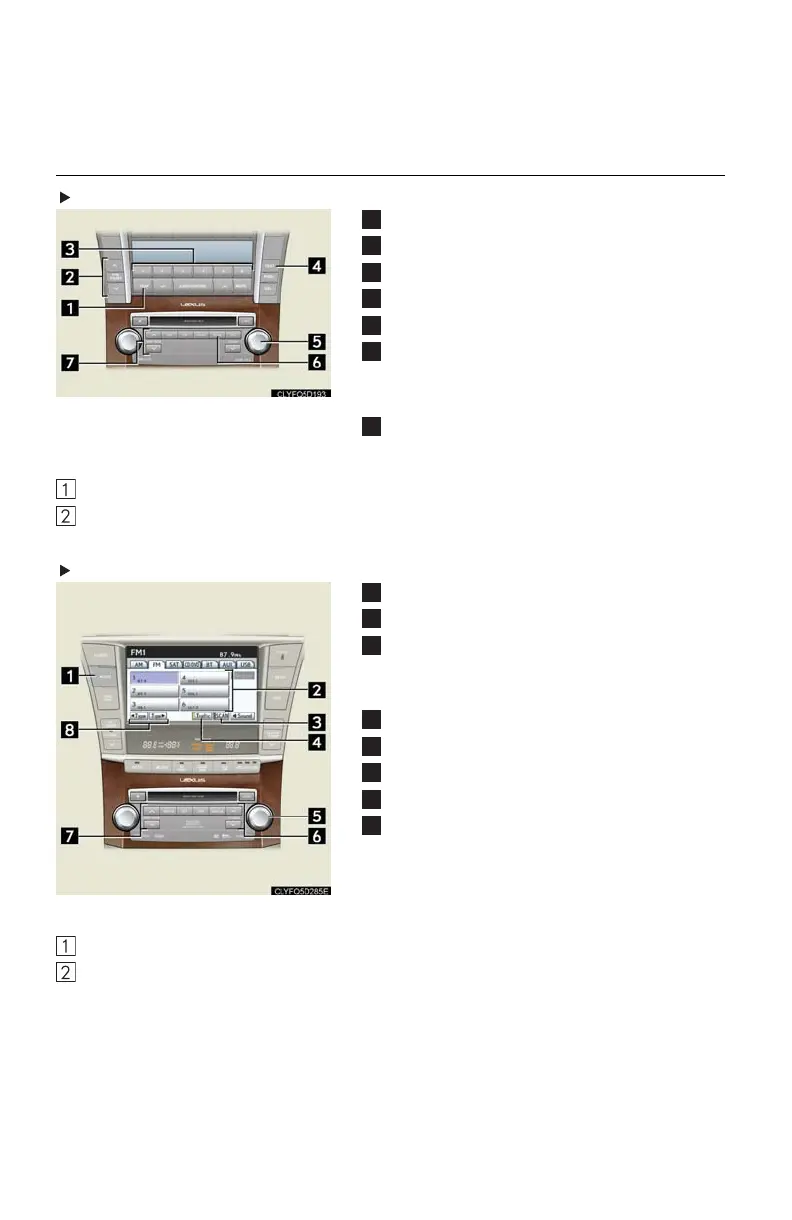
Without touch screen
Traffic information
RDS genre select
Station presets
Tex t m e s s a g es
Radio tuner
Scan
All radio stations: press
Preset radio stations: press and hold
Seek
■ Entering station presets
Select the desired station by using the tuner, the seek or the scan function.
Press and hold one of the preset buttons (1-6) until you hear a beep, indicating that the
station is set.
With touch screen
Display the audio control screen
Station presets
Scan
All radio stations: press
Preset radio stations: press and hold
Traffic information
Radio tuner
Station select
Seek
RDS genre select
■ Entering station presets
Select the desired station by using the tuner, the seek or the scan function.
Press and hold one of the preset buttons (1-6) until you hear a beep, indicating that the
station is set.












 To Next Page