60
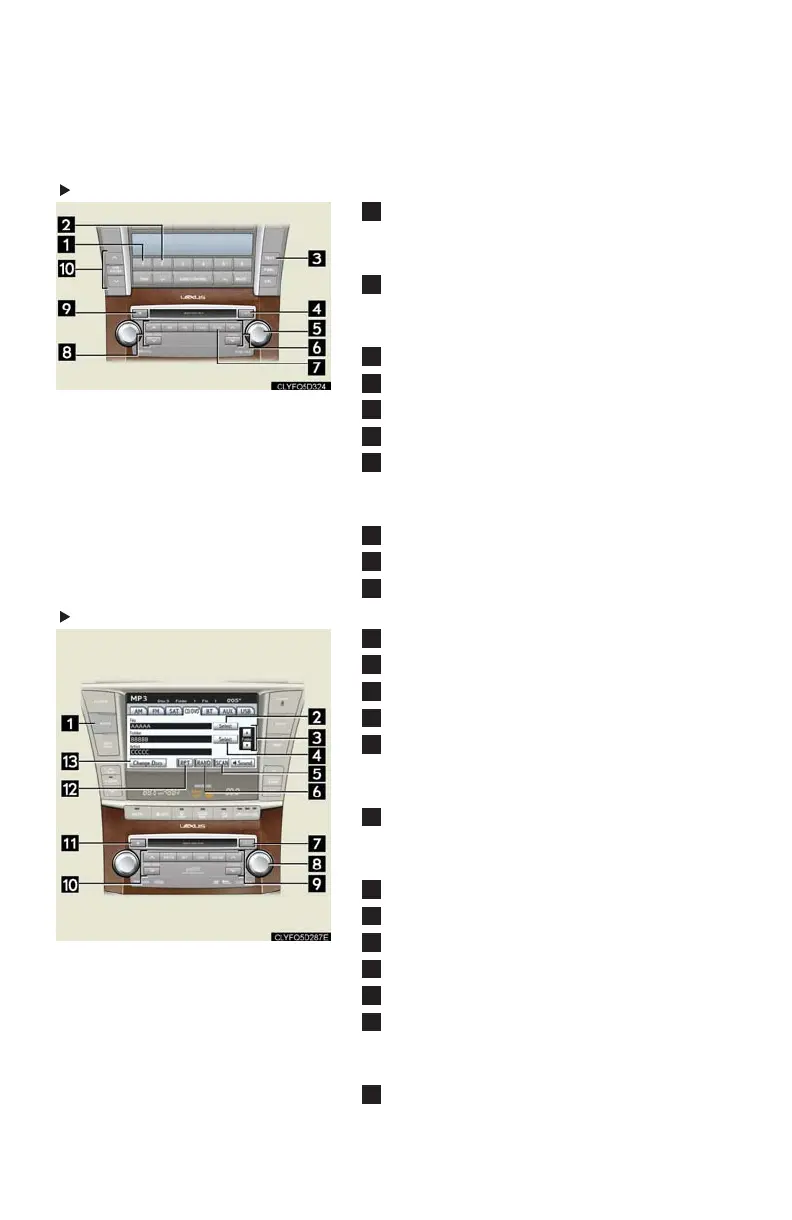
■ Playing a CD with MP3/WMA files
Without touch screen
Random playback
Current file: press
All files in current folder: press and hold
Repeat
Current file: press
All files in current folder: press and hold
Text information
CD load
File select
CD select
Scan
All files in current folder: press
First file of each folder: press and hold
File select/rewind/fast-forward
Eject
Folder select
With touch screen
Display the audio control screen
Display file list
Folder select
Display folder list
Scan
All files in current folder: press
First file of each folder: press and hold
Random playback
Current folder: press
All folders: press and hold
CD load
File select
CD select
File select/rewind/fast-forward
Eject
Repeat
Current file: press
All files in current folder: press and hold
Display disc list












 To Next Page