33
1. BASIC INFORMATION BEFORE OPERATION
2
BASIC FUNCTION
2. HOW TO USE THE Remote Touch
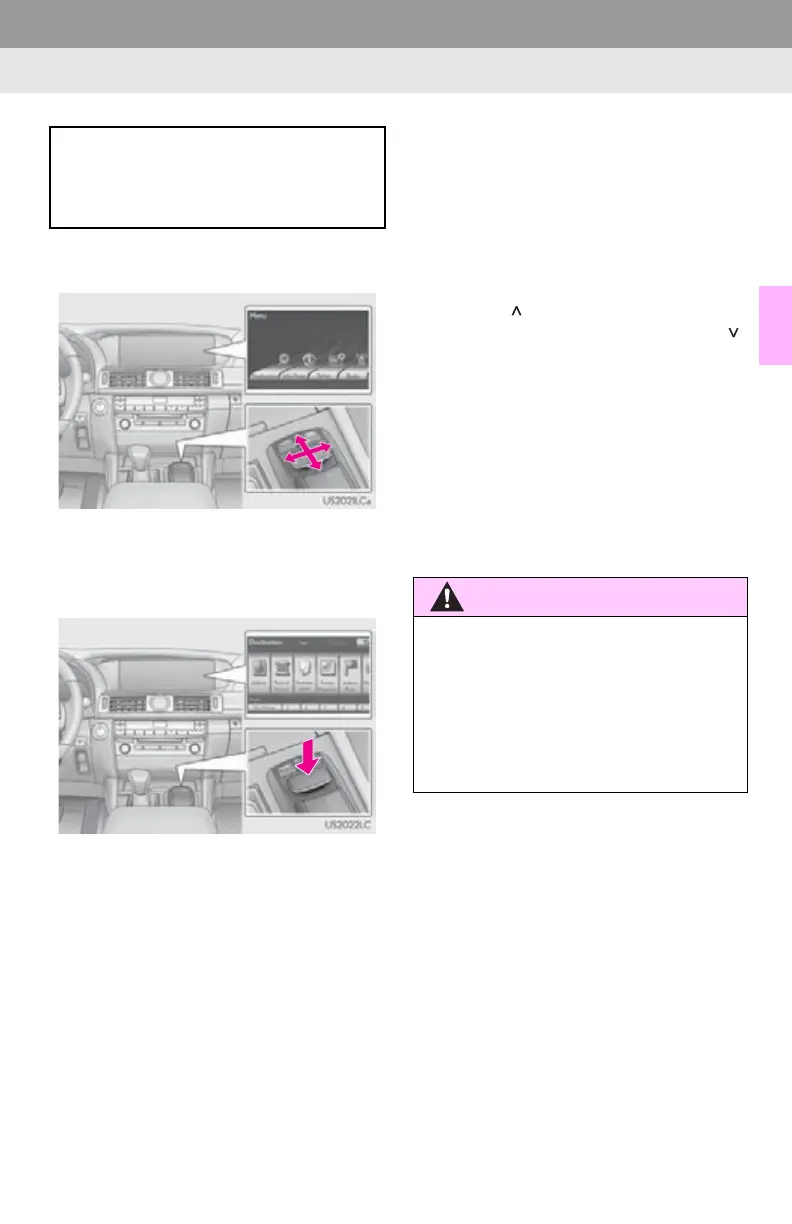
1 Use the Remote Touch knob to select
the desired button on the screen.
2 To select the button on the screen, press
the Remote Touch knob. Once a button
has been selected, the screen will
change.
When the pointer moves close to a button,
it will be automatically pulled onto that but-
ton. The strength of this pull can be
adjusted. (See page 58.)
The pointer will disappear from the screen
if it is not moved for 6 seconds. Operation
of the Remote Touch knob will cause the
pointer to reappear.
Press the “” button on the Remote Touch
to zoom in on the map screen and the “”
button to zoom out. These buttons can also
be used to scroll up and down on list
screens.
Press the “MENU” button on the Remote
Touch to set a destination or adjust settings
for the audio/video system, air conditioning
system, etc.
The map screen can be returned to by
pressing the “MAP/VOICE” button on the
Remote Touch.
This navigation system can be operated
by the Remote Touch when the engine
<power> switch is in ACCESSORY or
IGNITION ON <ON> mode.
●Do not allow fingers, fingernails or hair to
become caught in the Remote Touch as
this may cause an injury.
●Be careful when touching the Remote
Touch in extreme temperatures as it may
become very hot or cold due to the tem-
perature inside the vehicle.






 To Next Page