83
1. DESTINATION SEARCH
3
NAVIGATION SYSTEM
1 Press the “MENU” button on the
Remote Touch. (See “Remote Touch”
on page 10.)
2 Select “Destination” on the “Menu”
screen.
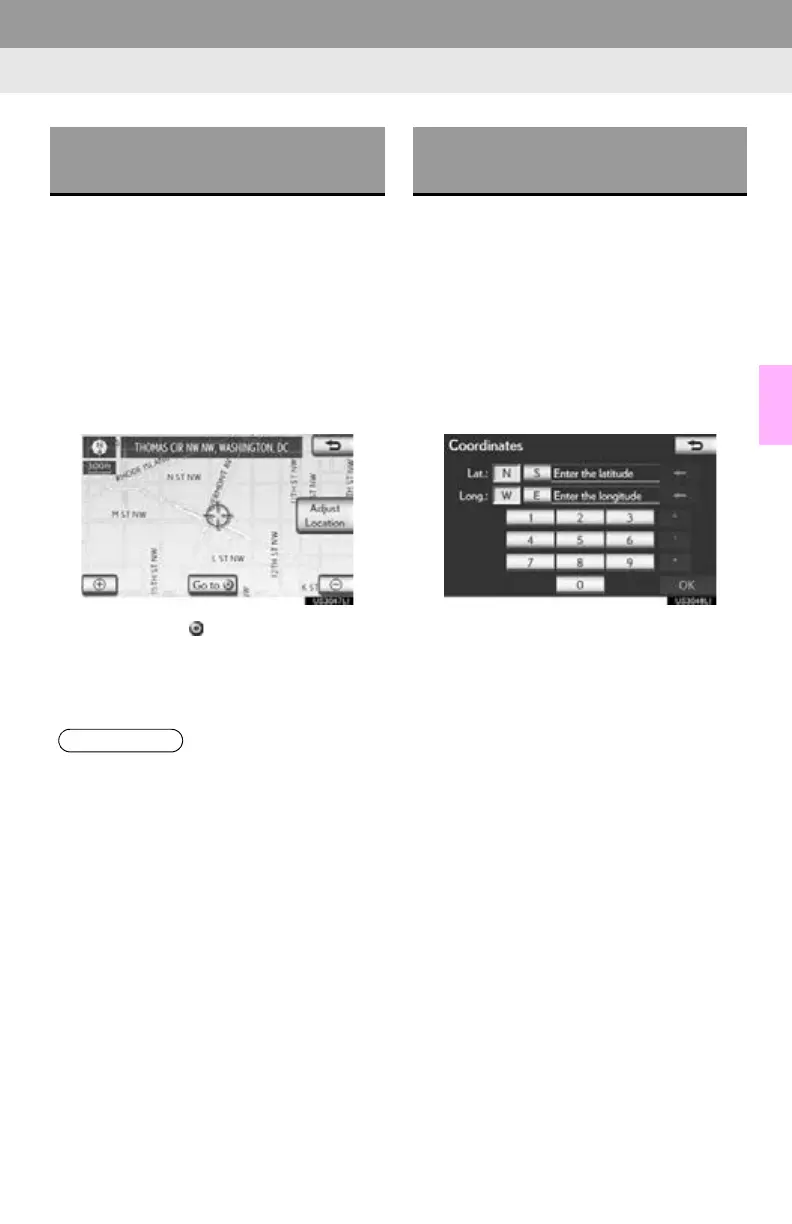
3 Select “Map” on the second page of the
“Destination” screen.
4 Scroll the map to the desired point.
5 Select “Go to ”.
The navigation system performs a search
for the route. (See “STARTING ROUTE
GUIDANCE” on page 85.)
1 Press the “MENU” button on the
Remote Touch. (See “Remote Touch”
on page 10.)
2 Select “Destination” on the “Menu”
screen.
3 Select “Coordinates” on the second
page of the “Destination” screen.
4 Input the latitude and the longitude.
5 After inputting the latitude and longi-
tude, select “OK”.
When the desired screen button is
selected, the “Confirm Destination” screen
may be displayed. If “Go” is selected on the
“Confirm Destination” screen, the naviga-
tion system performs a search for the route.
(See “STARTING ROUTE GUIDANCE”
on page 85.)
DESTINATION SEARCH BY
“Map”
●Guidance starts if “OK” is selected even
while driving. However, the cursor cannot
be moved.
DESTINATION SEARCH BY
“Coordinates”






 To Next Page