4
■ INFORMATION FOR HYBRID VEHICLES IS WRITTEN IN BRACKETS
NEXT TO THE INFORMATION FOR GASOLINE VEHICLES
Different writing styles for gasoline and hybrid vehicles
Example
When the engine
*
1
<power>*
2
switch is in ACCESSORY or IGNITION ON*
1
<ON>*
2
mode, the initial screen will be displayed and the system will begin operat-
ing.
*
1
: Vehicles with gasoline engine
*
2
: Vehicles with hybrid system
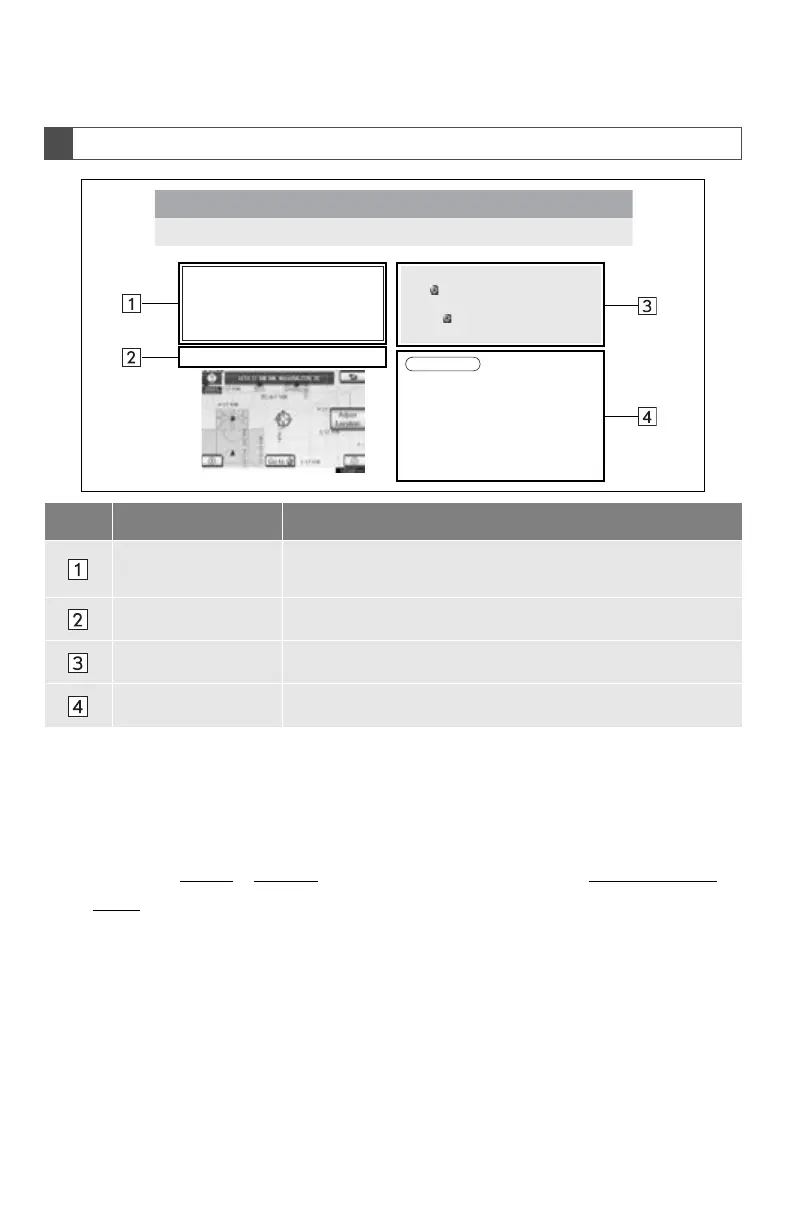
HOW TO READ THIS MANUAL
No. Name Description
Operational
Outlines
An outline of the operation is explained.
Main Operations The steps of an operation are explained.
Related Operations A main operation’s supplementary operations are described.
Information Useful information for the user is described.
1. DESTINATION SEARCH
2. STARTING ROUTE GUIDANCE
1
Scroll the map to the desired point.
When “Map” is selected on the “Con-
firm Destination” screen, the map
screen will be displayed. The map loca-
tion of the selected destination can be
set as a destination.
z If a destination has already been set, “Go
to ” and “Add to Route” will be dis-
played.
“Go to ”: Select to delete the existing
destination(s) and set a new one.
INFORMATION
●The route for returning may not be the
same as that for going.
●The route guidance to the destination
may not be the shortest route nor a route
without traffic congestion.
●Route guidance may not be available if
there is no road data for the specified
location.






 To Next Page