35
1. BASIC INFORMATION BEFORE OPERATION
2
BASIC FUNCTION
3. INPUTTING LETTERS AND NUMBERS/LIST SCREEN OPERATION
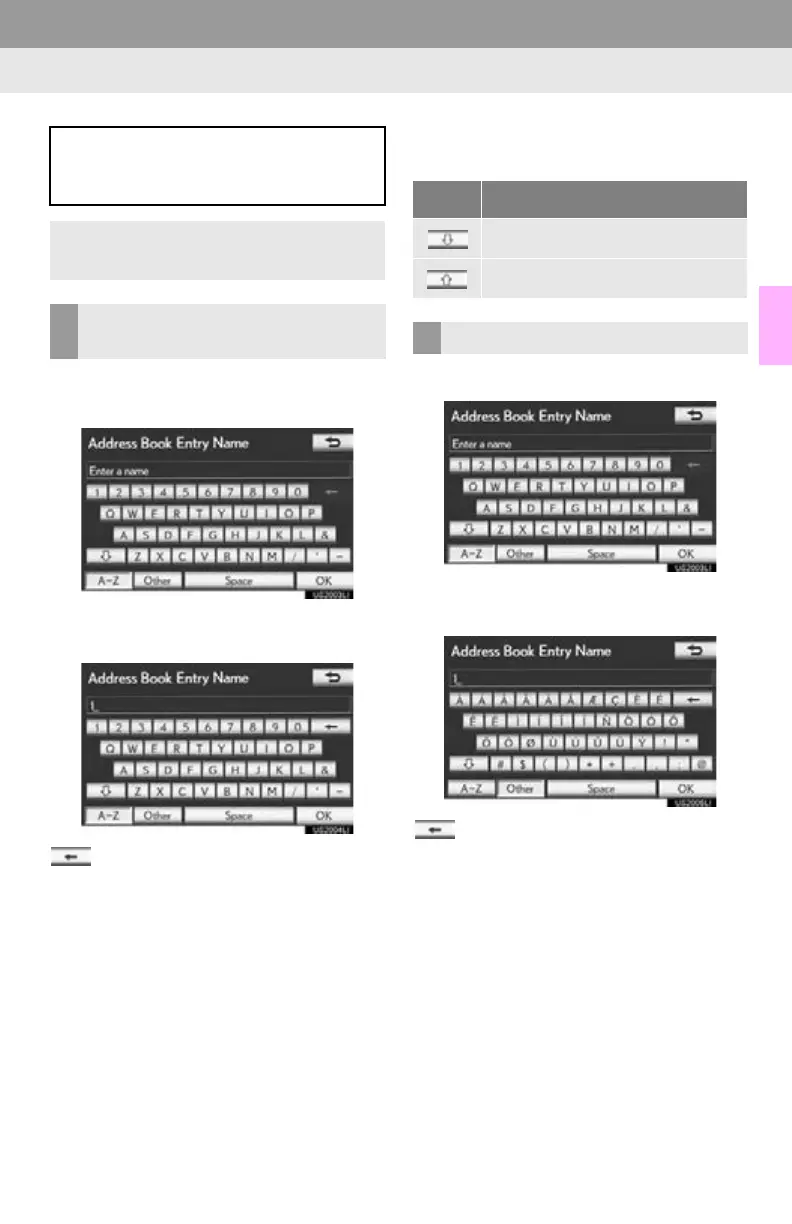
1 Select “A - Z ” to display the alphabet
keys.
2 Select the keys directly to enter letters
or numbers.
: Select to erase one character. Select
and hold to continue erasing characters.
On certain letter entry screens, letters can
be entered in upper or lower case.
1 Select “Other” to display symbol keys.
2 Select the symbol keys directly to enter
symbols.
: Select to erase one symbol. Select
and hold to continue erasing symbols.
When searching for an address or
name, or entering data, letters and num-
bers can be input via the screen.
Keyboard layout can be changed. (See
page 53.)
TO INPUT LETTERS AND
NUMBERS
Icon Function
Select to enter in lower case.
Select to enter in upper case.
TO INPUT SYMBOLS






 To Next Page