79
1. DESTINATION SEARCH
3
NAVIGATION SYSTEM
1 Press the “MENU” button on the
Remote Touch. (See “Remote Touch”
on page 10.)
2 Select “Destination” on the “Menu”
screen.
3 Select “Address Book” on the “Destina-
tion” screen.
4 Select the screen button of the desired
address book entry.
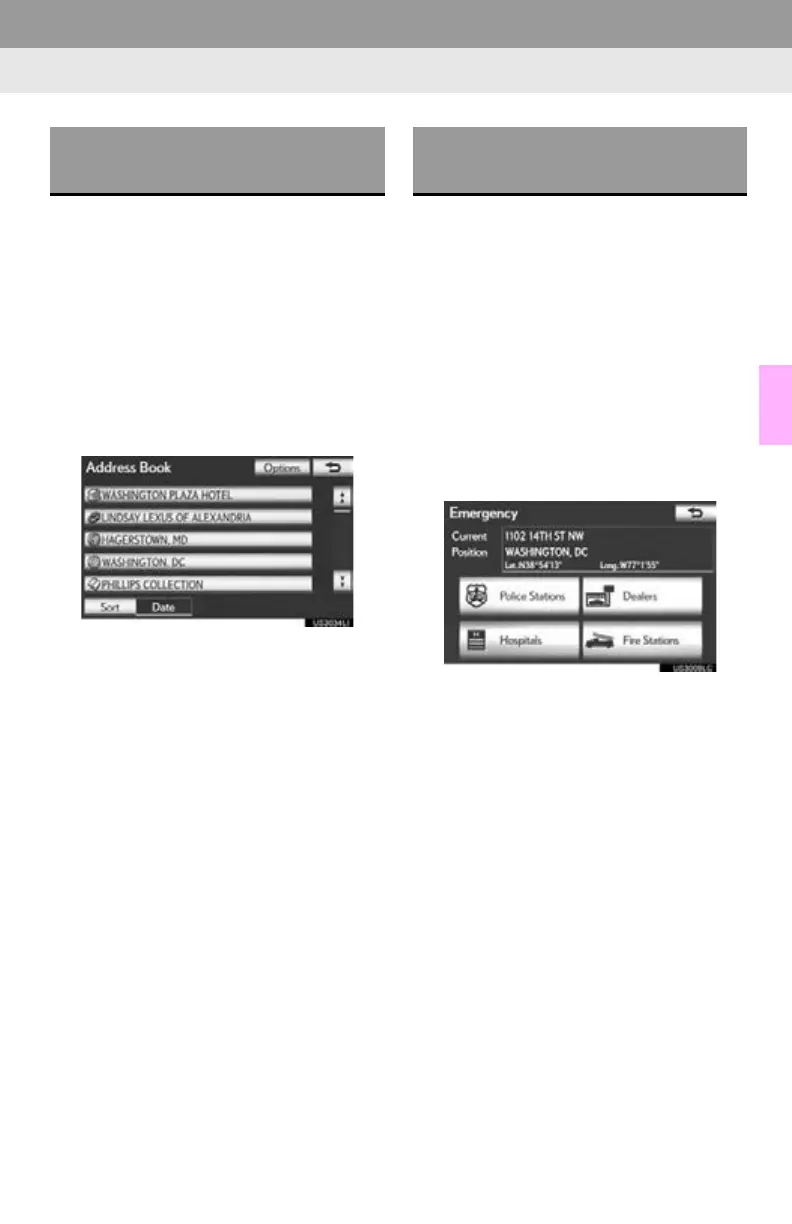
A list of registered address book entries is
displayed.
“Options”: Select to register or edit address
book entries. (See page 116.)
When the desired address book entry is
selected, the “Confirm Destination” screen
may be displayed. If “Go” is selected on the
“Confirm Destination” screen, the naviga-
tion system performs a search for the route.
(See “STARTING ROUTE GUIDANCE”
on page 85.)
1 Press the “MENU” button on the
Remote Touch. (See “Remote Touch”
on page 10.)
2 Select “Destination” on the “Menu”
screen.
3 Select “Emergency” on the second
page of the “Destination” screen.
The display changes to a screen to select
police stations, dealers, hospitals or fire sta-
tions.
4 Select the desired emergency category.
The selected emergency category is dis-
played.
DESTINATION SEARCH BY
“Address Book”
DESTINATION SEARCH BY
“Emergency”






 To Next Page