72
1. DESTINATION SEARCH
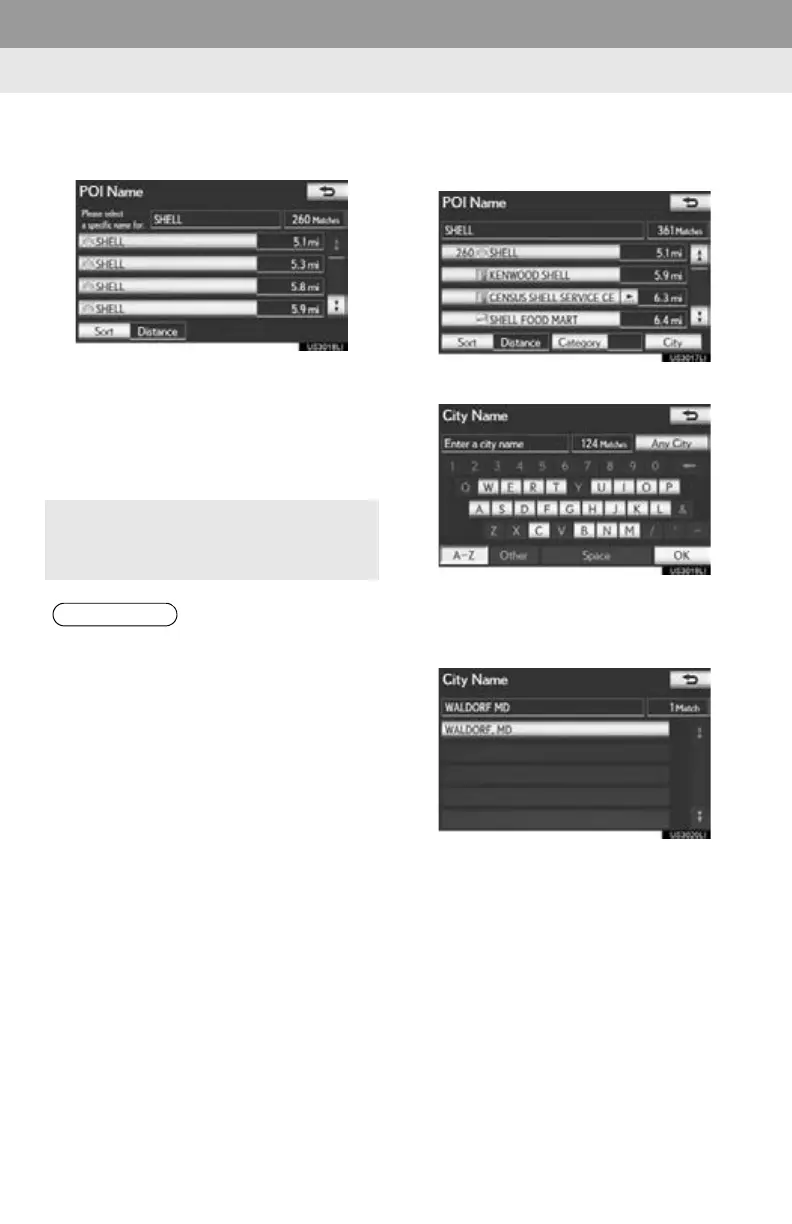
6 Select the screen button of the desired
destination.
If the same name exists in more than 1 city, a
search can be performed more easily using
“City” or “Category”. (See “SELECTING
A CITY TO SEARCH” on page 68 and
“SELECTING FROM THE CATEGO-
RIES” on page 73.)
■ SELECTING A CITY TO SEARCH
1 Select “City”.
2 Input the city name.
To cancel the city setting, select “A n y C i t y ” .
3 Select the screen button of the desired
city name from the displayed list.
The desired POI can be displayed on the
map screen. (See “DISPLAY POI
ICONS” on page 103.)
●To search for a facility name using multi-
ple search words, put a space between
each word.






 To Next Page