433
3-3. Using the audio system
3
Interior features
LS460_EE
Searching a desired screen
Searching by title (DVD video mode)
Touch “Search” on the “Settings” screen.
Input the desired title number and then touch “OK”.
Searching by group (DVD audio mode)
Touch “Search” on the “Settings” screen.
Input the desired group number and then touch “OK”.
Playing a bonus group (DVD audio mode, if the DVD has bonus
options)
Touch “Search” on the “Settings” screen.
Input the desired bonus group number and then touch
“OK”.
Searching by chapter/track
Press “” or “” on “SEEK•TRACK” to select the desired chap-
ter/track.
Selecting a menu number (DVD audio mode)
Touch “Select number” on the “Settings” screen.
Input the desired menu number and then touch “OK”.
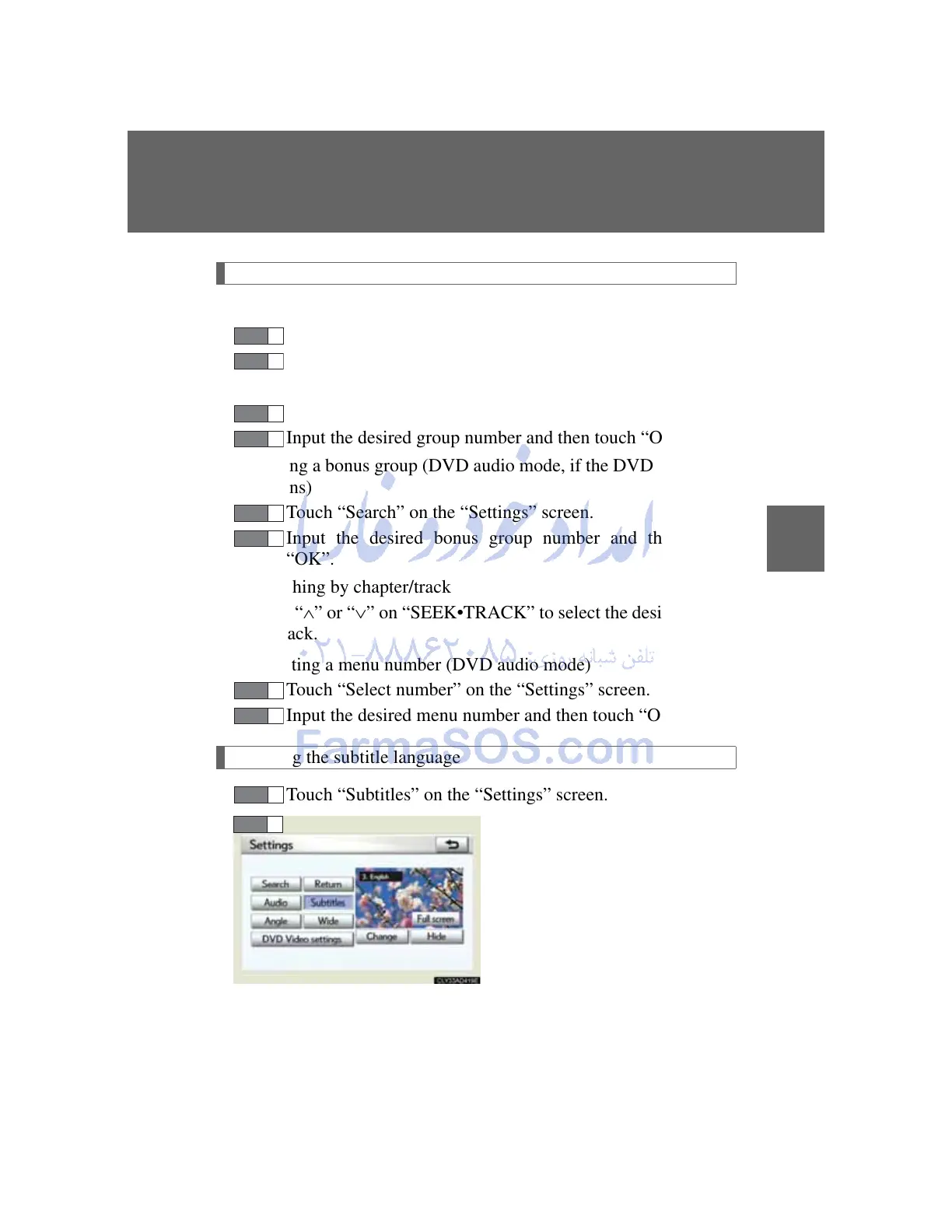
Changing the subtitle language
Touch “Subtitles” on the “Settings” screen.
Each time you touch “Change”,
the next available language is
selected.
“Hide”: hides the subtitles
STEP 1
STEP 1
STEP 1
STEP 1
STEP 2



 To Next Page