12
12 INDOOR & OUTDOOR TEMPERATURE ALERT
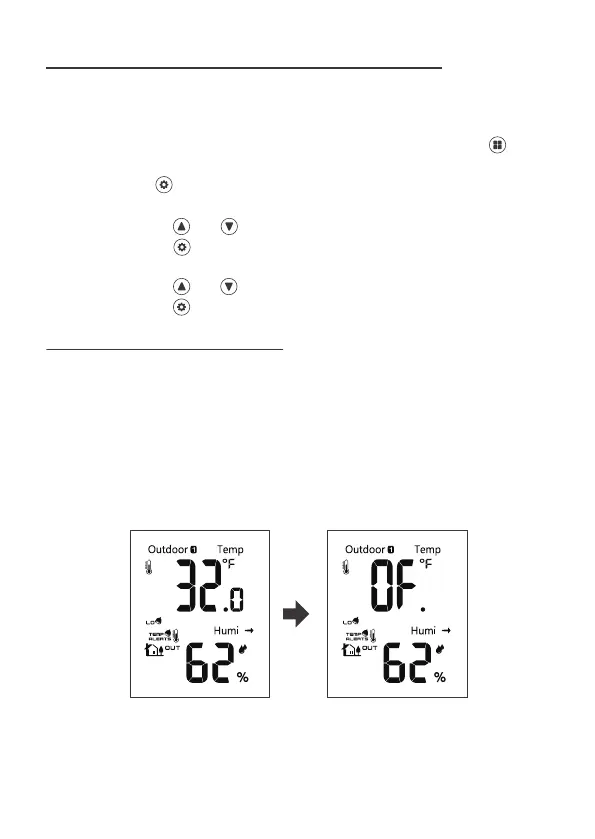
First you will arm the alert you wish to set, then you set the alert value. If an
alert is not armed (OFF), you will skip that alert value and move to arm the
next alert.
1. To set the indoor & outdoor temperature alert, in Home display, press
four times switching to the indoor & outdoor temperature/humidity display.
2. Press and hold over 2s to enter alert set mode, outdoor low temperature
alert value will be flashing.
3. Press and release and to adjust the values. Hold to adjust quickly.
4. Press and release to confirm and move to set outdoor low temperature
alert on/off.
5. Press and release and to set alert on/off.
6. Press and release to confirm and move to next alert.
12.1 ALERT SETTING ORDER
• Outdoor LOW Temperature Value
• Outdoor LOW Temperature ON/OFF
• Outdoor HIGH Temperature Value
• Outdoor HIGH Temperature ON/OFF
• Indoor LOW Temperature Value
• Indoor LOW Temperature ON/OFF
• Indoor HIGH Temperature Value
• Indoor HIGH Temperature ON/OFF
When the corresponding alerts turn on, the alert bell icon will be shown on
the display.



 To Next Page