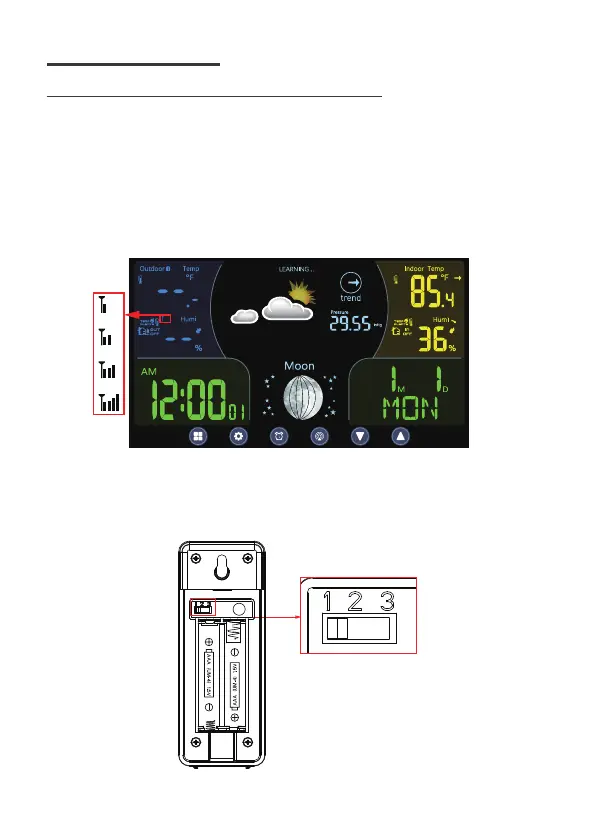
2). Slide the switch to CH1 of the outdoor sensor and Insert 2 new “AAA”
alkaline batteries.
3). The wireless remote sensor will transmit the signal and LED will flash
during transmission.
5
First of all, it needs to do the pairing between outdoor remote sensor and
weather station. Please follow below procedure to pair the sensor.
1). Plug the included DC adaptor into the weather station.
(optional) insert 2 new “AAA”alkaline batteries for backup.
The screen is turned on. It starts to search sensor and register the received
sensor. During RF registration, the signal strength icon will animate until the
sensor signal is received or for 5 minutes if no signal available.
4.1 PAIR THE OUTDOOR REMOTE SENSOR
4 FIRST TIME TO USE



 To Next Page