EasyManua.ls Logo

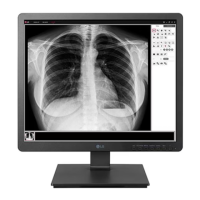
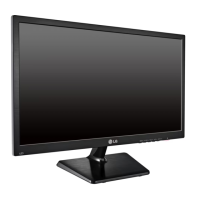
LG 19HK312C-B.AUB - User Manual

LG 19HK312C-B.AUB
63 pages
Print Icon
To Next Page IconTo Next Page
Loading...
www.lg.com
Copyright 2018 LG Electronics Inc. All Rights Reserved.
19HK312C
OWNER’S MANUAL
MEDICAL MONITOR
Please read this manual carefully before operating
your set and retain it for future reference.

Questions and Answers

  • J
    Jason DavisSep 8, 2025
    Why won't my LG Monitor display properly with my Mac using DisplayPort 1.2?
    • K
      Kelly MejiaSep 8, 2025
      Some Mac products may not support DisplayPort 1.2. Please inquire with the manufacturer about compatibility with your LG Monitor.
  • C
    Charles MurrayAug 23, 2025
    What to do if my LG 19HK312C-B.AUB Monitor displays a 'No Signal' message?
    • R
      rebecca21Aug 23, 2025
      If you see a 'No Signal' message on your LG Monitor, check the cable and try reconnecting it securely.
  • A
    Alexandra OwensAug 25, 2025
    What does 'Out of Range' mean on my LG Monitor?
    • S
      shawn90Aug 25, 2025
      The 'Out of Range' message on your LG Monitor appears when signals from your PC's graphics card are outside the monitor's horizontal or vertical frequency range. To resolve this, set the appropriate frequency according to the Product Specification section of this manual.
  • S
    Stephen JonesAug 26, 2025
    What to do if nothing is displayed on my LG 19HK312C-B.AUB Monitor screen?
    • B
      bradley78Aug 26, 2025
      If nothing is displayed on your LG Monitor screen, check the following: * Ensure the power cord is correctly plugged into the power outlet. * Verify the power cable connection and turn on the power switch. * Confirm the input setting is correct by navigating to [All Settings] > [Input]. * Check the signal cable between the PC and the monitor; if it's missing or disconnected, reconnect it. * If signals from the PC (graphics card) are out of the monitor's horizontal or vertical frequency range, consult the section of this manual to set the appropriate frequency. * If you are using Mac, note that some Mac products may not support DisplayPort 1.2. Please inquire with the manufacturer.
  • J
    Joseph FrazierAug 27, 2025
    Why is my LG Monitor screen unstable and shaking?
    • S
      Sarah BoydAug 27, 2025
      If your LG Monitor screen is unstable, shaking, or has shadowy traces, and the resolution is set to HDMI 1080i 60/50 Hz (interlaced), the screen may be flickering. Try changing the resolution to 1080p or the recommended resolution.
  • K
    Katrina RomeroSep 22, 2025
    Why does the screen of my LG Medical Equipment retain an image?
    • C
      Cindy JeffersonSep 22, 2025
      Displaying a still image for a prolonged time may cause damage to the screen of your LG Medical Equipment, resulting in the retention of the image. To extend the lifetime of the monitor, use a screensaver.
  • R
    Rachel JacksonSep 16, 2025
    Why is my LG Medical Equipment screen unstable and shaking?
    • A
      Amy AdamsSep 16, 2025
      If your LG Medical Equipment screen is unstable, shaking, or displaying shadowy traces, and if the selected resolution is HDMI 1080i 60/50 Hz (interlaced), the screen may be flickering. Change the resolution to 1080p or the recommended resolution to resolve this.
  • E
    Elizabeth McintyreSep 18, 2025
    What to do if the image is displayed abnormally on my LG Medical Equipment?
    • E
      erikrogersSep 18, 2025
      If the image on your LG Medical Equipment is displayed abnormally, use the Auto Configuration function and select Yes to automatically configure display images to optimal settings.
  • T
    timothy38Sep 7, 2025
    How to fix abnormal image display on LG Monitor?
    • A
      Angelica RobinsonSep 7, 2025
      If the image on your LG Monitor is displayed abnormally, use the Auto Configuration function and select 'Yes' to automatically configure display images to optimal settings.
  • P
    Patricia CummingsSep 4, 2025
    Why is the display color abnormal on my LG Monitor?
    • E
      Edward SandersSep 4, 2025
      If the display color on your LG Monitor is abnormal, first, set the number of colors to 24 bits (true colors) or higher via Windows Control Panel > Display > Settings > Color Quality (steps may vary depending on your operating system). If that doesn't work, check if the signal cable is properly connected. Try reconnecting the cable or reinserting the PC's graphics card.

LG 19HK312C-B.AUB Specifications

General IconGeneral
BrandLG
Model19HK312C-B.AUB
CategoryMonitor
LanguageEnglish

Related product manuals