13
ENG
ENGLISH
CUSTOMIZING SETTINGS
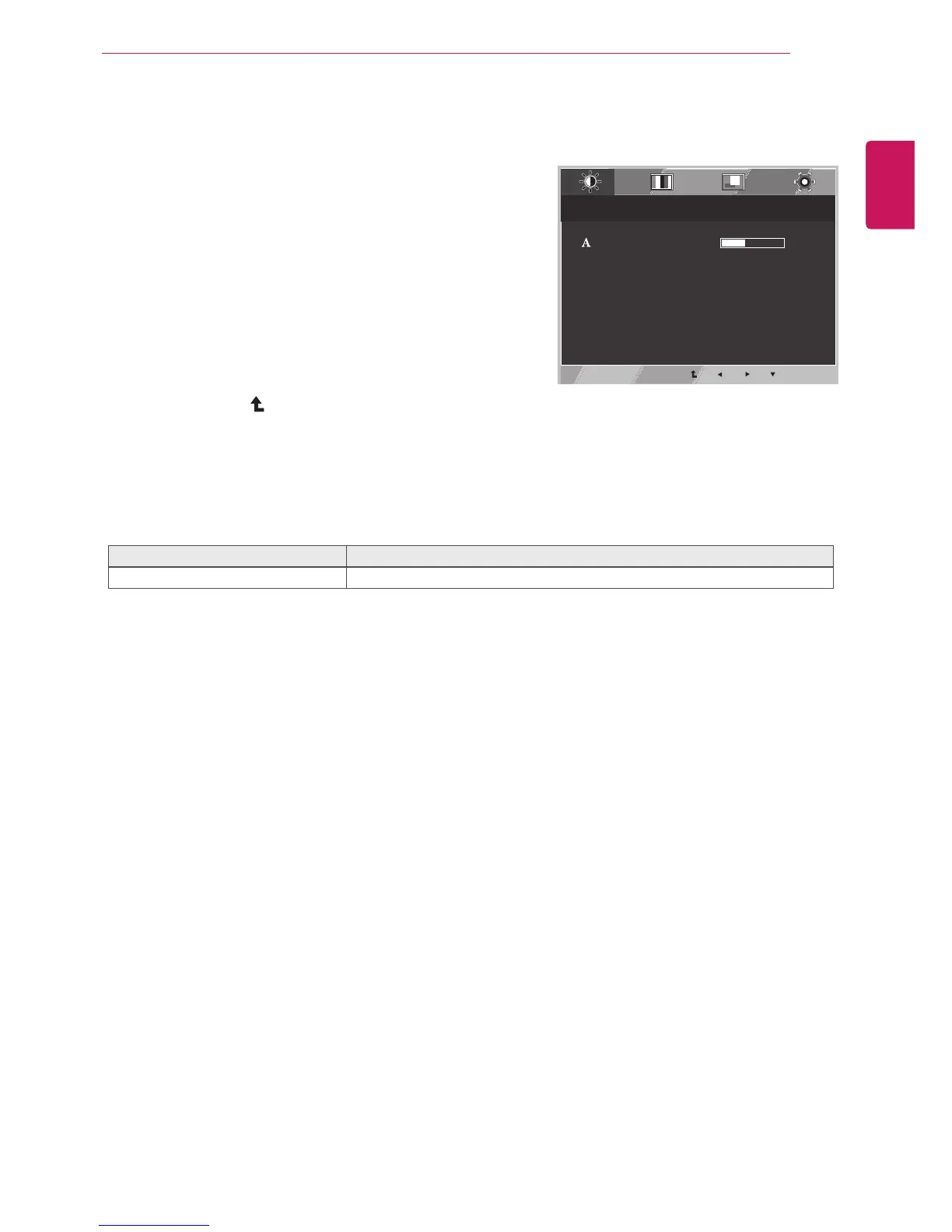
Picture
1
Press MENU button on the bottom of the Monitor set
to display the Menu OSD.
2
Select the "Next Menu" button to enter the more
option settings.
3
Enter to Picture by pressing the ▼ button.
4
Set the options by pressing the ◄ or ► or ▼
buttons.
5
Select EXIT to leave the OSD menu.
To return to the upper menu or set other menu items,
use the up arrow (
) button.
Each option is explained below.
Menu > Next Menu > Picture Description
Sharpness To adjust the clearness of the screen.
EXIT
Menu > Next Menu > Picture
5
Sharpness



 To Next Page