EasyManua.ls Logo

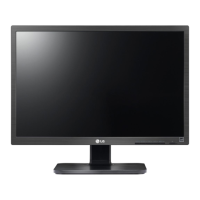
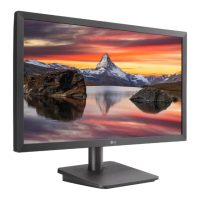
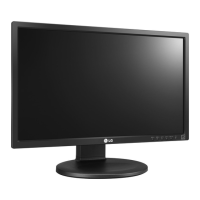
LG 22MB35PM - User Manual

LG 22MB35PM
29 pages
Print Icon
To Next Page IconTo Next Page
Loading...
www.lg.com
ENGLISH
OWNER’S MANUAL
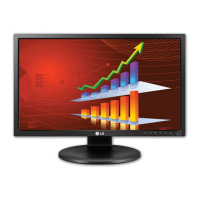
IPS LED MONITOR
(LED LCD MONITOR)
19MB35PM
22MB35PM
23MB35PM
Please read this manual carefully before operating
your set and retain it for future reference.
IPS LED(LED LCD) MONITOR MODEL

Questions and Answers

  • P
    Phillip BennettSep 6, 2025
    Why is my LG monitor display image incorrect?
    • A
      Amanda BakerSep 6, 2025
      If the display image on your LG monitor is incorrect, try pressing the AUTO button to automatically adjust the display to the ideal setting. Also, check your display settings in Control Panel and adjust the resolution to the recommended one. Ensure that the color setting is higher than 24 bits (true color).
  • J
    Joshua LewisAug 22, 2025
    How to fix LG 22MB35PM Monitor when no image appears?
    • K
      Kenneth CannonAug 22, 2025
      If no image appears on your LG Monitor, ensure the power cord is properly connected to the outlet and that you've pressed the power button. Also, adjust the brightness and contrast settings. If the display is in power saving mode, try moving the mouse or pressing a key on the keyboard. Make sure your PC is turned on. This issue can also occur if the signal from the PC is out of the display's frequency range. If the monitor is on "No-Signal" for 5 minutes, it will enter DPM mode.
  • E
    ebarnesSep 3, 2025
    How to fix incorrect display position on LG Monitor?
    • W
      wmccarthySep 4, 2025
      To correct an incorrect display position on your LG monitor, press the AUTO button. This will automatically adjust the display image to the ideal setting.
  • C
    Christina GarrettSep 2, 2025
    How to fix vertical bars or stripes on LG Monitor screen?
    • K
      Kendra DanielsSep 2, 2025
      If you see vertical bars or stripes on the screen background of your LG Monitor, press the AUTO button to automatically adjust your display image to the ideal setting.
  • A
    amytapiaSep 1, 2025
    How to fix horizontal noise or unclear characters on LG 22MB35PM Monitor?
    • M
      matthew59Sep 1, 2025
      To resolve horizontal noise or unclear characters on your LG Monitor, first press the AUTO button to automatically adjust the display image. If the issue persists, go to Control Panel ? Display ? Settings and adjust the display to the recommended resolution. You may also need to set the color setting higher than 24 bits (true color).
  • J
    James DodsonAug 30, 2025
    What to do if the screen color is mono or abnormal on my LG Monitor?
    • M
      Mr. Johnny CastroAug 30, 2025
      If the screen color on your LG Monitor is mono or abnormal, first check that the signal cable is properly connected, tightening it with a screwdriver if necessary. Next, ensure the video card is correctly inserted in its slot. Finally, go to Control Panel ? Settings and set the color setting higher than 24 bits (true color).
  • A
    aguerreroAug 29, 2025
    Why is my LG monitor screen blinking?
    • A
      allen96Aug 29, 2025
      If your LG monitor screen is blinking, check if the screen is set to interlace mode. If it is, change it to the recommended resolution.
  • C
    corygonzalesAug 27, 2025
    What to do if no image appears on my LG 22MB35PM?
    • C
      Connie GarnerAug 27, 2025
      If your LG monitor displays no image, ensure the power cord is correctly connected to the outlet and that the monitor is powered on. Check the brightness and contrast settings. If the monitor is in power saving mode, try moving the mouse or pressing a key. Also, ensure your PC is turned on. If the PC signal is out of range, check the 'Specifications' section of the manual and configure your display again. Note that the monitor goes to DPM mode when on 'No-Signal' for 5 minutes.
  • T
    Thomas MaddoxAug 27, 2025
    Why does my LG 22MB35PM blink?
    • A
      ashley59Aug 27, 2025
      If your LG monitor screen blinks, check if the screen is set to interlace mode. If it is, change it to the recommended resolution.
  • G
    Gail HoAug 25, 2025
    What to do if my LG 22MB35PM Monitor has no image?
    • J
      Jennifer Hall DDSAug 26, 2025
      If your LG monitor displays no image, ensure the power cord is properly connected to the outlet and that you've pressed the power button. Also, verify the brightness and contrast settings are appropriately adjusted. If the display is in power saving mode, try moving the mouse or pressing a key on the keyboard. Ensure your PC is turned on. If a message appears indicating the signal is out of frequency range, consult the 'Specifications' section of the manual to reconfigure your display. Note that the monitor enters DPM mode if it's on 'No-Signal' for 5 minutes.

LG 22MB35PM Specifications

General IconGeneral
BrandLG
Model22MB35PM
CategoryMonitor
LanguageEnglish

Related product manuals