EasyManua.ls Logo

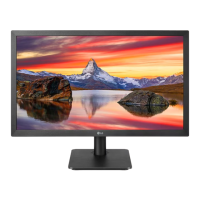
LG 22MP47D - User Manual

LG 22MP47D
47 pages
Print Icon
To Next Page IconTo Next Page
Loading...
www.lg.com
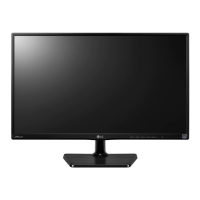
IPS LED MONITOR MODEL
Please read this manual carefully before operating
your set and retain it for future reference.
Owner's Manual
IPS LED MONITOR
(LED MONITOR*)
*LG LED Monitors are LCD Monitors with LED Backlighting.
22MP47A
22MP47D
22MP47HQ
23MP47D
23MP47HQ
20MP47A 24MP47HQ 27MP47HQ

Questions and Answers

  • K
    kwoodsSep 2, 2025
    What to do if no image appears on my LG 22MP47D?
    • J
      Jacob GardnerSep 2, 2025
      If your LG Monitor displays no image, ensure the power cord is securely connected to the outlet and that the monitor is powered on. If the monitor is in power saving mode, try moving the mouse or pressing a key. Also, verify that your PC is turned on. If you see a message indicating the signal is out of range, consult the 'Specifications' section of the manual to reconfigure your display settings. Note that the monitor enters DPM mode if it's on 'No-Signal' for 5 minutes.
  • L
    Laura GravesAug 31, 2025
    Why is the screen color mono or abnormal on my LG 22MP47D Monitor?
    • L
      Lisa KingAug 31, 2025
      If the screen color on your LG Monitor is mono or abnormal, check if the signal cable is properly connected and use a screwdriver to fasten it if necessary. Also, make sure the video card is properly inserted in the slot. Finally, set the color setting higher than 24 bits (true color) at Control Panel ? Settings.
  • N
    Nicole MitchellAug 29, 2025
    Why is my LG 22MP47D screen flickering?
    • D
      Danielle BrowningAug 29, 2025
      If your LG Monitor screen is flickering, and the selected resolution is HDMI 1080i 60/50 Hz, this could be the cause. Try changing the resolution to the recommended 1080P.
  • M
    Mitchell NielsenAug 28, 2025
    Why does my LG Monitor screen blink?
    • B
      Brian VazquezAug 28, 2025
      If your LG Monitor screen blinks, it might be set to interlace mode. Check this setting and change it to the recommended resolution.
  • C
    Chelsea HuntAug 26, 2025
    How to stop my LG 22MP47D screen from blinking?
    • D
      darrenprestonAug 26, 2025
      If your LG Monitor screen blinks, check if the screen is set to interlace mode. If it is, change it to the recommended resolution.
  • J
    James Roberts DDSAug 25, 2025
    What to do if the display image is incorrect on my LG 22MP47D Monitor?
    • L
      Laura WrightAug 25, 2025
      If the display image on your LG Monitor is incorrect, first, press the AUTO button to automatically adjust the display image to the ideal setting. If that doesn't work, go to Control Panel ? Display ? Settings and adjust the display to the recommended resolution. Also, ensure that the color setting is higher than 24 bits (true color).
  • O
    Oscar NicholsonAug 22, 2025
    How to fix an LG 22MP47D Monitor when no image appears?
    • C
      Casey HillAug 22, 2025
      If no image appears on your LG Monitor, ensure the power cord is properly connected to the power outlet and the monitor is turned on by pressing the Power button. If the monitor is in power saving mode, move the mouse or press any key on the keyboard. Also, verify that your PC is turned on. If the signal from the PC is out of range, check the 'Specifications' section of this manual and configure your display again. Note that the monitor goes to DPM mode if it is on 'No-Signal' for 5 minutes.

LG 22MP47D Specifications

General IconGeneral
BrandLG
Model22MP47D
CategoryMonitor
LanguageEnglish

Related product manuals