16
ENGLISH
USING THE MONITOR SET
Connecting to External Devices
Peripheral device connection
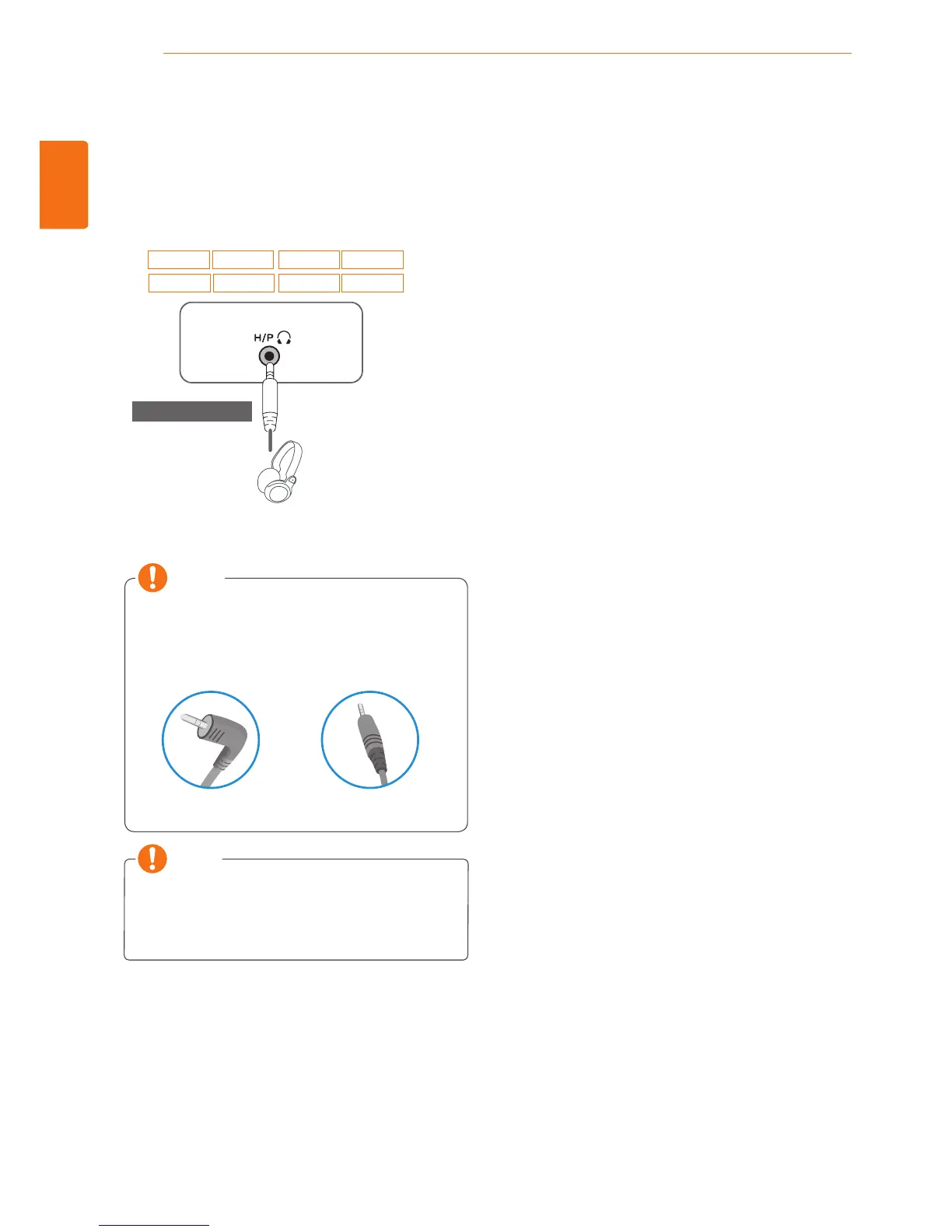
Connect peripheral devices to the monitor using
headphone ports.
y
Peripheral devices are sold separately.
y
Cables with angled plugs may have clear-
ance issues, use straight plugs when pos-
sible.
Angle Type Straight Type
NOTE
NOTE
y
Headphones or speakers may not work nor-
mally, depending on the server PC settings.
24MP67HQ 27MP67HQ
22MP67VQ 23MP67VQ 24MP67VQ 27MP67VQ
23MP67HQ
22MP67HQ
(sold separately)


 To Next Page