EasyManua.ls Logo

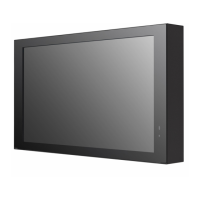
LG 22XE1J - User Manual

LG 22XE1J
153 pages
Print Icon
To Next Page IconTo Next Page
Loading...
OWNER’S MANUAL
LG Digital Signage
(MONITOR SIGNAGE)
22XE1J
Please read the user manual before using this product to ensure safe and convenient
use.
www.lg.com
Copyright © 2021 LG Electronics Inc. All Rights Reserved.

Other manuals for LG 22XE1J

Questions and Answers

  • M
    Matthew JacksonSep 12, 2025
    How to fix poor color resolution (16 colors) on LG Digital Signage?
    • D
      dennisbenjaminSep 12, 2025
      If your LG Digital Signage screen has poor color resolution (16 colors), use PC settings to set the color to 24 bits (True Color) or above.
  • C
    Christopher WilsonSep 9, 2025
    Why is the image not displayed on my LG 22XE1J Digital Signage?
    • D
      Daniel DavisSep 9, 2025
      If the image is not displayed on your LG Digital Signage, check that the cable is properly connected between the panel and the Signage box.
  • D
    David MillerSep 8, 2025
    Why is touch applied to the wrong monitor on LG 22XE1J?
    • W
      William WashingtonSep 8, 2025
      If touch input is being applied to a monitor other than the one you intended with your LG Digital Signage: * This may occur if the monitor is not set as the default monitor when you are using multiple monitors. Set the monitor as the default monitor. * This may also occur when the touch screen is not calibrated properly; change your tablet PC settings.
  • H
    hcastilloAug 22, 2025
    How to fix LG Digital Signage when the power won't turn on?
    • B
      brendawalshAug 23, 2025
      If your LG Digital Signage won't turn on, try these steps: * Ensure the power cord is correctly plugged into the power outlet. * If operating in below-zero temperatures, allow up to one hour for the enclosure to raise its internal temperature. * For models with a circuit breaker, verify it's properly connected and the switch is set to 'on' (red). * Disconnect the AC adapter, clean the contacting port, and then try turning the power on. * When using POE, check if the LAN cable is damaged. * Do not connect the AC adapter when using POE power.
  • K
    Kimberly McfarlandSep 6, 2025
    How to fix horizontal noise or blurred characters on LG Digital Signage?
    • N
      nathaniel07Sep 6, 2025
      If you are experiencing horizontal noise or blurred characters on your LG Digital Signage: * For D-Sub analog signal, press the button on the remote control to automatically select the optimal screen status that fits into the current mode. If the adjustment is not satisfactory, adjust the display settings manually in the OSD menu.
  • L
    laurenforbesSep 5, 2025
    Why is the screen color unstable on my LG Digital Signage?
    • D
      dnortonSep 5, 2025
      If the screen color on your LG Digital Signage is unstable or mono-colored, check the connection status of the signal cable. You can also try re-inserting the PC graphics card.
  • E
    Elaine AlvarezSep 3, 2025
    Why is the PC BIOS configuration screen not displayed correctly on LG Digital Signage?
    • P
      perrykingSep 4, 2025
      On some PCs, the BIOS configuration screen may not display correctly because the atypical aspect ratio is not supported before the graphics card driver is configured. This is not a problem of the product; it is due to the design of the graphics card’s BIOS configuration screen aspect ratio. To access the PC BIOS configuration screen, please connect a standard aspect ratio (4:3 or 16:9) monitor, then perform the BIOS configuration.
  • J
    Jeffrey AvilaSep 2, 2025
    Why does LG Digital Signage show 'Unknown Product' message?
    • D
      Donna JonesSep 2, 2025
      If you see an ‘Unknown Product’ message when your LG Digital Signage is connected: * Check if the driver of your PC's graphics card has been installed. * Check if the plug and play function is supported by the PC(graphics card) user manual.
  • J
    Jamie PorterSep 1, 2025
    Why are images flickering on my LG 22XE1J Digital Signage screen?
    • N
      Nicholas GreenSep 1, 2025
      If images are flickering or fluttering on your LG Digital Signage screen: * The screen may flicker if you turn the monitor on when it is cold; this is normal. * Make sure that the current resolution and frequency settings of the graphics card are supported by the monitor.
  • J
    James SolomonAug 31, 2025
    How to correct an incorrect screen position on LG 22XE1J?
    • A
      Albert LoganAug 31, 2025
      If the screen position is incorrect on your LG Digital Signage: * Check if the graphics card resolution and frequency are supported by the product. If the frequency exceeds the supported range, use PC settings to set the resolution to the recommended value. * For D-Sub analog signal, press the button on the remote control to automatically select the optimal screen status. If the adjustment is not satisfactory, manually adjust the display settings in the OSD menu.

LG 22XE1J Specifications

General IconGeneral
Contrast Ratio1000:1
Panel Technology/TypeIPS
Operating Temperature0 °C to 40 °C
Display Size21.5 inches
Resolution1920 x 1080 (Full HD)
Brightness250 cd/m²
Viewing Angle (H x V)178° x 178°
ConnectivityHDMI, USB
Built-in SpeakersYes

Related product manuals