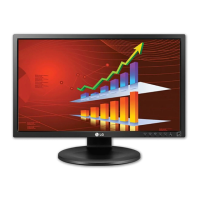
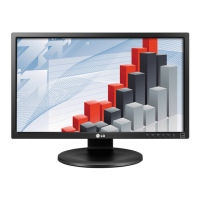
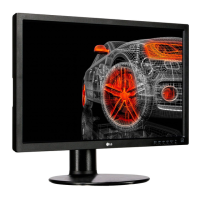
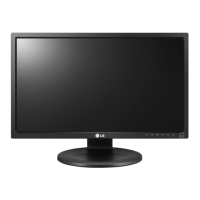
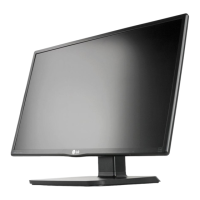
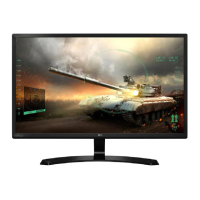
This document is an owner's manual for the LG IPS LED Monitor (LED LCD Monitor) models 22MB35PU and 24MB35PU. It provides instructions for assembling, setting up, using, customizing settings, and troubleshooting the monitor.
Function Description:
The LG IPS LED Monitor is designed for displaying video signals from a PC or other peripheral devices. It supports both analog (D-SUB) and digital (DVI-D) video inputs, offering flexibility in connectivity. The monitor features an IPS (In-Plane Switching) panel, which typically provides wide viewing angles and accurate color reproduction. It includes built-in speakers for audio output. The monitor also incorporates "SMART ENERGY SAVING" technology to conserve energy and a "READER Mode" for eye comfort, adjusting the screen to a paper-like picture.
Important Technical Specifications:
22MB35PU Model:
- Display: Flat Panel Active matrix-TFT LCD with Anti-Glare coating.
- Pixel Pitch: 0.248 mm x 0.248 mm.
- Horizontal Frequency: 30 kHz to 83 kHz (Automatic).
- Vertical Frequency: 56Hz to 75Hz (D-SUB, DVI-D).
- Input Form: Separate Sync. Digital.
- Signal Input: 15 pin D-SUB Connector / DVI-D Connector (Digital).
- Input Form (RGB Analog): 0.7 Vp-p/ 75 ohm.
- Max Resolution (D-SUB/DVI): 1920 x 1080 @ 60 Hz.
- Recommend Resolution: VESA 1920 x 1080 @ 60 Hz.
- Plug & Play: DDC 2B (Analog, Digital).
- Power Consumption:
- On Mode: 15.9 W Typ. (ENERGY STAR® standard)*, 20.3 W Typ. (Outgoing condition)**.
- Sleep Mode: ≤ 0.3 W.
- Off Mode: ≤ 0.3 W.
- Power Input: AC 100-240V ~ 50/60Hz 1.0 A.
- Speaker Wattage: 1 W + 1 W.
- Dimensions (Width x Height x Depth):
- With Stand: 50.9 cm x 35.3 cm x 22.4 cm.
- Without Stand: 50.9 cm x 30.4 cm x 14.4 cm.
- Weight: 3.9 kg.
- Tilt Range: -5° to 20°.
- Operating Temperature: 10°C to 35 °C.
- Operating Humidity: 10% to 80%.
- Storage Temperature: -20°C to 60 °C.
- Storage Humidity: 5% to 90% non-Condensing.
- Stand Base: Attached.
- Power cord: Wall-outlet type.
24MB35PU Model:
- Display: Flat Panel Active matrix-TFT LCD with Anti-Glare coating.
- Pixel Pitch: 0.275 mm x 0.275 mm.
- Horizontal Frequency: 30 kHz to 83 kHz (Automatic).
- Vertical Frequency: 56Hz to 75Hz (D-SUB, DVI-D).
- Input Form: Separate Sync. Digital.
- Signal Input: 15 pin D-SUB Connector / DVI-D Connector (Digital).
- Input Form (RGB Analog): 0.7 Vp-p/ 75 ohm.
- Max Resolution (D-SUB/DVI): 1920 x 1080 @ 60 Hz.
- Recommend Resolution: VESA 1920 x 1080 @ 60 Hz.
- Plug & Play: DDC 2B (Analog, Digital).
- Power Consumption:
- On Mode: 17.1 W Typ. (ENERGY STAR® standard)*, 24.3 W Typ. (Outgoing condition)**.
- Sleep Mode: ≤ 0.3 W.
- Off Mode: ≤ 0.3 W.
- Power Input: AC 100-240V ~ 50/60Hz 1.2 A.
- Speaker Wattage: 1 W + 1 W.
- Dimensions (Width x Height x Depth):
- With Stand: 56.9 cm x 43.2 cm x 27.1 cm.
- Without Stand: 56.9 cm x 34.2 cm x 6.3 cm.
- Weight: 5.1 kg.
- Tilt Range: -5° to 20°.
- Operating Temperature: 10°C to 35 °C.
- Operating Humidity: 10% to 80%.
- Storage Temperature: -20°C to 60 °C.
- Storage Humidity: 5% to 90% non-Condensing.
- Stand Base: Attached.
- Power cord: Wall-outlet type.
Note: Product specifications may change without prior notice. Power consumption levels vary by operating condition and monitor setting. ENERGY STAR® test standard and LGE test standard (Full White pattern, Maximum resolution) are used for power consumption measurements.
Usage Features:
- Assembly: The manual details how to attach and detach the stand base and body, including specific instructions for 22MB35PU and 24MB35PU models. It also covers mounting the monitor on a table and a wall (VESA compatible, 100x100mm, M4 screws).
- Adjustments:
- Angle Adjustment: The screen can be tilted from -5° to 20° for comfortable viewing.
- Height Adjustment: The stand allows for height adjustment up to 110 mm.
- Swivel Stand: The monitor can swivel 355 degrees.
- Pivot Function: The screen can be rotated 90° clockwise for portrait orientation, requiring the monitor to be lifted to its highest height first.
- Connectivity:
- PC Connection: Supports D-SUB (analog) and DVI-D (digital) connections.
- Peripheral Device Connection: Includes USB Upstream and Downstream ports. Two USB Downstream ports (5V 0.5A, under 100mA) are available for connecting devices like a mouse, keyboard, or memory stick. One USB Upstream port connects to a computer, laptop, or USB monitor. The monitor's USB terminal supports USB 2.0 and high-speed cables.
- Audio In (PC): For connecting audio from the PC.
- OSD (On Screen Display) Menu:
- Navigation: Accessed via buttons on the bottom panel (MENU, READER, SMART ENERGY SAVING, AUTO, INPUT/EXIT, Power).
- Main Menu Options:
- Volume: Adjusts audio output.
- Brightness: Adjusts screen brightness.
- Response Time: Sets response time for displayed pictures (Off, High) - specific to 22MB35PU-I*/24MB35PU.
- Wide/Original: Switches between full screen and original aspect ratio (effective when input resolution is lower than 16:9).
- Reset: Restores all factory default settings.
- Picture Menu:
- Contrast: Adjusts screen contrast.
- Sharpness: Adjusts screen clearness.
- Color Menu:
- Gamma: Sets gamma value (Gamma 0, 1, 2).
- Color Temp: Selects screen color temperature (Custom, Warm, Medium, Cool). Custom allows adjustment of Red, Green, and Blue levels.
- Six Color: Adjusts hue and saturation for six colors (Red/Green/Blue/Cyan/Magenta/Yellow) - specific to 22MB35PU-I*/24MB35PU.
- Color Reset: Resets color settings to factory defaults.
- Display Menu:
- Horizontal/Vertical: Adjusts image position.
- Clock/Phase: Improves clarity and stability, minimizes vertical bars/stripes, and adjusts display focus.
- Others Menu:
- Language: Selects OSD language.
- Power Indicator: Turns the power indicator LED On or Off.
- Off Time Setting: Sets a timer for the monitor to switch to power off mode (1-24 hours).
- Special Modes:
- READER Mode: Adjusts the screen for eye comfort, providing a paper-like picture. Options include Reader 1 (newspaper) and Reader 2 (cartoon). When active, Picture Mode automatically becomes Custom and SMART ENERGY SAVING turns Off.
- SMART ENERGY SAVING: Conserves energy using a luminance compensation algorithm. Options include High, Low, and Off. When active (High or Low), monitor luminance adjusts based on the source, and Picture Mode automatically becomes Custom and Reader Mode turns Off.
- Self Image Setting Function: Automatically adjusts display settings for optimal performance upon first connection or when the monitor is turned on (Analog Mode only).
- AUTO Function: Automatically improves resolution for blurry, flickering, or tilted screens (Analog Mode only).
- OSD Locked/Unlocked: Allows locking current control settings to prevent accidental changes.
Maintenance Features:
- Kensington Locking Device: A connector is provided on the rear for a Kensington lock to secure the monitor to a table, preventing theft.
- Cleaning: When moving or installing the monitor, or detaching the stand, place the monitor screen face down on a soft cloth to protect it from scratches.
- Image Burn Prevention: Avoid displaying a fixed image for long periods; use a screensaver if possible to prevent image burn.
- Troubleshooting Guide: The manual includes a section for common issues like no image, power indicator problems, "OUT OF RANGE" or "NO SIGNAL" messages, "OSD LOCKED" message, and incorrect display image (color, position, noise). It advises checking cable connections, adjusting brightness/contrast, pressing the AUTO button, and installing display drivers.
- Safety Precautions: Warnings are provided regarding using unapproved accessories, potential electric shock, proper handling to avoid damage or injury, and safe wall mounting practices (using VESA standard screws and authorized LG wall mounts). It also includes a California Proposition 65 warning about chemicals.


 To Next Page
 General