EasyManua.ls Logo

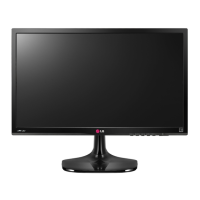
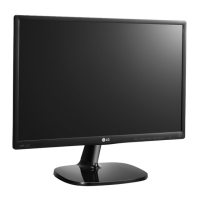
LG 24MP59HT - User Manual

LG 24MP59HT
24 pages
Print Icon
To Next Page IconTo Next Page
Loading...
www.lg.com
IPS LED MONITOR MODEL
Please read this manual carefully before operating your set and
retain it for future reference.
Owner's Manual
IPS LED MONITOR
(LED MONITOR*)
*LG LED Monitors are LCD Monitors with LED Backlighting.
24MP59HT
27MP59HT

Other manuals for LG 24MP59HT

Questions and Answers

  • H
    hayesamandaJul 29, 2025
    Why does no image appear on my LG 24MP59HT?
    • A
      Anthony FinleyJul 29, 2025
      If your LG Monitor is not displaying an image, start by checking if the power cord is properly connected to the power outlet and ensure that you have pressed the Power button. If the issue persists, verify the signal cable between your PC and the monitor is securely connected. If the signal from your PC is out of the display's frequency range, consult the 'Specifications' section of the manual to reconfigure your display settings.
  • T
    Thomas FaulknerAug 5, 2025
    Why is my LG 24MP59HT Monitor screen flickering?
    • K
      Kayla CabreraAug 5, 2025
      If your LG Monitor screen is flickering, and the resolution is set to HDMI 1080i 60/50 Hz, change the resolution to the recommended 1080P to resolve the flickering issue.
  • K
    Karen ChapmanAug 13, 2025
    How to fix incorrect display image on LG 24MP59HT Monitor?
    • E
      Emily HawkinsAug 13, 2025
      If the display image on your LG Monitor is incorrect, first check that the signal cable is properly connected, tightening it with a screwdriver if necessary. Ensure that the video card is correctly inserted in its slot. Also, set the color setting higher than 24 bits (true color) in Control Panel settings. If the screen is set to interlace mode, change it to the recommended resolution.
  • S
    Sharon SteeleAug 20, 2025
    What to do if my LG 24MP59HT shows an "Unrecognized monitor, Plug&Play (VESA DDC) monitor found" message?
    • C
      Caroline BartlettAug 20, 2025
      If your LG Monitor displays a message indicating it's an "Unrecognized monitor, Plug&Play (VESA DDC) monitor found," ensure you install the display driver from the provided CD or diskette. Alternatively, you can download the driver from the LG website. Also, verify that your video card supports the Plug&Play function.

Summary

LICENSE

ASSEMBLING AND PREPARING

Product Components

Lists and illustrates the included monitor components.

Supported Drivers and Software

Details drivers and software supported by the monitor models.

Component and Button Description

Describes the monitor's physical components and button functions.

How to Use the Joystick Button

Explains how to operate the monitor using the joystick button.

Input Connector

Shows the location and types of input connectors on the monitor.

Moving and Lifting the Monitor

Provides instructions and cautions for safely moving and lifting the monitor.

Attaching the Stand Base

Step-by-step guide on how to attach the monitor's stand base.

Mounting on a table

Instructions for placing and connecting the monitor on a table.

Using the cable holder

Explains how to use the cable holder for cable management.

USING THE MONITOR SET

Connecting to a PC

Details how to connect the monitor to a PC via D-SUB and HDMI.

D-SUB connection

Explains the analog video connection from PC to monitor using D-SUB.

HDMI connection

Explains the digital video/audio connection from PC to monitor using HDMI.

Connecting to AV Devices

Instructions for connecting the monitor to AV devices via HDMI.

Connecting Peripherals

How to connect peripherals like headphones to the monitor.

Connecting Headphones

Details connecting headphones to the monitor's headphone port.

CUSTOMIZING SETTINGS

Activating the Main Menu

How to access and navigate the monitor's main menu using the joystick.

Customizing settings

Details settings like Brightness, Contrast, Volume, Ratio, and SMART ENERGY SAVING.

Picture Mode

Explains various picture modes for different viewing scenarios.

Picture Adjust

Describes picture adjustment options like SUPER RESOLUTION+.

Game Adjust

Covers game-specific settings like FreeSync, Black Stabilizer, and Cross Hair.

Color Adjust

Details color adjustment options like Gamma, Color Temp, and Six Color.

Menu > General

Settings related to Language, Power LED, Automatic Standby, Resolution, OSD Lock.

Menu > Auto Configuration

Instructions for automatic configuration, primarily for D-SUB input.

Menu > Reset

Option to reset all monitor settings to their default values.

TROUBLESHOOTING

Display Issues

Troubleshooting for no image, incorrect display, and flickering screens.

OSD and Driver Issues

Resolving OSD control problems and installing display drivers.

SPECIFICATIONS

Display Characteristics

Technical details on LCD screen, resolution, and video signal timing.

Connectivity and Power

Input connectors, power requirements, consumption, and adapter types.

Physical and Environmental Data

Monitor dimensions, weight, and operating/storage conditions.

Preset Modes and Timing

Lists supported display modes, PC timing, and HDMI AV timing.

Indicator Status

Describes the LED indicator colors for different monitor modes.

LG 24MP59HT Specifications

General IconGeneral
3DNo
Screen shapeFlat
Display surfaceMatt
Display diagonal23.8 \
Display technologyLCD
Native aspect ratio16:9
Maximum refresh rate- Hz
Contrast ratio (typical)1000:1
Display number of colors16.78 million colors
Display brightness (typical)250 cd/m²
Supported graphics resolutions1920 x 1080 (HD 1080)
AMD FreeSyncYes
Product colorBlack
Market positioningHome
Sustainability certificatesEPEAT Bronze
HDMI version1.4
DisplayPorts quantity-
Tilt angle range-2 - 10 °
AC input voltage100 - 240 V
AC input frequency50 - 60 Hz
Power consumption (standby)- W
Power consumption (typical)17.1 W
Cables includedAC, HDMI
Package typeBox
Package depth2313.3 mm
Package width609.6 mm
Package height396.24 mm
Package weight4581.3 g
Weight and Dimensions IconWeight and Dimensions
Depth (with stand)188 mm
Height (with stand)419.1 mm
Weight (with stand)3220 g
Depth (without stand)86.36 mm
Width (without stand)551.18 mm
Height (without stand)332.74 mm
Weight (without stand)2812 g

Related product manuals