EasyManua.ls Logo

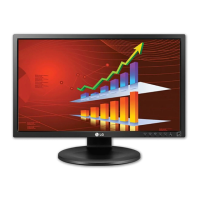
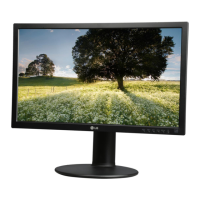
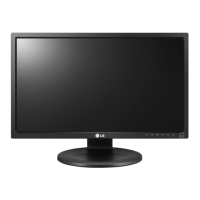
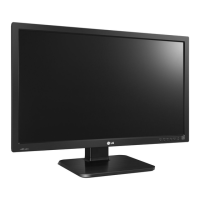
LG 24MB37PM - User Manual

LG 24MB37PM
31 pages
Print Icon
To Next Page IconTo Next Page
Loading...
www.lg.com
OWNER’S MANUAL
IPS LED MONITOR
(LED LCD MONITOR)
Please read this manual carefully before operating
your set and retain it for future reference.
IPS LED(LED LCD) MONITOR MODEL
ENGLISH
22MB37PU 24MB37PM
24MB37PY
24MB37PV

Other manuals for LG 24MB37PM

Questions and Answers

Summary

ASSEMBLING AND PREPARING

Unpacking

Checks product box contents and advises contacting dealer for missing accessories.

Attaching the Stand Base

Provides instructions for securely attaching the monitor's stand base.

USING THE MONITOR SET

Connecting to a PC

Explains Plug & Play and how to connect the monitor to a PC via D-SUB, DVI-D, and HDMI.

TROUBLESHOOTING

No image appears

Solutions for issues like no power, flickering, or 'OUT OF RANGE' messages.

Display image is incorrect

Solutions for incorrect display position, vertical bars, or horizontal noise.

OSD Locked Message

How to unlock the OSD menu if it is accidentally locked.

SPECIFICATIONS

22 MB37 PU Specifications

Technical specifications for the 22MB37PU monitor model.

24 MB37 PY Specifications

Technical specifications for the 24MB37PY monitor model.

24 MB37 PV Specifications

Technical specifications for the 24MB37PV monitor model.

24 MB37 PM Specifications

Technical specifications for the 24MB37PM monitor model.

Summary

ASSEMBLING AND PREPARING

Unpacking

Checks product box contents and advises contacting dealer for missing accessories.

Attaching the Stand Base

Provides instructions for securely attaching the monitor's stand base.

USING THE MONITOR SET

Connecting to a PC

Explains Plug & Play and how to connect the monitor to a PC via D-SUB, DVI-D, and HDMI.

TROUBLESHOOTING

No image appears

Solutions for issues like no power, flickering, or 'OUT OF RANGE' messages.

Display image is incorrect

Solutions for incorrect display position, vertical bars, or horizontal noise.

OSD Locked Message

How to unlock the OSD menu if it is accidentally locked.

SPECIFICATIONS

22 MB37 PU Specifications

Technical specifications for the 22MB37PU monitor model.

24 MB37 PY Specifications

Technical specifications for the 24MB37PY monitor model.

24 MB37 PV Specifications

Technical specifications for the 24MB37PV monitor model.

24 MB37 PM Specifications

Technical specifications for the 24MB37PM monitor model.

LG 24MB37PM Specifications

General IconGeneral
BrandLG
Model24MB37PM
CategoryMonitor
LanguageEnglish

Related product manuals