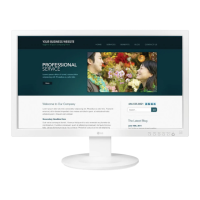
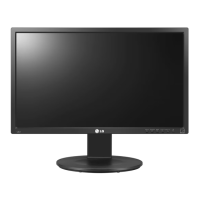
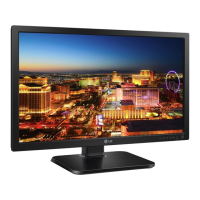
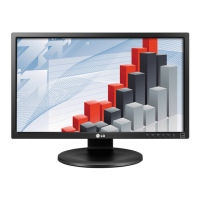
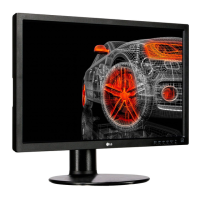
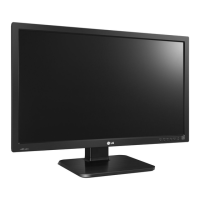
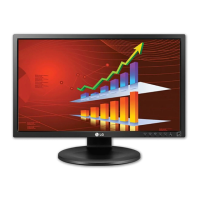
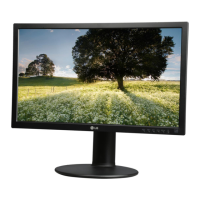
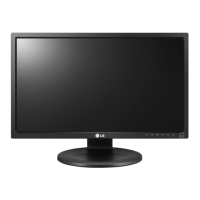
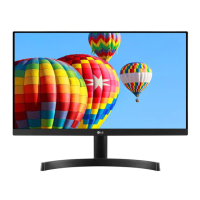
This document is an owner's manual for an LG IPS LED Monitor, model 24MB56HQ.
Function Description:
The LG IPS LED Monitor 24MB56HQ is designed for various uses, including PC connectivity, AV device integration, and external device connections. It features an IPS (In-Plane Switching) panel, which typically offers wide viewing angles and consistent color reproduction. The monitor supports both analog (D-SUB) and digital (HDMI) video and audio signals, making it versatile for different setups. It includes several customizable settings to optimize display quality, energy consumption, and user comfort.
Important Technical Specifications:
- Display: 60.4 cm (23.8 inch) Flat Panel Active Matrix-TFT LCD with Anti-Glare coating. Visible diagonal size is 60.4 cm.
- Pixel Pitch: 0.2745 mm x 0.2745 mm.
- Horizontal Frequency: 30 kHz to 83 kHz (Automatic).
- Vertical Frequency: 56Hz to 75Hz (D-SUB), 56Hz to 61Hz (HDMI).
- Input Form: Separate Sync. Digital.
- Signal Input: 15 pin D-SUB Connector, HDMI Connector.
- Video Input: RGB Analog (0.7 Vp-p/ 75 ohm), Digital.
- Max Resolution: D-SUB(Analog): 1920 x 1080 @ 60 Hz; HDMI (Digital): 1920 x 1080 @ 60 Hz.
- Recommended Resolution: VESA 1920 x 1080 @ 60 Hz.
- Power Consumption: On Mode: 22 W (ENERGY STAR® standard); Sleep Mode ≤ 0.3 W; Off Mode ≤ 0.3 W.
- Power Input: 19 V === 1.6 A.
- AC-DC Adapter: Various models from SHENZHEN HONOR ELECTRONIC and LIEN CHANG ELECTRONIC ENTERPRISE, with an OUTPUT of 19 V === 1.7 A.
- Dimensions (Width x Height x Depth): With Stand: 55.4 cm x 36.0 cm x 23.9 cm; Without Stand: 55.4 cm x 35.2 cm x 10.6 cm.
- Weight: 3.9 kg.
- Tilt Range: -5° to 20°.
- Environmental Conditions: Operating Temperature: 10°C to 35°C; Operating Humidity: 10% to 80%; Storage Temperature: -20°C to 60°C; Storage Humidity: 5% to 90% non-Condensing.
- VESA Mounting: 75 x 75 mm, M4 standard screw, 4 screws. Screw length from outer surface of back cover should be under 8mm.
- Plug & Play: DDC 2B (Analog, HDMI) support.
- HDMI Timing Support: Includes various resolutions from 480P to 1080P at different frequencies.
Usage Features:
- Assembly and Preparation: The manual provides detailed instructions for unpacking, attaching/detaching the stand base, mounting on a table, and mounting on a wall. It includes warnings about proper handling to prevent damage and injury.
- Adjustable Stand: The monitor features a height-adjustable stand (up to 110 mm) and a swivel stand (355 degrees) for ergonomic viewing.
- Cable Management: A cable holder is provided to organize cables.
- Connectivity:
- PC Connection: Supports D-SUB (analog) and HDMI (digital) connections.
- AV Devices: Connects via HDMI for digital video and audio signals.
- External Devices: Connects peripheral devices using headphone ports.
- On-Screen Display (OSD) Menu: Accessible via buttons on the rear, the OSD allows users to customize various settings.
- Main Menu Settings:
- Brightness: Adjusts screen brightness.
- Contrast: Adjusts screen contrast.
- Response Time: Sets response time for displayed pictures (Off, Middle, High).
- Wide/Original: Switches between full screen and original input image signal ratio.
- Reset: Restores all factory default settings.
- Picture Settings:
- Sharpness: Adjusts screen clearness.
- Black Level: Sets offset level (High/Low, for HDMI input only).
- Over Scan: Selects output image range for DTV timing in HDMI input (for HDMI input only).
- Color Settings:
- Gamma: Sets gamma value (Gamma 0, Gamma 1, Gamma 2).
- Color Temp: Selects screen color temperature (Custom, Warm, Medium, Cool).
- Six Color: Adjusts hue and saturation for six colors (Red/Green/Blue/Cyan/Magenta/Yellow).
- Color Reset: Resets color settings to factory defaults.
- Display Settings:
- Horizontal/Vertical: Adjusts image position.
- Clock/Phase: Minimizes vertical bars/stripes and adjusts display focus for clarity.
- Audio Settings:
- Volume: Adjusts headphone/earphone volume (for HDMI input only).
- Others Settings:
- Language: Selects OSD language.
- Power Indicator: Turns the power indicator On or Off.
- Automatic Standby: Automatically switches to standby mode after a period of inactivity.
- READER Setting: Provides modes (Reader 1, Reader 2, Off) that adjust the screen for eye comfort, simulating paper-like pictures for reading newspapers or cartoons. When Reader Mode is active, Picture Mode automatically sets to Custom and SUPER ENERGY SAVING turns Off.
- FUNC. Setting:
- SUPER ENERGY SAVING: Enables energy saving by adjusting screen brightness (High, Low, Off). Displays power and CO2 reduction data. When active, Picture Mode automatically sets to Custom and Reader Mode turns Off.
- DUAL DISPLAY: Requires DUAL SMART SOLUTION software. Allows using the monitor as a clone or extended display for a secondary monitor.
- DUAL WEB: Requires DUAL SMART SOLUTION software. Helps browse the web efficiently by dividing the screen in half, arranging windows, and controlling divided window ratios.
- Self Image Setting Function: Automatically optimizes display settings when the monitor is first turned on (Analog Mode only).
- AUTO Function: Improves resolution for blurry, flickering, or tilted screens (Analog Mode only).
- Power Indicator: White when On, blinking white in Sleep Mode, Off in Off Mode.
- Kensington Security System: Connector located at the back for securing the monitor.
Maintenance Features:
- Troubleshooting Guide: Provides solutions for common issues such as no image, power indicator problems, "OUT OF RANGE" or "NO SIGNAL" messages, "OSD LOCKED" messages, incorrect display position, vertical bars/stripes, horizontal noise, monochrome/abnormal colors, screen blinking, and flickering.
- Driver Installation: Advises installing the display driver from the provided CD or LG's website if the monitor is unrecognized.
- Proper Posture Guidelines: Illustrates and describes proper posture for using the monitor to ensure comfort and reduce strain.
- Cleaning: Implied through warnings against touching the screen forcefully, which could damage pixels.
- Safety Precautions: Emphasizes using approved accessories, disconnecting power before moving, and avoiding strong shocks or vibrations.
- Warranty: Notes that damages from unapproved accessories are not covered by the warranty.
- ENERGY STAR® Compliance: The monitor is ENERGY STAR® certified, indicating energy efficiency.


 To Next Page
 General