EasyManua.ls Logo

LG 24MP77HM - User Manual

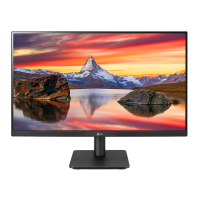
LG 24MP77HM
39 pages
Print Icon
To Next Page IconTo Next Page
Loading...
www.lg.com
IPS LED MONITOR MODEL
Please read this manual carefully before operating
your set and retain it for future reference.
24MP77HM
24MP77SM
27MP77HM
27MP77SM
Owner's Manual
IPS LED MONITOR
(LED MONITOR*)
*LG LED Monitors are LCD Monitors with LED Backlighting.

Questions and Answers

  • S
    Sydney BushAug 17, 2025
    How to fix no image on my LG Monitor?
    • J
      Jodi MitchellAug 17, 2025
      If no image appears on your LG Monitor, first, ensure the power cord is correctly connected to the power outlet. Then, press the Power button. If it's in power saving mode, move the mouse or press any key. Also, ensure your PC is turned on. If a 'No-Signal' message appears, it might be due to the PC's signal being out of range; check the 'Specifications' section to configure your display. The monitor enters DPM mode if there is no signal in 5 minutes.
  • C
    cathy50Aug 19, 2025
    Why is the screen color on my LG 24MP77HM abnormal?
    • L
      Lisa GlassAug 19, 2025
      If the screen color on your LG Monitor appears mono or abnormal, verify that the signal cable is properly connected, tightening it with a screwdriver if needed. Also, ensure the video card is correctly inserted in its slot. Lastly, set the color setting higher than 24 bits (true color) via Control Panel ? Settings.
  • C
    chadmcleanAug 22, 2025
    What to do if my LG 24MP77HM shows 'Unrecognized monitor, Plug&Play (VESA DDC) monitor found'?
    • K
      Katie SantosAug 22, 2025
      If you see an 'Unrecognized monitor, Plug&Play (VESA DDC) monitor found' message on your LG Monitor, install the display driver from the CD or diskette that came with it. You can also download the driver from the LG website. Ensure that your video card supports the Plug&Play function.
  • A
    Alexandra Gonzalez DDSAug 25, 2025
    How to resolve horizontal noise on my LG 24MP77HM?
    • M
      Matthew GuzmanAug 26, 2025
      If any horizontal noise appears in any image or characters are not clearly portrayed on your LG Monitor, use the Auto Configuration function and select 'Yes' to automatically adjust the display image. Also, check Control Panel ? Display ? Settings to adjust the display to the recommended resolution or adjust the display image. Set the color setting higher than 24 bits (true color).
  • V
    Vanessa WongAug 28, 2025
    How to unlock OSD controls on LG 24MP77HM Monitor?
    • H
      Holly CaseAug 28, 2025
      If you can't control some functions in OSD on your LG Monitor, you can unlock the OSD controls by entering the OSD lock menu and changing items to 'off'.
  • B
    Bailey EstradaAug 30, 2025
    How to fix no image on LG Monitor?
    • K
      Karen MartinezAug 30, 2025
      If your LG Monitor displays no image, ensure the power cord is correctly connected to the outlet and that the power button is pressed. If it's in power saving mode, move the mouse, press a key, or turn on the PC. Also, this issue can occur when the signal from the PC is out of the monitor's frequency range; check the 'Specifications' section to configure the display. The monitor enters DPM mode if it remains on 'No-Signal' for 5 minutes.
  • J
    John GraySep 2, 2025
    What to do if I see 'Unrecognized monitor, Plug&Play (VESA DDC) monitor found' message on LG 24MP77HM?
    • J
      jeffwilkersonSep 2, 2025
      If you see an 'Unrecognized monitor, Plug&Play (VESA DDC) monitor found' message on your LG monitor, you should install the display driver from the CD or diskette that came with your monitor, or download it from the LG website. Also, ensure that your video card supports the Plug&Play function.
  • L
    Leroy BrownSep 5, 2025
    What to do if horizontal noise appears on LG 24MP77HM?
    • C
      Carly JohnsonSep 5, 2025
      If horizontal noise appears in any image or characters are not clearly portrayed on your LG monitor, use the Auto Configuration function and select 'Yes' to automatically adjust the display. Alternatively, go to Control Panel ? Display ? Settings and adjust the display to the recommended resolution or set the color setting higher than 24 bits (true color).
  • M
    Melanie HartSep 7, 2025
    Why is the screen color mono or abnormal on my LG 24MP77HM?
    • C
      Crystal MaloneSep 7, 2025
      If the screen color on your LG monitor is mono or abnormal, check if the signal cable is properly connected and use a screwdriver to fasten it if necessary. Also, ensure the video card is properly inserted in its slot and set the color setting higher than 24 bits (true color) in Control Panel.
  • G
    Gregory TaylorSep 12, 2025
    How to correct incorrect display position on LG 24MP77HM?
    • K
      Kimberly YoungSep 12, 2025
      If the display position is incorrect on your LG monitor, enter the Auto Configuration function and select the 'Yes' item to automatically adjust your display image to the ideal setting.

Summary

Assembling and Preparing the Monitor

Attaching the Monitor Stand Base

Step-by-step guide for attaching the monitor stand base securely.

Using the Monitor Set

Connecting the Monitor to a PC

Explains how to connect the monitor to a PC using D-SUB and HDMI.

Installing LG Monitor Software

Customizing Monitor Settings

Activating and Navigating the Main Menu

Explains how to access and navigate the monitor's main OSD menu using the joystick.

Quick Settings Menu

Details on adjusting basic settings like Brightness, Contrast, Volume, Ratio, and SMART ENERGY SAVING.

Picture Settings Adjustment

Guide to adjusting picture settings including Picture Mode and Color Wizard.

General Settings Configuration

Covers general settings such as Audio Input, Language, Power LED, Automatic Standby, and OSD Lock.

Troubleshooting Common Issues

Display Output and Signal Issues

Addresses issues like no image, 'OUT OF RANGE', 'NO SIGNAL', and flickering displays.

OSD Control and Menu Functionality

Solutions for locked OSD controls and inability to select menu items.

Display Image Quality Problems

Fixes for incorrect position, color abnormalities, noise, and blurred text.

Monitor Recognition and Driver Installation

Guidance for 'Unrecognized monitor' messages and driver installation.

Monitor Specifications

Proper Posture for Monitor Use

LG 24MP77HM Specifications

General IconGeneral
Screen Size24 inches
Resolution1920 x 1080
Panel TypeIPS
Aspect Ratio16:9
Brightness250 cd/m²
Response Time5 ms
Refresh Rate60 Hz
Contrast Ratio1000:1
Dynamic Contrast Ratio5, 000, 000:1
Viewing Angle (H/V)178°/178°
ConnectivityHDMI
VESA Mount CompatibleYes
SpeakersYes
Power Consumption25 W

Related product manuals