EasyManua.ls Logo

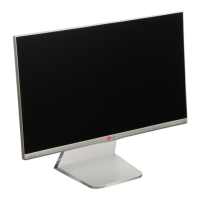
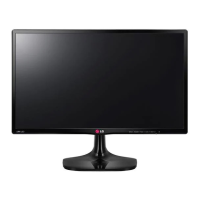
LG 24MP77SM - User Manual

LG 24MP77SM
39 pages
Print Icon
To Next Page IconTo Next Page
Loading...
www.lg.com
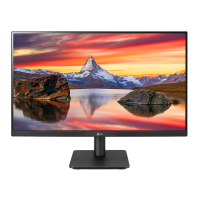
IPS LED MONITOR MODEL
Please read this manual carefully before operating
your set and retain it for future reference.
24MP77HM
24MP77SM
27MP77HM
27MP77SM
Owner's Manual
IPS LED MONITOR
(LED MONITOR*)
*LG LED Monitors are LCD Monitors with LED Backlighting.

Questions and Answers

  • L
    Laurie ByrdAug 17, 2025
    How to fix no image on my LG 24MP77SM Monitor?
    • A
      Aimee CollinsAug 17, 2025
      If no image appears on your LG Monitor, first, ensure the power cord is correctly connected to the power outlet. Then, press the Power button. If it's in power saving mode, move the mouse or press any key. Also, ensure your PC is turned on. If a 'No-Signal' message appears, it might be due to the PC's signal being out of range; check the 'Specifications' section to configure your display. The monitor enters DPM mode if there is no signal in 5 minutes.
  • A
    aaron95Aug 19, 2025
    Why is the screen color on my LG Monitor abnormal?
    • M
      Mason BrownAug 20, 2025
      If the screen color on your LG Monitor appears mono or abnormal, verify that the signal cable is properly connected, tightening it with a screwdriver if needed. Also, ensure the video card is correctly inserted in its slot. Lastly, set the color setting higher than 24 bits (true color) via Control Panel ? Settings.
  • C
    Courtney WilsonAug 23, 2025
    What to do if my LG Monitor shows 'Unrecognized monitor, Plug&Play (VESA DDC) monitor found'?
    • D
      Dr. Angela CarsonAug 23, 2025
      If you see an 'Unrecognized monitor, Plug&Play (VESA DDC) monitor found' message on your LG Monitor, install the display driver from the CD or diskette that came with it. You can also download the driver from the LG website. Ensure that your video card supports the Plug&Play function.
  • E
    Elizabeth Bean DDSAug 26, 2025
    How to resolve horizontal noise on my LG 24MP77SM Monitor?
    • M
      Matthew MarshallAug 26, 2025
      If any horizontal noise appears in any image or characters are not clearly portrayed on your LG Monitor, use the Auto Configuration function and select 'Yes' to automatically adjust the display image. Also, check Control Panel ? Display ? Settings to adjust the display to the recommended resolution or adjust the display image. Set the color setting higher than 24 bits (true color).
  • D
    Donna WilliamsAug 28, 2025
    How to unlock OSD controls on LG 24MP77SM Monitor?
    • K
      Kevin GoodAug 28, 2025
      If you can't control some functions in OSD on your LG Monitor, you can unlock the OSD controls by entering the OSD lock menu and changing items to 'off'.
  • P
    Patricia SimpsonAug 31, 2025
    How to fix no image on LG Monitor?
    • R
      robert92Aug 31, 2025
      If your LG Monitor displays no image, ensure the power cord is correctly connected to the outlet and that the power button is pressed. If it's in power saving mode, move the mouse, press a key, or turn on the PC. Also, this issue can occur when the signal from the PC is out of the monitor's frequency range; check the 'Specifications' section to configure the display. The monitor enters DPM mode if it remains on 'No-Signal' for 5 minutes.
  • S
    sarahcontrerasSep 2, 2025
    What to do if I see 'Unrecognized monitor, Plug&Play (VESA DDC) monitor found' message on LG monitor?
    • C
      Christy GrimesSep 2, 2025
      If you see an 'Unrecognized monitor, Plug&Play (VESA DDC) monitor found' message on your LG monitor, you should install the display driver from the CD or diskette that came with your monitor, or download it from the LG website. Also, ensure that your video card supports the Plug&Play function.
  • G
    graymondSep 5, 2025
    What to do if horizontal noise appears on LG 24MP77SM Monitor?
    • M
      Michael RivasSep 5, 2025
      If horizontal noise appears in any image or characters are not clearly portrayed on your LG monitor, use the Auto Configuration function and select 'Yes' to automatically adjust the display. Alternatively, go to Control Panel ? Display ? Settings and adjust the display to the recommended resolution or set the color setting higher than 24 bits (true color).
  • J
    Jeffrey SmithSep 8, 2025
    Why is the screen color mono or abnormal on my LG 24MP77SM?
    • J
      James PhillipsSep 8, 2025
      If the screen color on your LG monitor is mono or abnormal, check if the signal cable is properly connected and use a screwdriver to fasten it if necessary. Also, ensure the video card is properly inserted in its slot and set the color setting higher than 24 bits (true color) in Control Panel.
  • P
    Patricia QuinnSep 12, 2025
    How to correct incorrect display position on LG 24MP77SM Monitor?
    • K
      kruegerbryanSep 12, 2025
      If the display position is incorrect on your LG monitor, enter the Auto Configuration function and select the 'Yes' item to automatically adjust your display image to the ideal setting.

LG 24MP77SM Specifications

General IconGeneral
Screen Size24 inches
Panel TypeIPS
Aspect Ratio16:9
Brightness250 cd/m²
Contrast Ratio1000:1
Dynamic Contrast Ratio5, 000, 000:1
Response Time5 ms
Viewing Angle (H/V)178°/178°
Color GamutsRGB 99%
Refresh Rate60 Hz
Weight4.2 kg
Resolution1920 x 1080
ConnectivityHDMI, D-Sub
SpeakersYes
VESA Mount100 x 100 mm
Power Consumption25 W
Color Depth8-bit (6-bit + A-FRC)

Related product manuals