EasyManua.ls Logo

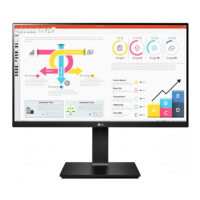
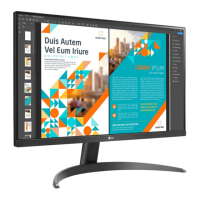
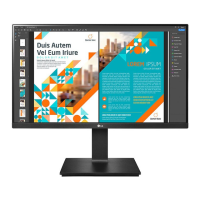
LG 24QP750 - User Manual

LG 24QP750
31 pages
Print Icon
To Next Page IconTo Next Page
Loading...
* LG LED Monitor applies LCD screen with LED backlights.
Please read this manual carefully before operating your set and
retain it for future reference.
24QP750
24BP75Q
OWNER’S MANUAL
LED LCD MONITOR
(LED Monitor*)
www.lg.com
Copyright © 2020 LG Electronics Inc. All Rights Reserved.

Questions and Answers

Summary

Open Source Software Notice and Preparation

Safety Precautions for Assembly

Important safety warnings and notes for assembling the monitor correctly.

Product and Monitor Handling

Joystick Button Operation

How to use the joystick button for monitor control and basic functions.

Monitor Handling and Movement

Safe procedures for moving and lifting the monitor to prevent damage.

Installation and Setup

Installing on a Table

Guidelines for placing the monitor on a table for proper ventilation.

Adjusting the Stand Height

Instructions on how to adjust the monitor's stand height up to 130.0 mm.

Screen Adjustments

Adjusting the Screen Angle

How to adjust the screen angle forward or backward for comfortable viewing.

Wall Mounting

Installing the Wall Mount Plate

Specifications and notes for attaching a wall mount plate to the monitor.

Installing the Monitor on the Wall

Steps and precautions for securely mounting the monitor on a wall.

Using the Monitor

Connecting to a PC

Instructions for connecting the monitor to a computer via HDMI, DisplayPort, or USB-C.

User Settings

Activating the Main Menu

Steps to access and navigate the monitor's on-screen display (OSD) menu.

Main Menu Features

Quick Settings

Input Settings

Picture Settings

HDR Picture Mode Settings

Picture Adjustments

Color Adjustments

General Settings

Troubleshooting Common Issues

No Screen Display and Signal Errors

Resolving issues related to blank screens, 'No Signal', and 'Out of Range' messages.

Display Instability and Image Artifacts

Solutions for unstable displays, shadow trails, and image sticking.

Screen Spots and Feature Availability

Understanding screen spots and troubleshooting unavailable features.

Troubleshooting Connectivity and Sound

Unrecognized Monitor Message

Resolving 'Unrecognized monitor' messages by installing display drivers.

Product Specifications (24 QP750)

Summary

Open Source Software Notice and Preparation

Safety Precautions for Assembly

Important safety warnings and notes for assembling the monitor correctly.

Product and Monitor Handling

Joystick Button Operation

How to use the joystick button for monitor control and basic functions.

Monitor Handling and Movement

Safe procedures for moving and lifting the monitor to prevent damage.

Installation and Setup

Installing on a Table

Guidelines for placing the monitor on a table for proper ventilation.

Adjusting the Stand Height

Instructions on how to adjust the monitor's stand height up to 130.0 mm.

Screen Adjustments

Adjusting the Screen Angle

How to adjust the screen angle forward or backward for comfortable viewing.

Wall Mounting

Installing the Wall Mount Plate

Specifications and notes for attaching a wall mount plate to the monitor.

Installing the Monitor on the Wall

Steps and precautions for securely mounting the monitor on a wall.

Using the Monitor

Connecting to a PC

Instructions for connecting the monitor to a computer via HDMI, DisplayPort, or USB-C.

User Settings

Activating the Main Menu

Steps to access and navigate the monitor's on-screen display (OSD) menu.

Main Menu Features

Quick Settings

Input Settings

Picture Settings

HDR Picture Mode Settings

Picture Adjustments

Color Adjustments

General Settings

Troubleshooting Common Issues

No Screen Display and Signal Errors

Resolving issues related to blank screens, 'No Signal', and 'Out of Range' messages.

Display Instability and Image Artifacts

Solutions for unstable displays, shadow trails, and image sticking.

Screen Spots and Feature Availability

Understanding screen spots and troubleshooting unavailable features.

Troubleshooting Connectivity and Sound

Unrecognized Monitor Message

Resolving 'Unrecognized monitor' messages by installing display drivers.

Product Specifications (24 QP750)

LG 24QP750 Specifications

General IconGeneral
Resolution2560 x 1440 (QHD)
Panel TypeIPS
Refresh Rate75 Hz
Contrast Ratio1000:1
Aspect Ratio16:9
sRGB Coverage99%
HDRHDR10
Screen Size24 inch
Response Time5ms
Brightness300 cd/m²
ConnectivityHDMI, DisplayPort, USB-C
VESA Mount CompatibleYes
USB-C Power DeliveryYes (65W)
SpeakersYes
Viewing Angle178°

Related product manuals