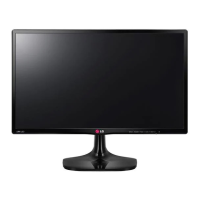
Need help?
Do you have a question about the LG 24ML600M and is the answer not in the manual?
Provides instructions to prevent damage and ensure safe transportation of the monitor.
Connect the monitor to your PC using D-SUB or HDMI cables.
Instructions on how to access and navigate the monitor's main OSD menu.
Guide to adjusting settings like Brightness, Contrast, Volume, Color Temp, Input, and Aspect Ratio.
Details various picture modes like Custom, Reader, Photo, Cinema, Color Weakness, and Game.
Adjustments for Brightness, Contrast, Sharpness, SUPER RESOLUTION+, Black Level, and DFC.
Settings for FreeSync, Black Stabilizer, 1ms Motion Blur Reduction, and Cross Hair.
 General
| Screen Size | 23.8 inches |
|---|---|
| Resolution | 1920 x 1080 (Full HD) |
| Panel Type | IPS |
| Refresh Rate | 75Hz |
| Response Time | 5ms (GtG) |
| Aspect Ratio | 16:9 |
| Brightness | 250 cd/m² |
| Contrast Ratio | 1000:1 |
| VESA Mounting | Yes |
| VESA Mount Size | 100 x 100 mm |
| Flicker-Free | Yes |
| Reader Mode | Yes |
| Dynamic Action Sync | Yes |
| Black Stabilizer | Yes |
| FreeSync | Yes |
| Viewing Angle | 178°/178° |
| Inputs | HDMI, D-Sub |
| Color Gamut | NTSC 72% |

 To Next Page