EasyManua.ls Logo

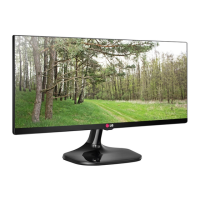
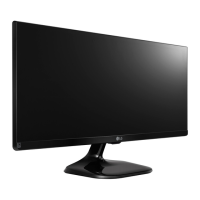
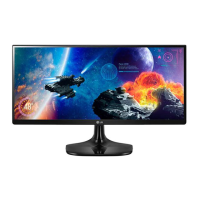
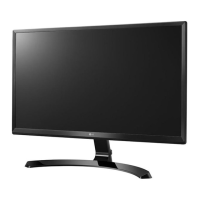
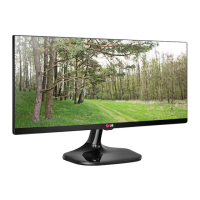
LG 25UM65 - User Manual

LG 25UM65
42 pages
Print Icon
To Next Page IconTo Next Page
Loading...
www.lg.com
25UM64
25UM65
34UM64
34UM65
Please read the safety information carefully
before using the product.
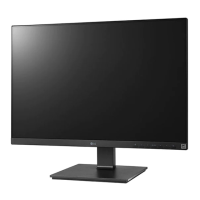
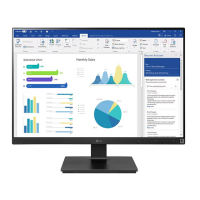
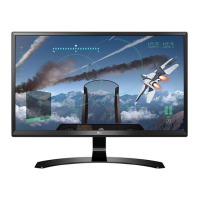
IPS LED Monitor (LED Monitor) Model List
Owner's Manual
IPS LED MONITOR
(LED MONITOR*)
*Disclaimer: LG LED Monitor applies LCD screen with LED backlights.

Questions and Answers

  • V
    vpattonJul 29, 2025
    What to do if nothing is displayed on my LG 25UM65 Monitor screen?
    • N
      Nathaniel FowlerJul 29, 2025
      If your LG Monitor screen is blank, try the following: Ensure the power cord is securely plugged into the outlet, check the power cable connection and press the power button. Verify that the correct input is enabled via Menu > Input. If the monitor is in power-saving mode, move the mouse or press a key. Confirm that your computer is turned on. If the signals from your PC are out of range, consult the Product Specification section of this manual to set the appropriate frequency. Also, check and reconnect the cable.
  • S
    scottantonioAug 4, 2025
    Why is my LG 25UM65 display color abnormal?
    • W
      William RomeroAug 4, 2025
      If you notice abnormal colors on your LG Monitor, first set the color to 24 bit (true color) or higher via Control Panel > Display > Settings > Color Quality in Windows. Also, check the signal cable connection, reconnect it, or reinsert the PC's video card. Note that this might not be an error related to the monitor's performance.
  • T
    troyhernandezAug 10, 2025
    What to do if my LG 25UM65 screen display is unstable and shaky?
    • N
      Natalie LloydAug 10, 2025
      If your LG Monitor screen display is unstable, shaky, or images leave shadow trails, and the resolution is set to HDMI 1080i 60/50 Hz (interlaced), the screen may be flickering. Try changing the resolution to 1080P or the recommended resolution.
  • F
    Felicia WardAug 15, 2025
    Why does my LG 25UM65 screen retain an image?
    • H
      Heather SalazarAug 15, 2025
      Displaying a still image for a prolonged time may cause damage to the screen, resulting in the retention of the image. To extend the lifetime of your LG Monitor, use a screensaver.
  • S
    smithanthonyAug 21, 2025
    How to unlock OSD on LG 25UM65?
    • M
      Marilyn GatesAug 21, 2025
      If the OSD Locked message appears on your LG Monitor, navigate to Menu > Settings and set OSD Lock to Off.

Summary

ASSEMBLING AND PREPARING

Product Composition

Lists all components included in the monitor package for user verification.

How to Use the Joystick Button

Explains how to operate the monitor's functions using the joystick button.

Installing the Monitor

Step-by-step guide for assembling the monitor stand for initial setup.

Installing on a Table

Guide for placing the monitor on a table and connecting power.

Installing the Wall Mount Plate

Procedure for attaching a wall mount plate to the monitor for wall installation.

Installing on the Wall

Guidelines for properly mounting the monitor onto a wall using a bracket.

USING THE MONITOR

Connecting to a PC

Connects the monitor to a computer and explains Plug and Play functionality.

DVI Connection

Details how to connect the monitor to a PC using a DVI cable for video signals.

HDMI Connection

Explains connecting the monitor to a PC or AV device via HDMI for video and audio.

USER SETTINGS

TROUBLESHOOTING

PRODUCT SPECIFICATION

LG 25UM65 Specifications

General IconGeneral
BrandLG
Model25UM65
CategoryMonitor
LanguageEnglish

Related product manuals