ENGLISH
29
MAKING CONNECTIONS
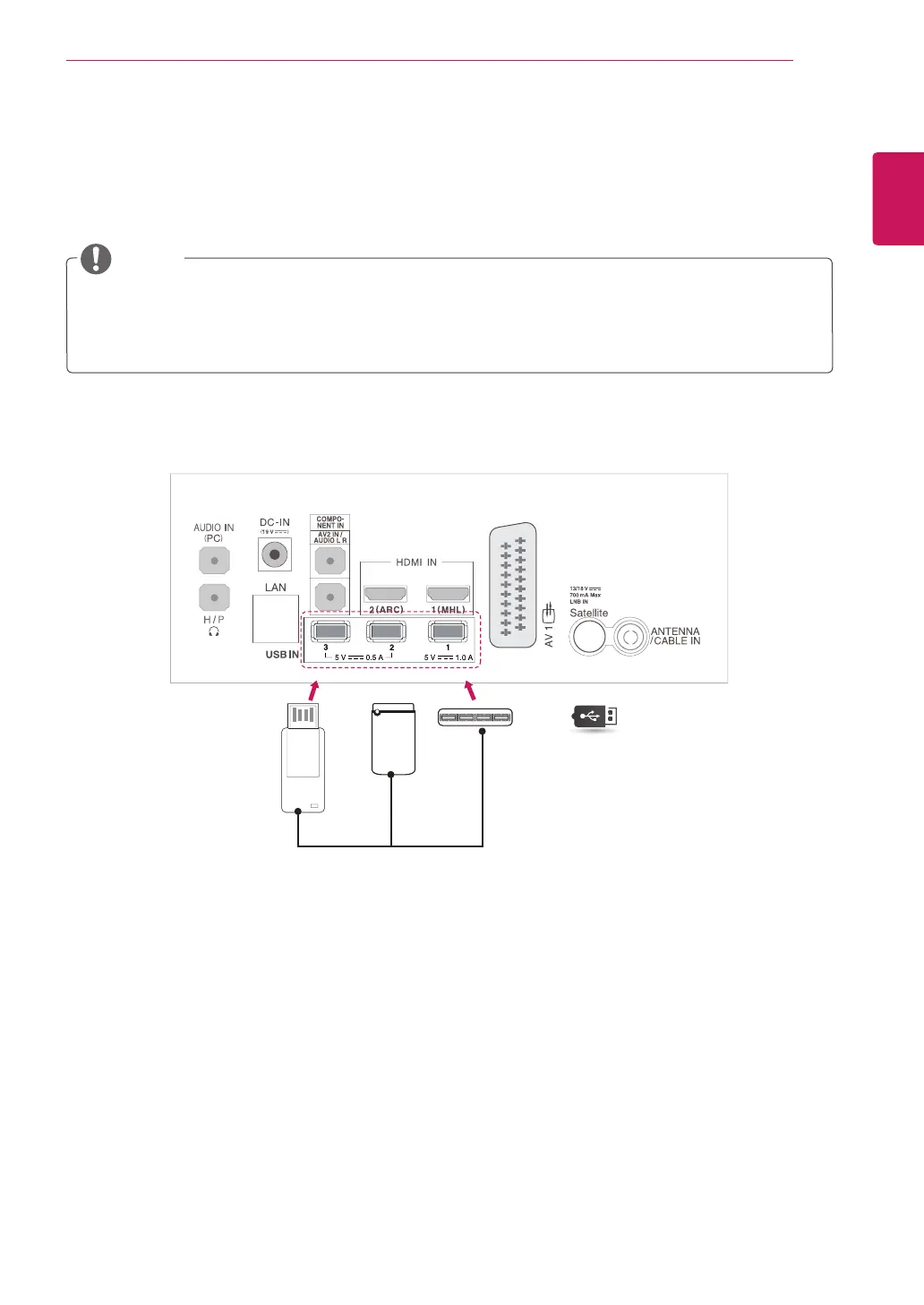
Connecting to a USB
Connect a USB storage device such as a USB flash memory, external hard drive, or a USB
memory card reader to the TV and access the Smart Share menu to use various multimedia files.
USB
or
or
(Not Provided)
Some USB Hubs may not work. If a USB device connected using a USB Hub is not detected, connect
it to the USB port on the TV directly.
Connect the external power source if your USB is needed.
NOTE



 To Next Page